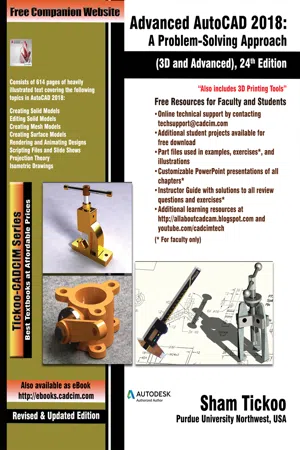
Advanced AutoCAD 2018: A Problem Solving Approach, 3D and Advanced, 24th Edition
eBook - ePub

Advanced AutoCAD 2018: A Problem Solving Approach, 3D and Advanced, 24th Edition

  1. English
  2. ePUB (mobile friendly)
  3. Available on iOS & Android
eBook - ePub

Advanced AutoCAD 2018: A Problem Solving Approach, 3D and Advanced, 24th Edition

About this book

The Advanced AutoCAD 2018: A Problem Solving Approach, 3D and Advanced textbook contains detailed explanation of AutoCAD commands and their applications to solve design problems. Every AutoCAD command is thoroughly explained with the help of examples and illustrations. This makes it easy for the users to understand the functions and applications of the tools and commands. After reading this textbook, you will be able to create 3D objects, apply materials to objects, generate drafting views of a model, create surface or mesh objects, and render and animate designs, and understand 3D Printing.The book covers designing concepts in detail as well as provides elaborative description of technical drawing in AutoCAD including orthographic projections, dimensioning principles, sectioning, auxiliary views, and assembly drawings. While going through this textbook, you will discover some new unique applications of AutoCAD that will have a significant effect on your drawings and designs. The textbook also covers the 3D printing tools introduced in AutoCAD. Some of the Salient Features of this textbook are as follows:

  • Comprehensive textbook consisting 14 chapters that are organized in a pedagogical sequence.
  • Detailed explanation of all commands and tools.
  • Summarized content on the first page of the topics that are covered in the chapter.
  • Hundreds of illustrations for easy understanding of concepts.
  • Step-by-step instructions to guide the users through the learning process.
  • More than 25 real-world mechanical engineering designs as examples.
  • Additional information throughout the book in the form of notes and tips.
  • Self-Evaluation Tests and Review Questions at the end of the chapters to help the users assess their knowledge.
  • Technical support by contacting [email protected].
  • Additional learning resources at http://allaboutcadcam.blogspot.com.

Brief Table of Contents
Chapter 1: The User Coordinate System
Chapter 2: Getting Started with 3D
Chapter 3: Creating Solid Models
Chapter 4: Editing 3D Objects-I
Chapter 5: Editing 3D Objects-II
Chapter 6: Surface Modeling
Chapter 7: Mesh Modeling
Chapter 8: Rendering and Animating Designs
Chapter 9: AutoCAD on Internet and 3D Printing
Chapter 10: Script Files and Slide Shows
Chapter 11: Creating Linetypes and Hatch Patterns
Chapter 12: Customizing the acad.pgp File
Chapter 13: Conventional Dimensioning and Projection Theory Using AutoCAD
Chapter 14: Isometric Drawings
Index

Frequently asked questions

Yes, you can cancel anytime from the Subscription tab in your account settings on the Perlego website. Your subscription will stay active until the end of your current billing period. Learn how to cancel your subscription.
No, books cannot be downloaded as external files, such as PDFs, for use outside of Perlego. However, you can download books within the Perlego app for offline reading on mobile or tablet. Learn more here.
Perlego offers two plans: Essential and Complete
  • Essential is ideal for learners and professionals who enjoy exploring a wide range of subjects. Access the Essential Library with 800,000+ trusted titles and best-sellers across business, personal growth, and the humanities. Includes unlimited reading time and Standard Read Aloud voice.
  • Complete: Perfect for advanced learners and researchers needing full, unrestricted access. Unlock 1.4M+ books across hundreds of subjects, including academic and specialized titles. The Complete Plan also includes advanced features like Premium Read Aloud and Research Assistant.
Both plans are available with monthly, semester, or annual billing cycles.
We are an online textbook subscription service, where you can get access to an entire online library for less than the price of a single book per month. With over 1 million books across 1000+ topics, we’ve got you covered! Learn more here.
Look out for the read-aloud symbol on your next book to see if you can listen to it. The read-aloud tool reads text aloud for you, highlighting the text as it is being read. You can pause it, speed it up and slow it down. Learn more here.
Yes! You can use the Perlego app on both iOS or Android devices to read anytime, anywhere — even offline. Perfect for commutes or when you’re on the go.
Please note we cannot support devices running on iOS 13 and Android 7 or earlier. Learn more about using the app.
Yes, you can access Advanced AutoCAD 2018: A Problem Solving Approach, 3D and Advanced, 24th Edition by Prof. Sham Tickoo in PDF and/or ePUB format, as well as other popular books in Technology & Engineering & Mechanical Engineering. We have over one million books available in our catalogue for you to explore.
Chapter 8
Rendering and Animating Designs

Learning Objectives
After completing this chapter, you will be able to:
• Render objects
• Browse and manage material libraries
• Assign materials to the drawing objects
• Create new materials as well as edit existing materials
• Map materials on objects
• Convert old materials into new materials
• Insert and modify light sources
• Convert old lights into new lights
• Select rendering types and render objects
• Define and modify rendering settings
• Replay and print renderings
• Define and apply background
• Save the rendering objects
• Configure, load, and unload AutoCAD Render
• Work with cameras
• Create animations
Key terms
Materials Browser
Libraries
Attach By Layer
Materials Editor
RENDER
Material types
Material properties
Material Mapping
Texture Editor
Default Light
Point Light
Spot Light
Distant Light
Web Light
Sun Light
Set Location
Render Presets
History pane
Shade plot
CAMERA
Set Camera View
Animation Settings
Motion Path

Understanding the Concept of Rendering
A rendered image makes it easier to visualize the shape and size of a 3D object as compared to a wireframe image or a shaded image. A rendered object also makes it easier to express your design ideas to other people. For example, to make a presentation of your project or design, you do not need to build a prototype. You can use a rendered image to explain your design more clearly because you have a complete control over the shape, size, color, surface material, and lighting of the rendered image.
Additionally, any required changes can be incorporated into the object, and it can be rendered to check or demonstrate the effect of these changes. Thus, rendering is a very effective tool for communicating ideas and demonstrating the shape of an object.
Generally, the process of adding a realistic effect to models (rendering) can be divided into the following four steps:
1. Selecting the material to be assigned to the design.
2. Assigning materials and textures to the design.
3. Applying additional effects to the model by assigning lights at different locations.
4. Using the Render tool to render the objects.
Assigning Materials
After creating a model, you need to assign various types of materials to the objects in it to give it a realistic appearance. These materials create three types of effects. These effects are discussed next.
In the first type of material effect, the object is rendered without actually displaying the effect of the material applied. A global material is assigned to all objects. On rendering,...

Table of contents

  1. CoverImage
  2. Table of Contents
  3. c01_The User Coordinate System
  4. c02_Getting Started with 3D
  5. c03_Creating Solid Models
  6. c04_Editing 3D Objects-I
  7. c05_Editing 3D Objects-II
  8. c06_Surface Modeling
  9. c07_Mesh Modeling
  10. c08_Rendering and Animating Designs
  11. c09_AutoCAD on Internet and 3D Printing
  12. c10_Script Files and Slide Shows
  13. c11_Creating Linetypes and Hatch Patterns
  14. c12_Customizing the acad.pgp File
  15. c13_Conventional Dimensioning and Projection Theory Using AutoCAD
  16. c14_Isometric Drawings
  17. Other Publications