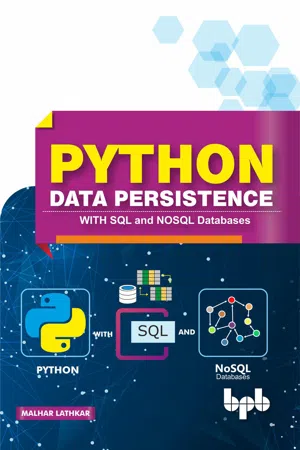
Designed to provide an insight into the SQL and MySQL database concepts using python. Key Features
A practical approach
Ample code examples
A Quick Start Guide to Python for beginners
Description Python is becoming increasingly popular among data scientists. However, analysis and visualization tools need to interact with the data stored in various formats such as relational and NOSQL databases. This book aims to make the reader proficient in interacting with databases such as MySQL, SQLite, MongoDB, and Cassandra. This book assumes that the reader has no prior knowledge of programming. Hence, basic programming concepts, key concepts of OOP, serialization and data persistence have been explained in such a way that it is easy to understand. NOSQL is an emerging technology. Using MongoDB and Cassandra, the two widely used NOSQL databases are explained in detail. The knowhow of handling databases using Python will certainly be helpful for readers pursuing a career in Data Science. What Will You Learn
Python basics and programming fundamentals
Serialization libraries pickle, CSV, JSON, and XML
DB-AP and, SQLAlchemy
Python with Excel documents
Python with MongoDB and Cassandra
Who This Book Is For Students and professionals who want to become proficient at database tools for a successful career in data science. Table of Contents
Getting Started
Program Flow Control
Structured Python
Python – OOP
File IO
Object Serialization
RDBMS Concepts
Python DB-API
Python – SQLAlchemy
Python and Excel
Python – PyMongo
Python – Cassandra
Appendix A: Alternate Python Implementations Appendix B: Alternate Python Distributions Appendix C: Built-in Functions Appendix D: Built-in Modules Appendix E: Magic Methods Appendix F: SQLite Dot Commands Appendix G: ANSI SQL Statements Appendix H: PyMongo API Methods Appendix I: Cassandra CQL Shell Commands About the Author Malhar Lathkar is an Independent software professional / Programming technologies trainer/E-Learning Subject matter Expert. He is a of Director Institute of Programming Language Studies, having an academic experience of 33 years. His expertise is in Java, Python, C#, IoT, PHP, databases. linkedIn: linkedin.com/in/malharlathkar Blog: indsport.blogspot.com
Python is very easy to learn. Well, it is also very easy to start using it. In fact I would encourage trying out one of the many online Python interpreters, get yourself acquainted with the language before going on to install it on your computer.
There are many online resources available to work with Python. Python’s official website (https://www.python.org) itself provides online shell powered by http://www.pythonanywhere.com.
Online Python shells work on the principle of Read, Evaluate, Print, Loop (REPL). Such an online Python REPL is available at https://repl.it/languages/python3. It can be used in interactive and in scripting mode.
1.1 Installation
Python’s official website hosts official distribution of Python at https://www.python.org/downloads/. Precompiled installers as well as source code tarballs for various operating system platforms (Windows, Linux, and Mac OS X) and hardware architectures (32 and 64-bit) are available for download. The bundle contains Python interpreter and library of more than 200 modules and packages.
Precompiled installers are fairly straightforward to use and recommended. Most distributions of Linux have Python included. Installation from source code is little tricky and needs expertise to use compiler tools.
Currently, there are two branches of Python software versions (Python 2.x and Python 3.x) on Python website. At the time of writing, latest versions in both branches are Python 2.7.15 and Python 3.7.2 respectively. Python Software Foundation (PSF) is scheduled to discontinue supporting Python 2.x branch after 2019. Hence it is advised to install latest available version of Python 3.x branch.
It is also desirable to add Python’s installation directory to your system’s PATH environment variable. This will allow you to invoke Python from anywhere in the filesystem.
It is now time to start using Python. Open Windows Command Prompt terminal (or Linux terminal), type ‘python’ in front of the prompt as shown below: (Figure 1.1)
Figure 1.1 Python Prompt
If a Python prompt symbol >>> (made up of three ‘greater than’ characters) appears, it means Python has been successfully installed on your computer. Congratulations!!!
Most Python distributions are bundled with Python’s Integrated Development and Learning Environment (IDLE). It also presents an interactive shell as shown in Figure 1.1. Additionally, it also has a Python aware text editor with syntax highlighting and smart indent features. It also has an integrated debugger.
1.2 Interactive Mode
The >>> prompt means that Python is ready in REPL mode. You can now work with Python interactively. The prompt reads user input, evaluates if it is a valid Python instruction, prints result if it is valid or shows error if invalid, and waits for input again. In this mode, Python interpreter acts as a simple calculator. Just type any expression in front of the prompt and press Enter. Expression is evaluated with usual meanings of arithmetic operators used and result is displayed on the next line.
Example 1.1
>>> 5-6/2*3
-4.0
>>> (5-6/2)*3
6.0
>>>
Python operators follow BODMAS order of precedence. There are few more arithmetic operators defined in Python. You will learn about them later in this chapter.
You can assign a certain value to a variable by using ‘=’ symbol. (What is variable? Don’t worry. I am explaining it also later in this chapter!) However, this assignment is not reflected in next line before the prompt. The assigned variable can be used in further operations. To display the value of variable, just type its name and press Enter.
Example 1.2
>>> length=20
>>> breadth=30
>>> area=length*breadth
>>> area
600
Type ‘quit()’ before the prompt to return to command prompt.
1.3 Scripting Mode
Interactive mode as described above executes one instruction at a time. However, it may not be useful when you have a series of statements to be repetitively executed. This is where Python’s scripting mode is used. Script is a series of statements saved as a file with ‘.py’ extension. All statements in the script are evaluated and executed one by one, in the same sequence in which they are written.
The script is assembled by using any text editor utility such as Notepad (or similar software on other operating systems). Start Notepad on Windows computer, enter following lines and save as ‘area.py’
Example 1.3
#area.py
length=20
breadth=30
area=length*breadth
print ('area=',area)
Open the command prompt. Ensure that current directory is same in which ‘area.py’ script (you can call it as a program) is saved. To run the script, enter following command (Figure 1.2):
Figure 1.2 Running Python Script
1.4 Identifiers
Python i...
Table of contents
Cover Page
Title Page
Copyright Page
Preface
About the Author
Code Bundle
Table of Contents
1. Getting Started
2. Program Flow Control
3. Structured Python
4. Python - OOP
5. File IO
6. Object Serialization
7. RDBMS Concepts
8. Python DB-API
9. Python - SQLAlchemy
10. Python and Excel
11. Python – PyMongo
12. Python - Cassandra
Appendix A: Alternate Python Implementations
Appendix B: Alternate Python Distributions
Appendix C: Built-in Functions
Appendix D: Built-in Modules
Appendix E: Magic Methods
Appendix F: SQLite Dot Commands
Appendix G: ANSI SQL Statements
Appendix H: PyMongo API Methods
Appendix I: Cassandra CQL Shell Commands
Trusted by 375,005 students
Access to over 1.5 million titles for a fair monthly price.
Study more efficiently using our study tools.
Frequently asked questions
Yes, you can cancel anytime from the Subscription tab in your account settings on the Perlego website. Your subscription will stay active until the end of your current billing period. Learn how to cancel your subscription
No, books cannot be downloaded as external files, such as PDFs, for use outside of Perlego. However, you can download books within the Perlego app for offline reading on mobile or tablet. Learn how to download books offline
Perlego offers two plans: Essential and Complete
Essential is ideal for learners and professionals who enjoy exploring a wide range of subjects. Access the Essential Library with 800,000+ trusted titles and best-sellers across business, personal growth, and the humanities. Includes unlimited reading time and Standard Read Aloud voice.
Complete: Perfect for advanced learners and researchers needing full, unrestricted access. Unlock 1.5M+ books across hundreds of subjects, including academic and specialized titles. The Complete Plan also includes advanced features like Premium Read Aloud and Research Assistant.
Both plans are available with monthly, semester, or annual billing cycles.
We are an online textbook subscription service, where you can get access to an entire online library for less than the price of a single book per month. With over 1.5 million books across 990+ topics, we’ve got you covered! Learn about our mission
Look out for the read-aloud symbol on your next book to see if you can listen to it. The read-aloud tool reads text aloud for you, highlighting the text as it is being read. You can pause it, speed it up and slow it down. Learn more about Read Aloud
Yes! You can use the Perlego app on both iOS and Android devices to read anytime, anywhere — even offline. Perfect for commutes or when you’re on the go. Please note we cannot support devices running on iOS 13 and Android 7 or earlier. Learn more about using the app
Yes, you can access Python Data Persistence by Malhar Lathkar in PDF and/or ePUB format, as well as other popular books in Computer Science & Programming in Python. We have over 1.5 million books available in our catalogue for you to explore.