This is not AI-generated content. The contents were written and verified by subject matter experts from Aviation Supplies & Academics, an 85-year-old aviation company. Look for the ASA wings to ensure you are purchasing a reliable publication.
Bruce williams takes Microsoft Flight Simulator to its highest level as a flight training tool. Applicable to both Microsoft Flight Simulator 2004: A Century of Flight (Version 9) and Microsoft Flight Simulator X (Version 10), this is a guide for anyone who wants to maximize their real or virtual cockpit experience while learning more efficiently with less stress, and having more money left in the bank at checkride time. This book and accompanying CD provide general suggestions, specific advice, and practical tools for making effective use of Microsoft Flight Simulator, regardless of the type of flying you do—students, certificated pilots, flight instructors, and virtual aviators will all benefit from Bruce's teaching.
This book merges the two worlds of flight simulation (gaming) with flight training—the only book of its kind on how to use the world's most popular flight simulator as a true aid to becoming a pilot or teaching flight. Practice doesn't necessarily make skills perfect, but it can make them permanent. The weighty assortment of practice flights included, and the guidance on how to best fly them, make it easy for any pilot or instructor—real or virtual—to attain the highest level of flight proficiency they seek.
Although many pilots and instructors have used Microsoft Flight Simulator during their flying careers and may have been inspired to pursue flight training by their early encounters with the program, often they don't know how to get the most out of the experience of virtual flying today. This book will change that. Visit www.bruceair.com for more information and links to make sure your time spent with Microsoft Flight Simulator is fun and educational.
Includes a bonus companion CD with more than 150 VFR and IFR Practice Flights that make it easy to use Microsoft Flight Simulator to practice specific skills, from basic flight maneuvers to instrument approaches. The CD also includes reference documents, charts, and other tools to transform virtual flying into an inexpensive, flexible, and effective learning environment.
Important note from the publisher:
While AI-generated content can be helpful to identify resources for ongoing study, it is not a reliable resource for learning critical, safety-dependent topics such as aviation. AI content is sterile, often lacks important context, and is at risk of errors. ASA publishes only human-generated content to ensure it is accurate, reliable, comprehensive, and presented in context—so you can become a safe and effective aviator.
eBook - ePub
Microsoft® Flight Simulator as a Training Aid
a guide for pilots, instructors, and virtual aviators
- 256 pages
- English
- ePUB (mobile friendly)
- Available on iOS & Android
eBook - ePub
Microsoft® Flight Simulator as a Training Aid
a guide for pilots, instructors, and virtual aviators
About this book
Information
one
about this book
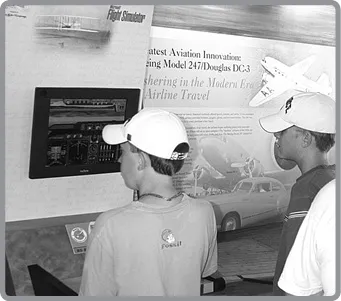
I worked on six versions of Microsoft Flight Simulator at Microsoft, and as part of my duties, I attended innumerable aviation trade shows and fly-ins around the world. I watched countless people of all ages take to the virtual skies, and I gave scores of presentations on how students, pilots, and instructors can use Flight Simulator as a training aid. I also answered thousands of questions (actually, the same dozen or so common questions thousands of times) from folks curious about how they could best complement time in a real cockpit with hours “flying” Flight Simulator.
Students, pilots, and instructors often tell me how they have used Flight Simulator during their flying careers. Many say encounters with Flight Simulator even inspired them to pursue flight training. If you read aviation magazines, attend trade shows, and visit popular online aviation forums, doubtless you’ve run across similar stories and questions about using PC-based flight simulations.
Many aviators credit Microsoft Flight Simulator with obvious benefits related to practicing instrument approaches and exploring unfamiliar airports. But my encounters with pilots and instructors and time spent using Flight Simulator with my own students suggest that the aviation community isn’t getting the most out of virtual flying.
All of these experiences have led to this book, which I hope provides general suggestions, specific advice, and practical tools you can use to make effective use of Flight Simulator, regardless of the type of flying you do.
Before getting into the details of how to use Flight Simulator, however, it’s best to review some preflight checklists.
who should use this book
To begin, here’s a short list of the people who can benefit from reading this book and from using the Practice Flights and other resources designed to work with it:
• Student pilots (pre-private pilot) who want to enhance book-learning and review specific concepts and skills.
• Certificated pilots hoping to complement their real-world flying with additional hours in the virtual skies, upgrade their navigation skills and learn about advanced aircraft and procedures.
• Instrument rating students looking for ways to add interactivity to their IFR theory studies, to preview lessons, and polish specific IFR flying skills such as the use of advanced avionics and instruments (e.g., HSI and RMI).
• Flight instructors looking for new teaching tools for ground school classes and pre-flight and post-flight briefings.
• Virtual aviators (Flight Simulator hobbyists) who want to learn more about real-world flying to enhance their enjoyment of virtual aviation.
• Kids and adults who want to prepare themselves with a little more knowledge before they begin formal flight instruction.
• Teachers using Flight Simulator in the classroom to complement aviation-related lessons or programs.
what you need to get the most out of this book
Although many of the recommendations described in this book could apply to other PC-based flight simulations and training devices, I assume you have Microsoft Flight Simulator, specifically either
• Microsoft Flight Simulator 2004: A Century of Flight (Version 9)
• Microsoft Flight Simulator X (Version 10) or Flight Simulator X Gold Edition (the last edition of the Microsoft Flight Simulator franchise, still available for purchase). To fly the Practice Flights that use the Garmin G1000 “glass cockpit,” you must have the deluxe version or the Gold Edition of Flight Simulator X.
No add-on aircraft, additional scenery, or other enhancements are required to use the Practice Flights discussed in this book.
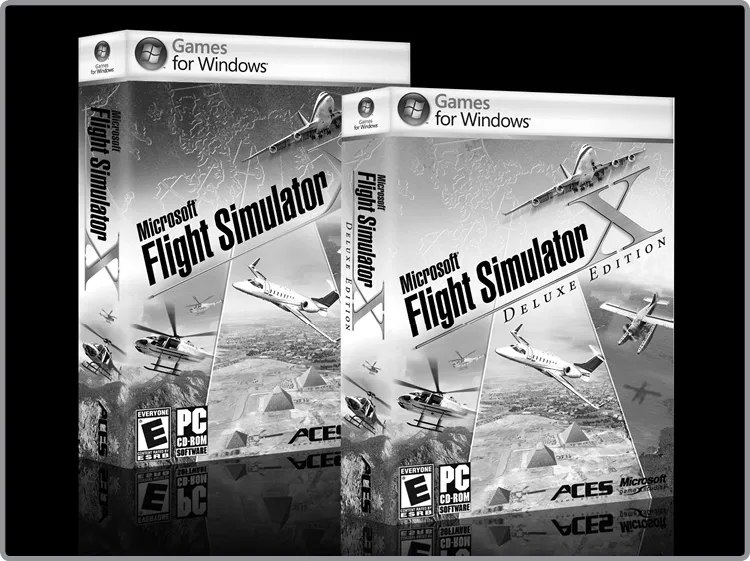
Microsoft Flight Simulator X was still in development as I wrote this book. That version built on previous releases, so most of the features described here appear in both editions, and in general they work the same way. However, there are important differences between the two versions, some of which I discuss in Chapter 6, “Differences Between Flight Simulator 2004 and Flight Simulator X.”
the website for this book
This book is in part an attempt to combine the familiar, portable, and easy-to-use medium of printed pages with the flexibility, timeliness, and interactivity of the Web and PC-based simulation.
In addition to the website addresses and footnotes you’ll find throughout these pages, I have consolidated the resources associated with this book, plus links to background information and other sites that I find useful, on my website. Putting all the Web-based resources in one place makes it easier to keep the Practice Flights and Web links up-to-date. And you need to remember only one Web address: www.BruceAir.com.
The specific resources available on my Web pages change, but you’ll always find information and links in these general categories:
• Resources related to Microsoft Flight Simulator, including information about where you can find add-on aircraft and other accessories.
• Expanded information about, and links to, resources associated with the topics in this book, including aviation references, training manuals and other learning resources, many of which are free to download.
• The complete set of Practice Flights for Microsoft Flight Simulator described later in this book.
learning to use Flight Simulator
Don’t panic if you’re new to Microsoft Flight Simulator or if you haven’t spent much time with it lately. If you’re a pilot, you’re already familiar with aircraft instruments and controls, aviation terminology, and basic flying skills. If you are learning to fly, you are acquiring that knowledge with help from your instructor. Because Flight Simulator is a simulation that reproduces the experience of flying an aircraft (as closely as possible on a PC-based platform), most of your aviation knowledge will transfer directly to virtual flying. In fact, if you have some aviation knowledge and experience, you are ahead of most novice virtual aviators who must figure out how to interpret flight instruments, decipher charts, and master such arcane skills as VOR navigation.
In any event, you don’t have to memorize lists of keyboard commands or use menus for most “flying” tasks. In fact, you don’t even need to keep a keyboard handy after you start Flight Simulator and select the initial conditions for your flight. Only a few basic computer-related skills are necessary to use Flight Simulator effectively, and I discuss them in detail in Chapter 4, “Flight Simulator Essentials.” Even if you are already familiar with Flight Simulator, you will find Chapter 4 worth a quick review. Where appropriate throughout the book, I include suggestions and specific tips about how best to use Flight Simulator in various situations.
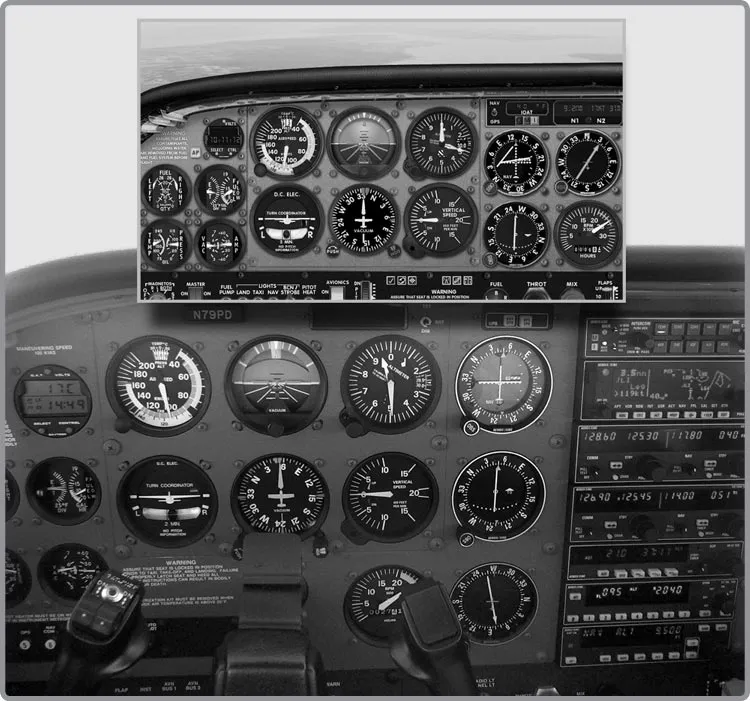
The Cessna 172 instrument panel in Flight Simulator closely resembles the real thing.
Of course, this book does not attempt to explain all the details of using Microsoft Flight Simulator. The Learning Center is a web-like guide to Flight Simulator that was installed with your software. It contains hundreds of pages of information, videos, pictures, illustrations, and links that tell you all about the features in Flight Simulator. You will also find many helpful articles about using Flight Simulator on the official Microsoft Flight Simulator website and on the website associated with this book.
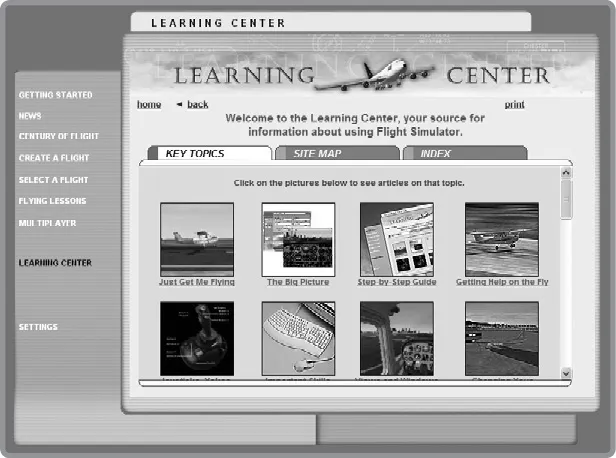
Microsoft Flight Simulator includes a Learning Center to help you get up to speed.
computer requirements
The short answer to the question about what kind of computer you need to enjoy Microsoft Flight Simulator is straightforward. If your computer is no more than 2–3 years old, it probably has the basic horsepower (i.e., processor speed and hard disk space) to run Flight Simulator—provided you have a good video (graphics) card and at least 512 Mb of system RAM. For more information about the requirements for running Flight Simula...
Table of contents
- Foreword
- Introduction
- 1: About This Book
- 2: Using Flight Simulator as a Training Aid
- 3: Best Practices for Using Flight Simulator
- 4: Flight Simulator Essentials
- 5: Advanced “Training Features” in Flight Simulator
- 6: Differences Between Flight Simulator 2004 and Flight Simulator X
- 7: About the Practice Flights
- 8: Flying the Aircraft Used in the Practice Flights
- 9: Supplemental Information and Web Links
- 10: Introduction to the VFR Practice Flights
- 11: Sample Briefings for VFR Practice Flights
- 12: Introduction to the IFR Practice Flights
- 13: Sample Briefings for IFR Practice Flights
- 14: Creating Your Own Practice Flights
Trusted by 375,005 students
Access to over 1.5 million titles for a fair monthly price.
Study more efficiently using our study tools.
Frequently asked questions
Yes, you can cancel anytime from the Subscription tab in your account settings on the Perlego website. Your subscription will stay active until the end of your current billing period. Learn how to cancel your subscription
No, books cannot be downloaded as external files, such as PDFs, for use outside of Perlego. However, you can download books within the Perlego app for offline reading on mobile or tablet. Learn how to download books offline
Perlego offers two plans: Essential and Complete
- Essential is ideal for learners and professionals who enjoy exploring a wide range of subjects. Access the Essential Library with 800,000+ trusted titles and best-sellers across business, personal growth, and the humanities. Includes unlimited reading time and Standard Read Aloud voice.
- Complete: Perfect for advanced learners and researchers needing full, unrestricted access. Unlock 1.5M+ books across hundreds of subjects, including academic and specialized titles. The Complete Plan also includes advanced features like Premium Read Aloud and Research Assistant.
We are an online textbook subscription service, where you can get access to an entire online library for less than the price of a single book per month. With over 1.5 million books across 990+ topics, we’ve got you covered! Learn about our mission
Look out for the read-aloud symbol on your next book to see if you can listen to it. The read-aloud tool reads text aloud for you, highlighting the text as it is being read. You can pause it, speed it up and slow it down. Learn more about Read Aloud
Yes! You can use the Perlego app on both iOS and Android devices to read anytime, anywhere — even offline. Perfect for commutes or when you’re on the go.
Please note we cannot support devices running on iOS 13 and Android 7 or earlier. Learn more about using the app
Please note we cannot support devices running on iOS 13 and Android 7 or earlier. Learn more about using the app
Yes, you can access Microsoft® Flight Simulator as a Training Aid by Bruce Williams in PDF and/or ePUB format, as well as other popular books in Technology & Engineering & Aviation. We have over 1.5 million books available in our catalogue for you to explore.