El iPad es una herramienta revolucionaria que está transformando la forma de trabajar. Su versatilidad, movilidad e inmediatez permiten aprovechar mejor el tiempo al tener todo lo necesario en un solo dispositivo. Aproveche todo su potencial con las tres herramientas de productividad de Apple, iWork. iWork es probablemente la suite ofimática mejor que existe actualmente para los dispositivos con iOS. Las tres Apps de que consta, Keynote, Pages y Numbers incorporan elegantes plantillas prediseñadas, tremendamente útiles y listas para empezar a trabajar. Tres herramientas muy potentes de sencillo manejo con las que podrá crear deslumbrantes presentaciones, documentos de texto y hojas de cálculo. -A pesar de que cada una tenga su especialidad, las tres Apps comparten las mismas herramientas de formato con las que podrá editar imágenes, tablas, figuras, texto o gráficas en 3D y crear elegantes documentos. -Con Keynote podrá crear presentaciones de aspecto profesional de forma muy fácil para mostrarlas directamente en su iPad o en una pantalla o proyector externo. Añada transiciones y animaciones ya que incorpora una gran cantidad de efectos totalmente personalizables. -Con Pages podrá crear catálogos, folletos, cartas o cualquier documento de texto con un aspecto impecable aplicando los estilos de texto prediseñados. -Con Numbers podrá crear potentes hojas de cálculo y aplicar unos sorprendentes formatos de celda para crear sus propios formularios. -Comparta directamente sus documentos sin salir de la aplicación y transfórmelos, si es necesario, en PDF o en documentos de Microsoft Office.
- 216 pages
- English
- ePUB (mobile friendly)
- Available on iOS & Android
eBook - ePub
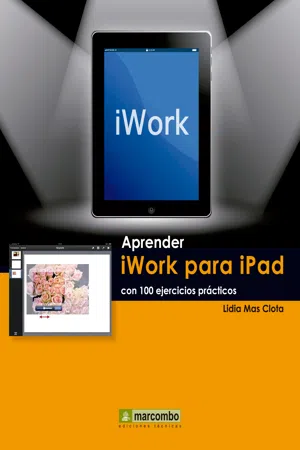
Aprender iWork para Ipad con 100 ejercicios prácticos
About this book
Information
Table of contents
- Cubrir
- Título de la página
- Derechos de Autor
- Presentación
- Cómo funcionan los libros “Aprender…”
- Índice
- Keynote
- Pages
- Numbers
- Para continuar aprendiendo…
Trusted by 375,005 students
Access to over 1.5 million titles for a fair monthly price.
Study more efficiently using our study tools.
Frequently asked questions
Yes, you can cancel anytime from the Subscription tab in your account settings on the Perlego website. Your subscription will stay active until the end of your current billing period. Learn how to cancel your subscription
No, books cannot be downloaded as external files, such as PDFs, for use outside of Perlego. However, you can download books within the Perlego app for offline reading on mobile or tablet. Learn how to download books offline
Perlego offers two plans: Essential and Complete
- Essential is ideal for learners and professionals who enjoy exploring a wide range of subjects. Access the Essential Library with 800,000+ trusted titles and best-sellers across business, personal growth, and the humanities. Includes unlimited reading time and Standard Read Aloud voice.
- Complete: Perfect for advanced learners and researchers needing full, unrestricted access. Unlock 1.5M+ books across hundreds of subjects, including academic and specialized titles. The Complete Plan also includes advanced features like Premium Read Aloud and Research Assistant.
We are an online textbook subscription service, where you can get access to an entire online library for less than the price of a single book per month. With over 1.5 million books across 990+ topics, we’ve got you covered! Learn about our mission
Look out for the read-aloud symbol on your next book to see if you can listen to it. The read-aloud tool reads text aloud for you, highlighting the text as it is being read. You can pause it, speed it up and slow it down. Learn more about Read Aloud
Yes! You can use the Perlego app on both iOS and Android devices to read anytime, anywhere — even offline. Perfect for commutes or when you’re on the go.
Please note we cannot support devices running on iOS 13 and Android 7 or earlier. Learn more about using the app
Please note we cannot support devices running on iOS 13 and Android 7 or earlier. Learn more about using the app
Yes, you can access Aprender iWork para Ipad con 100 ejercicios prácticos by Lidia Mas Clota in PDF and/or ePUB format, as well as other popular books in Computer Science & Desktop Applications. We have over 1.5 million books available in our catalogue for you to explore.