Fully aligned with the new syllabus.Written by experts.Thorough explanations for all definitions and new words.
eBook - PDF
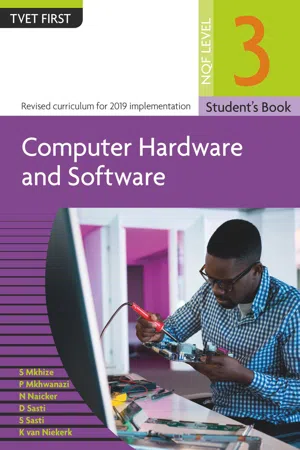
Computer Hardware & Software NQF3 SB
TVET FIRST
- 274 pages
- English
- PDF
- Available on iOS & Android
eBook - PDF
Computer Hardware & Software NQF3 SB
TVET FIRST
About this book
Information
Table of contents
- Front Cover
- Title Page
- Imprint Page
- Contents
- Topic 1: Concepts of computer architecture
- Module 1: Architecture and organisation of a computer
- Module 2: Computer design and hardware configurations
- Topic 2: PC hardware components
- Module 3: PC hardware components and characteristics
- Module 4: Planning, assembling and testinga single-user PC
- Topic 3: Installation of system and application software for a PC
- Module 5: Planning and installing software for a single-user PC
- Module 6: Testing an installation and obtaining user sign-off for single-user PCs
- Topic 4: Installation of PC peripherals
- Module 7: Planning and installing PC peripherals
- Module 8: Testing an installation and obtaining user acceptance
- Topic 5: Testing IT systems against specifications
- Module 9: Selecting, applying and recording test procedures
- Module 10: Preparing for testing against given specifications
- Topic 6: Preventative maintenance, environment and safety issues in a computer environment
- Module 11: Preventative maintenance
- Module 12: Safety and environmental protection measures
- Topic 7: Technical computer problems
- Module 13: Troubleshooting computer problems
- Module 14: Solving technical computer problems and maintaining information logs
- Topic 8: Resolving computer users’ problems
- Module 15: Receiving and investigating computer users’ problems
- Module 16: Implementing solutions to computer users’ problems
- Module 17: Closing resolved problems and forwarding unresolved problems
- Topic 9: Repairing a PC and peripherals to module level
- Module 18: Diagnosing, planning and repairing PC faults
- Module 19: Managing, maintaining and repairing portable computers
- Topic 10: Printers and multifunction devices
- Module 20: Printers and multifunction devices
- Practice exam
- Glossary
- Index
- Back Cover
Trusted by 375,005 students
Access to over 1.5 million titles for a fair monthly price.
Study more efficiently using our study tools.
Frequently asked questions
Yes, you can cancel anytime from the Subscription tab in your account settings on the Perlego website. Your subscription will stay active until the end of your current billing period. Learn how to cancel your subscription
No, books cannot be downloaded as external files, such as PDFs, for use outside of Perlego. However, you can download books within the Perlego app for offline reading on mobile or tablet. Learn how to download books offline
Perlego offers two plans: Essential and Complete
- Essential is ideal for learners and professionals who enjoy exploring a wide range of subjects. Access the Essential Library with 800,000+ trusted titles and best-sellers across business, personal growth, and the humanities. Includes unlimited reading time and Standard Read Aloud voice.
- Complete: Perfect for advanced learners and researchers needing full, unrestricted access. Unlock 1.5M+ books across hundreds of subjects, including academic and specialized titles. The Complete Plan also includes advanced features like Premium Read Aloud and Research Assistant.
We are an online textbook subscription service, where you can get access to an entire online library for less than the price of a single book per month. With over 1.5 million books across 990+ topics, we’ve got you covered! Learn about our mission
Look out for the read-aloud symbol on your next book to see if you can listen to it. The read-aloud tool reads text aloud for you, highlighting the text as it is being read. You can pause it, speed it up and slow it down. Learn more about Read Aloud
Yes! You can use the Perlego app on both iOS and Android devices to read anytime, anywhere — even offline. Perfect for commutes or when you’re on the go.
Please note we cannot support devices running on iOS 13 and Android 7 or earlier. Learn more about using the app
Please note we cannot support devices running on iOS 13 and Android 7 or earlier. Learn more about using the app
Yes, you can access Computer Hardware & Software NQF3 SB by N Naicker, K van Niekerk, P Mkhwanazi, D Sasti, S Sasti S Mkhize in PDF and/or ePUB format, as well as other popular books in Business & Business General. We have over 1.5 million books available in our catalogue for you to explore.