- English
- ePUB (mobile friendly)
- Available on iOS & Android
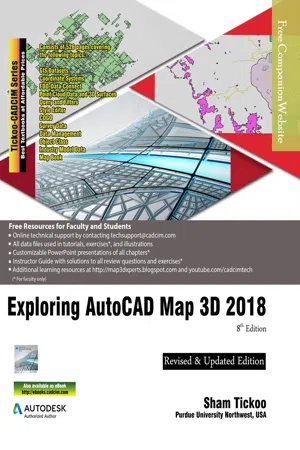
Exploring AutoCAD Map 3D 2018, 8th Edition
About this book
Exploring AutoCAD Map 3D 2018 textbook introduces the users to AutoCAD Map 3D 2018 software. This textbook is a gateway to power, skill, and competence in the field of GIS and spatial analysis. This textbook is specially meant for professionals and students of GIS, Urban Planning, Civil Engineering, Cartography, and CAD professionals who are associated with planning, designing, and data management. Special emphasis has been laid to explain new concepts, procedures, and methods in GIS by using sufficient text and graphical examples. The accompanying tutorials and exercises, which relate to the real world projects, help you understand the usage and abilities of the tools available in AutoCAD Map 3D. The author has emphasized on the tools, options, functions, and interoperability of AutoCAD Map 3D that allow the users to create, analyze, and save complex geospatial data easily and effectively. Furthermore, the chapters in this textbook are arranged in pedagogical sequence that makes it very effective in learning the features and capabilities of the software. A real world project is given for the students to reinforce the concepts learned in the chapters. Salient Features of the Textbook: A comprehensive coverage of all concepts and tools of AutoCAD Map 3D 2018. Consists of 11 chapters arranged in pedagogical sequence, and a project. Contains 528 pages with hundreds of illustrations. Real-world projects and examples focusing on industry experience. Step-by-step examples that guide the users through the learning process. Includes changes and enhancements specific to AutoCAD Map 3D 2018. Effectively communicates the utility of AutoCAD Map 3D. Table of Contents Chapter 1: Introduction to AutoCAD Map 3D 2018Chapter 2: Getting Started with AutoCAD Map 3D 2018Chapter 3: Working with Basic Tools and Coordinate SystemsChapter 4: Working with Feature DataChapter 5: Styling and Querying Feature DataChapter 6: Creating Object Data, and Attaching External Database and QueryChapter 7: Classifying Objects and Working with Classified ObjectsChapter 8: Removing Digitization Errors and Working with TopologiesChapter 9: Data AnalysisChapter 10: Working with Different Types of DataChapter 11: Editing a Map and Creating a Map Book Project: Site Suitability Study Index
Trusted by 375,005 students
Access to over 1 million titles for a fair monthly price.
Study more efficiently using our study tools.
Information
Table of contents
- CoverImage
- Front Matter
- Introduction to AutoCAD Map3D 2018
- Getting Started with AutoCAD Map3D 2018
- Working with Basic Tools and Coordinate Systems
- Working with Feature Data
- Styling and Querying Feature Data
- Creating Object Data and Attaching External Database
- Classifying Objects and Working with Classified Objects
- Removing Digitization Errors and Working with Topologies
- Data Analysis
- Working with Different Types of Data
- Editing a Map and Creating a Mapbook
- Student Project
- Last Page
Frequently asked questions
- Essential is ideal for learners and professionals who enjoy exploring a wide range of subjects. Access the Essential Library with 800,000+ trusted titles and best-sellers across business, personal growth, and the humanities. Includes unlimited reading time and Standard Read Aloud voice.
- Complete: Perfect for advanced learners and researchers needing full, unrestricted access. Unlock 1.4M+ books across hundreds of subjects, including academic and specialized titles. The Complete Plan also includes advanced features like Premium Read Aloud and Research Assistant.
Please note we cannot support devices running on iOS 13 and Android 7 or earlier. Learn more about using the app