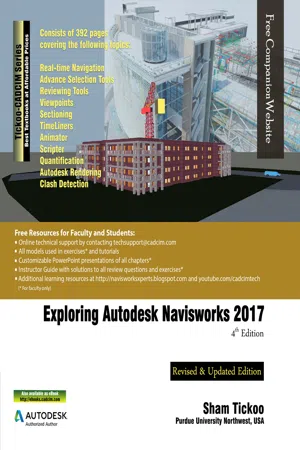
Exploring Autodesk Navisworks 2017 is a comprehensive book that has been written to cater to the needs of the students and the professionals who are involved in the AEC profession. In Navisworks 2017 book, the author has emphasized on various hands on tools for real-time navigation, reviewing models, creating 4D and 5D simulation, quantifying various elements, performing clash detection, rendering with Presenter and Autodesk Rendering graphics, creating animation, and advanced tools for selection through tutorials and exercises. In this book, along with the main text, the chapters have been punctuated with tips and notes to give additional information on the concept, thereby enabling you to create your own innovative projects. Salient Features of the Textbook: 392 pages of heavily illustrated text Covers detailed description of the tools of Navisworks 2017 Explains the concepts using real-world projects and examples focusing on industry experience Covers advanced functions such as creating visualizations with Autodesk Rendering Covers topics such as how to import a file in different formats, navigate around the merged 3D model, manage annotations and documentation, coordinate schedules with TimeLiner, and estimate project with Quantification Includes an exercise on creating car animation using Animator and Scripter tool Provides step-by-step explanation that guide the users through the learning process Effectively communicates the utility of Navisworks 2017 Self-Evaluation Test and Review Questions at the end of chapters for reviewing the concepts learned in the chapters Table of Contents Chapter 1: Introduction to Autodesk Navisworks 2017Chapter 2: Exploring the Navigation Tools in NavisworksChapter 3: Selecting, Controlling, and Reviewing ObjectsChapter 4: Viewpoints, Sections, and AnimationsChapter 5: TimeLinerChapter 6: Working with Animator and ScripterChapter 7: QuantificationChapter 8: Clash DetectionChapter 9: Autodesk Rendering in NavisworksIndex
- English
- ePUB (mobile friendly)
- Available on iOS & Android
eBook - ePub
Exploring Autodesk Navisworks 2017, 4th Edition
About this book
Information
Table of contents
- CoverImage
- Preface
- Chapter 1: Introduction to Autodesk Navisworks 2017
- Chapter 2: Exploring the Navigation Tools in Navisworks
- Chapter 3: Selecting, Controlling, and Reviewing Objects
- Chapter 4: Viewpoints, Sections, and Animations
- Chapter 5: TimeLiner
- Chapter 6: Working with Animator and Scripter
- Chapter 7: Quantification
- Chapter 8: Clash Detection
- Chapter 9: Autodesk Rendering in Navisworks
- Lastpage
Trusted by 375,005 students
Access to over 1.5 million titles for a fair monthly price.
Study more efficiently using our study tools.
Frequently asked questions
Yes, you can cancel anytime from the Subscription tab in your account settings on the Perlego website. Your subscription will stay active until the end of your current billing period. Learn how to cancel your subscription
No, books cannot be downloaded as external files, such as PDFs, for use outside of Perlego. However, you can download books within the Perlego app for offline reading on mobile or tablet. Learn how to download books offline
Perlego offers two plans: Essential and Complete
- Essential is ideal for learners and professionals who enjoy exploring a wide range of subjects. Access the Essential Library with 800,000+ trusted titles and best-sellers across business, personal growth, and the humanities. Includes unlimited reading time and Standard Read Aloud voice.
- Complete: Perfect for advanced learners and researchers needing full, unrestricted access. Unlock 1.5M+ books across hundreds of subjects, including academic and specialized titles. The Complete Plan also includes advanced features like Premium Read Aloud and Research Assistant.
We are an online textbook subscription service, where you can get access to an entire online library for less than the price of a single book per month. With over 1.5 million books across 990+ topics, we’ve got you covered! Learn about our mission
Look out for the read-aloud symbol on your next book to see if you can listen to it. The read-aloud tool reads text aloud for you, highlighting the text as it is being read. You can pause it, speed it up and slow it down. Learn more about Read Aloud
Yes! You can use the Perlego app on both iOS and Android devices to read anytime, anywhere — even offline. Perfect for commutes or when you’re on the go.
Please note we cannot support devices running on iOS 13 and Android 7 or earlier. Learn more about using the app
Please note we cannot support devices running on iOS 13 and Android 7 or earlier. Learn more about using the app
Yes, you can access Exploring Autodesk Navisworks 2017, 4th Edition by Prof. Sham Tickoo in PDF and/or ePUB format, as well as other popular books in Technology & Engineering & Civil Engineering. We have over 1.5 million books available in our catalogue for you to explore.