eBook - ePub
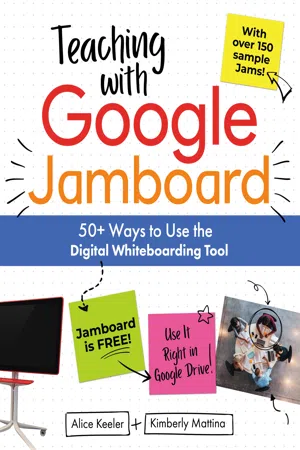
Teaching with Google Jamboard
50+ Ways to Use the Digital Whiteboarding Tool
- English
- ePUB (mobile friendly)
- Available on iOS & Android
eBook - ePub
Teaching with Google Jamboard
50+ Ways to Use the Digital Whiteboarding Tool
About this book
In this book, Alice Keeler and Kimberly Mattina have put together a comprehensive guide to using Jamboard in your classroom, covering everything from the basics of how to navigate the tool to lessons and activities you can use today to important pedagogical consider-ations to help you know when and how to use it.
Information
Topic
EducationSubtopic
Education Teaching MethodsTeaching with Jamboard
Jamboard can be a teaching tool that supports the 4 Cs of education—creativity, collaboration, critical thinking, communication—as well as two more: curation and computational thinking. All of the activities that follow use Jamboard to support one or more of these important skills.
21
Lose the Worksheets
An obvious use for Jamboard is to use it to replace paper worksheets, but it’s important to remember that digital is different. Instead of just aiming to use Jamboard to replicate the function of a paper activity, it’s important to keep in mind the advantages digital tools have. When designing activities with Jamboard, consider how students will interact digitally with the lesson—beyond just filling in answers.
Collaboration and creative thinking increase student engagement. Jamboard is designed with collaboration and idea-sharing at its core, and activities—including worksheets—should be designed with those strengths in mind.
What changes when instead of disseminating many copies of the same worksheet to your students, you share a single Jam with multiple students? Students will be more engaged when they share and collaborate on creative approaches to questions, rather than simply asking for the answers.
So, make a worksheet into a Jam and send it out to all of the students in a class, enabling them to respond by editing it. Then, together with the class, review the responses to the worksheet questions and engage students in a conversation about how they approached the questions.
If you are not using Google Classroom, click the Share Button to change the sharing permissions to “Anyone with the link can edit” or paste your student email addresses into the sharing field.

If you are using Google Classroom, add the Jam to the assignment and change the sharing settings from “Students can view file” to “Students can edit file.”
Tip: Sometimes the right tool is not a Jam but rather a Google Form. Collecting student answers to questions in a form allows you to see all the responses in one place. Set the Form to automatically grade responses.
- Sample Jam: Collaboration Norms
- Sample Jam: What Do You Notice Template
- Sample Jam: Discuss the Main Character
- Sample Jam: Coordinate Plane Battleship
22
Compare Classes
Why clutter up your Google Drive when you can keep it clean with just one Jamboard Jam?
Try using the same Jam with multiple classes by creating a template and new versions for each class. Before sharing collaboratively with one class, use the Three Dots Icon in the upper right to “See version history.” Click on the timestamp and create a version called “Template.” After your first class completes the activity, click on the Three Dots Icon again to “See version history” and rename the current version with the timestamp to reflect which class you used it with (e.g., “1st period”).
Now, click on the version named “Template” and choose “Restore this version.” Your Jam is ready to use with the next class. At the end of class, go back to the version history again to name the version after that class.
Want to see how one class did compared to another? Review the version history and click on the named versions to easily see how different classes responded.
This will help you to p...
Table of contents
- Cover
- Title Page
- Copyright
- Contents
- Foreword
- Introduction
- Jamboard Basics
- Teaching with Jamboard
- Teaching Content with Jamboard
- App Smashing
- Remote Learning with Jamboard
- Going Further with the Jamboard Kiosk
- What Jamboard Adds
- Acknowledgments
- About the Authors
- More from Dave Burgess Consulting, Inc.
Trusted by 375,005 students
Access to over 1.5 million titles for a fair monthly price.
Study more efficiently using our study tools.
Frequently asked questions
Yes, you can cancel anytime from the Subscription tab in your account settings on the Perlego website. Your subscription will stay active until the end of your current billing period. Learn how to cancel your subscription
No, books cannot be downloaded as external files, such as PDFs, for use outside of Perlego. However, you can download books within the Perlego app for offline reading on mobile or tablet. Learn how to download books offline
Perlego offers two plans: Essential and Complete
- Essential is ideal for learners and professionals who enjoy exploring a wide range of subjects. Access the Essential Library with 800,000+ trusted titles and best-sellers across business, personal growth, and the humanities. Includes unlimited reading time and Standard Read Aloud voice.
- Complete: Perfect for advanced learners and researchers needing full, unrestricted access. Unlock 1.5M+ books across hundreds of subjects, including academic and specialized titles. The Complete Plan also includes advanced features like Premium Read Aloud and Research Assistant.
We are an online textbook subscription service, where you can get access to an entire online library for less than the price of a single book per month. With over 1.5 million books across 990+ topics, we’ve got you covered! Learn about our mission
Look out for the read-aloud symbol on your next book to see if you can listen to it. The read-aloud tool reads text aloud for you, highlighting the text as it is being read. You can pause it, speed it up and slow it down. Learn more about Read Aloud
Yes! You can use the Perlego app on both iOS and Android devices to read anytime, anywhere — even offline. Perfect for commutes or when you’re on the go.
Please note we cannot support devices running on iOS 13 and Android 7 or earlier. Learn more about using the app
Please note we cannot support devices running on iOS 13 and Android 7 or earlier. Learn more about using the app
Yes, you can access Teaching with Google Jamboard by Alice Keeler,Kimberly Mattina in PDF and/or ePUB format, as well as other popular books in Education & Education Teaching Methods. We have over 1.5 million books available in our catalogue for you to explore.