- English
- ePUB (mobile friendly)
- Available on iOS & Android
Teach Yourself VISUALLY Microsoft Teams
About this book
Discover the power of Microsoft Teams with this intuitive and timely new guide
Microsoft Teams is unlocking the potential of remote work and virtual meetings at a time when they couldn't be more necessary. Its feature-rich interface and ease-of-use promise to bring your team together—as long as you can harness its full suite of capabilities.
In Teach Yourself VISUALLY Microsoft Teams, Microsoft experts and authors Matt Wade and Sven Seidenberg turn their years of engineering and IT experience loose on the virtual collaboration software now used by over one hundred million people across the globe. Using the book's huge collection of vibrant and full-sized images and walkthroughs, you'll see exactly what you need to do in order to:
- Realize the key benefits of Teams by using its messaging and video-conferencing capabilities to stay connected with your colleagues
- Manage multiple teams and channels to use Teams across your organization
- Extend the functionality of Teams by using additional apps and add-ons
- Learn valuable tips, best practices, and work-arounds to make the most of and avoid the landmines in Teams
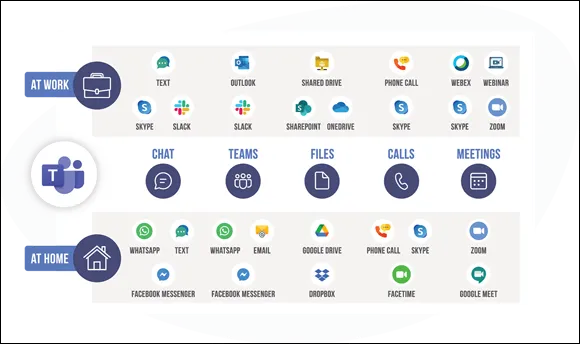
Rapidly becoming the central hub for working in Microsoft 365, Microsoft Teams promises to transform the way you work and communicate. And you'll master it faster and easier by using this ultimate guide to get the most out of Microsoft's latest and greatest software!
Frequently asked questions
- Essential is ideal for learners and professionals who enjoy exploring a wide range of subjects. Access the Essential Library with 800,000+ trusted titles and best-sellers across business, personal growth, and the humanities. Includes unlimited reading time and Standard Read Aloud voice.
- Complete: Perfect for advanced learners and researchers needing full, unrestricted access. Unlock 1.4M+ books across hundreds of subjects, including academic and specialized titles. The Complete Plan also includes advanced features like Premium Read Aloud and Research Assistant.
Please note we cannot support devices running on iOS 13 and Android 7 or earlier. Learn more about using the app.
Information

Table of contents
- Cover
- Title Page
- Table of Contents
- Foreword
- Chapter 1: Getting Started with Teams
- Chapter 2: Notifications and the Activity Feed
- Chapter 3: The Files App
- Chapter 4: Search and Search Box Features
- Chapter 5: Apps, Tabs, and Connectors
- Chapter 6: Private Chat
- Chapter 7: Files in a Private Chat
- Chapter 8: Teams
- Chapter 9: Channels
- Chapter 10: Channel Conversations
- Chapter 11: Files in a Team
- Chapter 12: Calling and Voicemail
- Chapter 13: Planning a Meeting
- Chapter 14: Joining a Meeting
- Chapter 15: During a Meeting
- Chapter 16: Meeting Breakout Rooms
- Chapter 17: Closing a Meeting
- Index
- End User License Agreement