”Simple yet empowering. Kids will be amazed at how quickly they can get productive.” - James McGinn, Bull Valley
Key Features
Learn to program with Python, a language designed to be easy for beginners
Written by father-and-son team Warren and Carter Sande
Colorful pictures, clever cartoons, and fun examples
Practice questions and exercises
Kid-tested and reviewed by professional educators
About The Book
With this book, ANYONE can learn to write useful programs and games in Python. Designed especially for readers 9-16 years old, this book is easy to read and use. Printed in full color, it’s never boring, with hands-on practice and interesting graphics throughout.
Hello World! Computer Programming for Kids and Other Beginners, Third Edition introduces the world of computer programming in a clear and fun style. Using Python, a programming language designed to be easy to learn, each engaging lesson teaches skills that apply to any kind of programming. It brings to life the basic concepts of computing—looping, decisions, input and output, graphics, and more. Now in its third edition, this international bestseller has been fully updated to Python 3 and includes a new chapter about how the internet works.
What You Will Learn
Install Python and get set up for programming
Math and data for programming
Building GUIs for your programs
Creating simple games
Adding comments to your code
Graphics, sprites, and collision detection
Simulate pets and a lunar landing
Where to go next on your programming journey
This Book Is Written For
Like the previous two editions, Hello World! Third Edition is not just for kids. While the tone is light and engaging, it doesn't "talk down" to the reader, and beginners of any age will love its readability and sense of humor. Written by Warren Sande and his son, Carter, it is full of examples that will get you thinking and learning. Reviewed by professional educators, this book is kid-tested and parent-approved. You don't need to know anything about programming to use the book, just the basics of using a computer. If you can start a program and save a file, you can learn to program using this book!
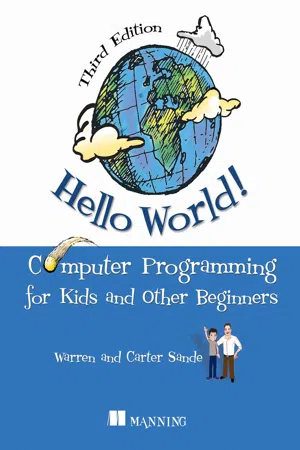
eBook - ePub
Hello World! Third Edition
Computer Programming for Kids and Other Beginners
- 496 pages
- English
- ePUB (mobile friendly)
- Available on iOS & Android
eBook - ePub
Hello World! Third Edition
Computer Programming for Kids and Other Beginners
About this book
Information
Table of contents
- Copyright
- Brief Table of Contents
- Table of Contents
- Praise for the First Edition of Hello World!
- Praise for the Second Edition of Hello World!
- Preface
- Acknowledgments
- About this book
- Chapter 1. Getting Started
- Chapter 2. Remember This: Memory and Variables
- Chapter 3. Basic Math
- Chapter 4. Types of Data
- Chapter 5. Input
- Chapter 6. GUIs: Graphical User Interfaces
- Chapter 7. Decisions, Decisions
- Chapter 8. Loop the Loop
- Chapter 9. Just for You: Comments
- Chapter 10. Game Time
- Chapter 11. Nested and Variable Loops
- Chapter 12. Collecting Things Together: Lists and Dictionaries
- Chapter 13. Functions
- Chapter 14. Objects
- Chapter 15. Modules
- Chapter 16. Graphics
- Chapter 17. Sprites and Collision Detection
- Chapter 18. A New Kind of Input: Events
- Chapter 19. Sound
- Chapter 20. More GUIs
- Chapter 21. Print Formatting and Strings
- Chapter 22. File Input and Output
- Chapter 23. Take a Chance: Randomness
- Chapter 24. Computer Simulations
- Chapter 25. Skier Explained
- Chapter 26. Making Network Connections with Sockets
- Chapter 27. What’s Next?
- Appendix A. Variable Naming Rules
- Appendix B. Differences Between Python 3 and 2
- Appendix C. Answers to Self-Test Questions
- List of Code Listings
- ANOTHER TITLE FROM MANNING
- Index
- List of Tables
- List of Listings
Trusted by 375,005 students
Access to over 1.5 million titles for a fair monthly price.
Study more efficiently using our study tools.
Frequently asked questions
Yes, you can cancel anytime from the Subscription tab in your account settings on the Perlego website. Your subscription will stay active until the end of your current billing period. Learn how to cancel your subscription
No, books cannot be downloaded as external files, such as PDFs, for use outside of Perlego. However, you can download books within the Perlego app for offline reading on mobile or tablet. Learn how to download books offline
Perlego offers two plans: Essential and Complete
- Essential is ideal for learners and professionals who enjoy exploring a wide range of subjects. Access the Essential Library with 800,000+ trusted titles and best-sellers across business, personal growth, and the humanities. Includes unlimited reading time and Standard Read Aloud voice.
- Complete: Perfect for advanced learners and researchers needing full, unrestricted access. Unlock 1.5M+ books across hundreds of subjects, including academic and specialized titles. The Complete Plan also includes advanced features like Premium Read Aloud and Research Assistant.
We are an online textbook subscription service, where you can get access to an entire online library for less than the price of a single book per month. With over 1.5 million books across 990+ topics, we’ve got you covered! Learn about our mission
Look out for the read-aloud symbol on your next book to see if you can listen to it. The read-aloud tool reads text aloud for you, highlighting the text as it is being read. You can pause it, speed it up and slow it down. Learn more about Read Aloud
Yes! You can use the Perlego app on both iOS and Android devices to read anytime, anywhere — even offline. Perfect for commutes or when you’re on the go.
Please note we cannot support devices running on iOS 13 and Android 7 or earlier. Learn more about using the app
Please note we cannot support devices running on iOS 13 and Android 7 or earlier. Learn more about using the app
Yes, you can access Hello World! Third Edition by Warren Sande,Carter Sande in PDF and/or ePUB format, as well as other popular books in Computer Science & Open Source Programming. We have over 1.5 million books available in our catalogue for you to explore.