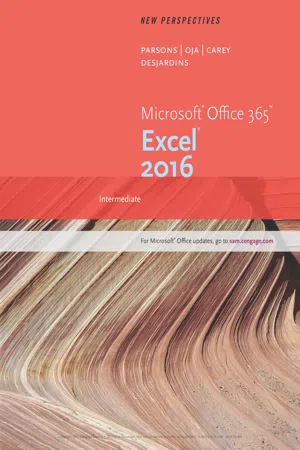
Develop the Microsoft® Excel® 2016 skills you need to be successful in college and beyond with the emphasis on critical-thinking, problem-solving, and in-depth coverage found in NEW PERSPECTIVES MICROSOFT® OFFICE 365 & EXCEL® 2016: INTERMEDIATE. Updated with all-new case scenarios, this edition clearly applies the skills you are learning to real-world situations, making concepts even more relevant. New Productivity Apps provide a visual introduction to Microsoft® OneNote, Sway, Office Mix and Edge with fun, hands-on activities for active learning. Companion Sways highlight videos and step-by-step instructions to help you learn how to use each app. NEW PERSPECTIVES MICROSOFT® OFFICE 365 & EXCEL® 2016: INTERMEDIATE demonstrates the importance of what you're learning while strengthening your outcomes and helping you transfer your skills to other applications and disciplines for further success.
eBook - PDF
New Perspectives Microsoft® Office 365 & Excel 2016
Intermediate
- 588 pages
- English
- PDF
- Available on iOS & Android
eBook - PDF
New Perspectives Microsoft® Office 365 & Excel 2016
Intermediate
About this book
Information
Table of contents
- Cover
- Contents
- Productivity Apps for School and Work
- Module 01: Getting Started with Excel
- Module 02: Formatting Workbook Text and Data
- Module 03: Performing Calculations with Formulas and Functions
- Module 04: Analyzing and Charting Financial Data
- Module 05: Working with Excel Tables, PivotTables, and PivotCharts
- Module 06: Managing Multiple Worksheets and Workbooks
- Module 07: Developing an Excel Application
- Module 08: Working with Advanced Functions
- Module 09: Working with Text Functions and Creating Custom Formats
- Index
Trusted by 375,005 students
Access to over 1.5 million titles for a fair monthly price.
Study more efficiently using our study tools.
Frequently asked questions
Yes, you can cancel anytime from the Subscription tab in your account settings on the Perlego website. Your subscription will stay active until the end of your current billing period. Learn how to cancel your subscription
No, books cannot be downloaded as external files, such as PDFs, for use outside of Perlego. However, you can download books within the Perlego app for offline reading on mobile or tablet. Learn how to download books offline
Perlego offers two plans: Essential and Complete
- Essential is ideal for learners and professionals who enjoy exploring a wide range of subjects. Access the Essential Library with 800,000+ trusted titles and best-sellers across business, personal growth, and the humanities. Includes unlimited reading time and Standard Read Aloud voice.
- Complete: Perfect for advanced learners and researchers needing full, unrestricted access. Unlock 1.5M+ books across hundreds of subjects, including academic and specialized titles. The Complete Plan also includes advanced features like Premium Read Aloud and Research Assistant.
We are an online textbook subscription service, where you can get access to an entire online library for less than the price of a single book per month. With over 1.5 million books across 990+ topics, we’ve got you covered! Learn about our mission
Look out for the read-aloud symbol on your next book to see if you can listen to it. The read-aloud tool reads text aloud for you, highlighting the text as it is being read. You can pause it, speed it up and slow it down. Learn more about Read Aloud
Yes! You can use the Perlego app on both iOS and Android devices to read anytime, anywhere — even offline. Perfect for commutes or when you’re on the go.
Please note we cannot support devices running on iOS 13 and Android 7 or earlier. Learn more about using the app
Please note we cannot support devices running on iOS 13 and Android 7 or earlier. Learn more about using the app
Yes, you can access New Perspectives Microsoft® Office 365 & Excel 2016 by Shaffer/Carey/Parsons/Oja/Finnegan,June Jamrich Parsons, Dan Oja, Patrick Carey, Carol DesJardins in PDF and/or ePUB format, as well as other popular books in Computer Science & Computer Science General. We have over 1.5 million books available in our catalogue for you to explore.