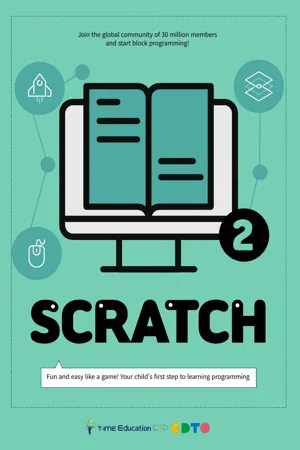
The ability to code will become an essential skill in a fast-changing future. Coding education is a part of the national curriculum in many countries, such as the UK, Finland, Japan, and China. Students are able to acquire computational thinking skills, which can help them to analyze and solve problems logically. CodingTime is a coding education academy located in Seoul, South Korea. For many years, we have helped students achieve their educational goals. This book will help students to excel in programming. Students will learn how to use the Scratch program to code in a fun and easy way. They can make algorithms and get a glimpse of mathematics and science principles used in programming, while building their own project.
eBook - ePub
Scratch 2
About this book
Information
Topic
EducationSubtopic
Education Technology
Chapter5. Mouse input
Mouse input
1. Touch the hedgehog
2. Grab the grasshopper

01 Touch the hedgehog
What to make
When you place the mouse over the hedgehog, its appearance will change.
A sound will play as it changes.
A sound will play as it changes.

Play the project
Go to this website:
https://scratch.mit.edu/projects/440089087
https://scratch.mit.edu/projects/440089087

Changing the costumes when sprite is clicked
How to make
How does the shape and appearance of the hedgehog change?
(HINT: Check the [Costumes] tab of the hedgehog sprite.)
(HINT: Check the [Costumes] tab of the hedgehog sprite.)
When does the hedgehog change its looks?
(HINT: See sensing palette.)
(HINT: See sensing palette.)
What sound can you hear when the hedgehog changes its looks?
(HINT: See the [Sounds] tab of the hedgehog sprite.)
(HINT: See the [Sounds] tab of the hedgehog sprite.)
New blocks
Make sounds
Sense if the mouse pointer is touching the sprite

Programming
Create a new project by clicking [File] > [New] or [Create].
Delete the cat by clicking [x]
button. Click the new sprite
button and select [Hedgehog]
sprite.
button. Click the new sprite
button and select [Hedgehog]
sprite.

Drag and place the hedgehog
anywhere on the stage.
anywhere on the stage.

Click the [Costumes] tab
to see the names of the
costumes. Pick the costumes
the sprite will change to. (For
example, Hedgehog-a and
Hedgehog-d.)
to see the names of the
costumes. Pick the costumes
the sprite will change to. (For
example, Hedgehog-a and
Hedgehog-d.)
Set the Hedgehog’s costume
as Hedgehog-a when green
flag is clicked.
[Events] > [When Green Flag
Clicked]
[Looks] > [Switch Costume to
Hedgehog-a]
as Hedgehog-a when green
flag is clicked.
[Events] > [When Green Flag
Clicked]
[Looks] > [Switch Costume to
Hedgehog-a]
Check if the mouse pointer
touches the hedgehog.
[Control] > [If O Then]
[Sensing] > [Touching O?]
touches the hedgehog.
[Control] > [If O Then]
[Sensing] > [Touching O?]

When the mouse pointer
touches the hedgehog,
make the costume switch to
hedgehog-d.
[Looks] > [Switch Costume
to O▼] - click ▼ to select
hedgehog-d.
touches the hedgehog,
make the costume switch to
hedgehog-d.
[Looks] > [Switch Costume
to O▼] - click ▼ to select
hedgehog-d.
After costume switches, have
it make a “pop” sound.
[Sound] > [Start Sound O▼]
it make a “pop” sound.
[Sound] > [Start Sound O▼]

Place the blocks under the [switch
costume to hedgehog-a] block.
costume to hedgehog-a] block.
Click the green flag to run the project.
To see what happens, touch the hedgehog with your mouse.
To see what happens, touch the hedgehog with your mouse.
Nothing happens because
after the green flag button is
clicked, the computer senses a
mouse movement only once.
Therefore, the [forever] block is
essential for repeatedly sensing
a mouse input.
after the green flag button is
clicked, the computer senses a
mouse movement only once.
Therefore, the [forever] block is
essential for repeatedly sensing
a mouse input.
[Control] > [Forever]
Click the green flag to run the project.
To see what happens, touch the hedgehog with your mouse.
To see what happens, touch the hedgehog with your mouse.

On the bottom right corner, click the [choose a backdrop] button and select
[Garden-rock] backdrop.
[Garden-rock] backdrop.
Change the title to “Touch the hedgehog.”
Practice
Besides switching the costume and making a “pop” sound, make other events
happen when the mouse-pointer touches the hedgehog.
happen when the mouse-pointer touches the hedgehog.

memo

02
02 Grab the grasshopper
What to make
A grasshopper is jumping everywhere!
Click it and it will say “You got me!”
Click it and it will say “You got me!”

Play the project
Go to this website:
https://scratch.mit.edu/projects/440089252/
https://scratch.mit.edu/projects/440089252/

Repeating until a condition is satisfied & Clicking the mouse
How to make
How does the grasshopper move?
When does the grasshopper stop moving?
New blocks
Go to random position
Join two conditions
Sense if the user clicks the mouse
Repeat until a condition
is satisfied
is satisfied
Sense when mouse touches a sprite

Programming
Create a new project by clicking [File] > [New] or [Create].
Delete the cat by clicking
[x] button. Click the new
sprite button and select
[Grasshopper] sprite.
[x] button. Click the new
sprite button and select
[Grasshopper] sprite.
Downsize it from 100 to 50.

Make the grasshopper go to a
random position.
random position.
[Events] > [When Green Flag Clicked]
[Motion] > [Go to random position]
[Motion] > [Go to random position]
The grasshopper should not move
infinitely. It should repeat only until a
specific condition is satisfied.
infinitely. It should repeat only until a
specific condition is satisfied.
[Control] > [Repeat Until O]
The condition that should be satisfied is clicking the grasshopper. In
other word...
other word...
Table of contents
- 시작
Trusted by 375,005 students
Access to over 1.5 million titles for a fair monthly price.
Study more efficiently using our study tools.
Frequently asked questions
Yes, you can cancel anytime from the Subscription tab in your account settings on the Perlego website. Your subscription will stay active until the end of your current billing period. Learn how to cancel your subscription
No, books cannot be downloaded as external files, such as PDFs, for use outside of Perlego. However, you can download books within the Perlego app for offline reading on mobile or tablet. Learn how to download books offline
Perlego offers two plans: Essential and Complete
- Essential is ideal for learners and professionals who enjoy exploring a wide range of subjects. Access the Essential Library with 800,000+ trusted titles and best-sellers across business, personal growth, and the humanities. Includes unlimited reading time and Standard Read Aloud voice.
- Complete: Perfect for advanced learners and researchers needing full, unrestricted access. Unlock 1.5M+ books across hundreds of subjects, including academic and specialized titles. The Complete Plan also includes advanced features like Premium Read Aloud and Research Assistant.
We are an online textbook subscription service, where you can get access to an entire online library for less than the price of a single book per month. With over 1.5 million books across 990+ topics, we’ve got you covered! Learn about our mission
Look out for the read-aloud symbol on your next book to see if you can listen to it. The read-aloud tool reads text aloud for you, highlighting the text as it is being read. You can pause it, speed it up and slow it down. Learn more about Read Aloud
Yes! You can use the Perlego app on both iOS and Android devices to read anytime, anywhere — even offline. Perfect for commutes or when you’re on the go.
Please note we cannot support devices running on iOS 13 and Android 7 or earlier. Learn more about using the app
Please note we cannot support devices running on iOS 13 and Android 7 or earlier. Learn more about using the app
Yes, you can access Scratch 2 by Time Education C&P in PDF and/or ePUB format, as well as other popular books in Education & Education Technology. We have over 1.5 million books available in our catalogue for you to explore.