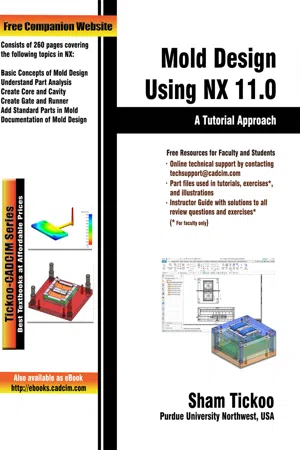
Mold Design Using NX 11.0: A Tutorial Approach
eBook - ePub

Mold Design Using NX 11.0: A Tutorial Approach

  1. English
  2. ePUB (mobile friendly)
  3. Available on iOS & Android
eBook - ePub

Mold Design Using NX 11.0: A Tutorial Approach

About this book

Mold Design Using NX 11.0: A Tutorial Approach textbook is written with the intention of helping the readers effectively design molds and its parts such as gate, runner, and various other standard parts using Mold Wizard of NX. After going through this book, the users will be able to design molds easily and effectively through processes such as analysis and documentation which have been dealt in detail. Also, the chapters in this textbook are arranged in a pedagogical sequence that makes this textbook very effective in learning the features and capabilities of the software.
Keeping in mind the requirements of the users, the textbook at first introduces basic terms and analyses and gradually progresses to cover sequential method to create mold and documentation. Written with the tutorial point of view and the learn by doing a theme, the textbook caters to the needs of both novice and advanced users and is ideally suited for learning at your convenience and pace.


Some of the Salient Features of this textbook are as follows:

  • Consists of 10 chapters that are organized in a pedagogical sequence.
  • Covers mold design concepts using NX 11.0.
  • Tutorial approach to explain the concepts of Mold Design using NX 11.0.
  • Summarized content on the first page of the topics that are covered in the chapter.
  • Hundreds of illustrations for easy understanding of concepts.
  • Step-by-step instructions to guide the users through the learning process.
  • Additional information throughout the book in the form of notes and tips.
  • Self-Evaluation Tests and Review Questions at the end of each chapter to help the users assess their knowledge.
  • Technical support by contacting [email protected].
  • Additional learning resources at http://allaboutcadcam.blogspot.com.

Table of Contents
Chapter 1: Introduction to Mold Design and NX Mold Wizard
Chapter 2: Part Analysis
Chapter 3: Creating Parting Surface
Chapter 4: Creating Core and Cavity
Chapter 5: Adding Mold Base and Standard Parts
Chapter 6: Creating Gate, Runner, and Layout
Chapter 7: Creating Sliders and Lifters
Chapter 8: Creating Ejection and Cooling Systems
Chapter 9: Creating Electrodes
Chapter 10: Documentation
Index

Frequently asked questions

Yes, you can cancel anytime from the Subscription tab in your account settings on the Perlego website. Your subscription will stay active until the end of your current billing period. Learn how to cancel your subscription.
No, books cannot be downloaded as external files, such as PDFs, for use outside of Perlego. However, you can download books within the Perlego app for offline reading on mobile or tablet. Learn more here.
Perlego offers two plans: Essential and Complete
  • Essential is ideal for learners and professionals who enjoy exploring a wide range of subjects. Access the Essential Library with 800,000+ trusted titles and best-sellers across business, personal growth, and the humanities. Includes unlimited reading time and Standard Read Aloud voice.
  • Complete: Perfect for advanced learners and researchers needing full, unrestricted access. Unlock 1.4M+ books across hundreds of subjects, including academic and specialized titles. The Complete Plan also includes advanced features like Premium Read Aloud and Research Assistant.
Both plans are available with monthly, semester, or annual billing cycles.
We are an online textbook subscription service, where you can get access to an entire online library for less than the price of a single book per month. With over 1 million books across 1000+ topics, we’ve got you covered! Learn more here.
Look out for the read-aloud symbol on your next book to see if you can listen to it. The read-aloud tool reads text aloud for you, highlighting the text as it is being read. You can pause it, speed it up and slow it down. Learn more here.
Yes! You can use the Perlego app on both iOS or Android devices to read anytime, anywhere — even offline. Perfect for commutes or when you’re on the go.
Please note we cannot support devices running on iOS 13 and Android 7 or earlier. Learn more about using the app.
Yes, you can access Mold Design Using NX 11.0: A Tutorial Approach by Prof. Sham Tickoo in PDF and/or ePUB format, as well as other popular books in Technology & Engineering & Mechanical Engineering. We have over one million books available in our catalogue for you to explore.

Chapter 1
Introduction to Mold Design and NX Mold Wizard


Learning Objectives
After completing this chapter, you will be able to:
• Understand injection molding
Understand types of mold
• Understand different parts of injection mold
• Understand injection molding machine
• Understand types of injection molding machine
• Understand prerequisites to NX Mold Wizard
• Understand important terms in NX Mold Wizard

Introduction
NX Mold Wizard is an application which provides tools to design plastic injection molds. In this book, You will learn the design process of Injection Mold is discussed.
NX 11.0 Mold Wizard, a product of SIEMENS Corp., provides advanced modeling tools for creating the components of mold such as cores, cavities, parting surfaces, cooling channels, sliders, lifters, and sub inserts. Due to these advanced modeling tools, it is easy to use and design the 3D associative injection mold and also the changes made in the component are automatically updated in the mold.

Mold Wizard contains a mold base library and a standard parts library which help in placing parts associatively. You can customize the standard parts library as per your requirement and can use the library to shorten the tool design and also the manufacturing cycle time. Also, you can accelerate and optimize the mold design process by using standardized processes and components. NX Mold Wizard streamlines the development of mold design process from part design to tool assembly layout, tool design, and tool validation.

Using NX Mold Wizard, you can an...

Table of contents

  1. Front_matter_NX11.0
  2. Chapter 1 Introduction to Mold Design and NX Mold Wizard
  3. Chapter 2 Part Analysis
  4. Chapter 3 Creating Parting Surface
  5. Chapter 4 Creating Core and Cavity
  6. C05_Adding_Mold_Base_and_Standard_Parts
  7. C06_Creating_Gate,_Runner,_and_Layout
  8. C07_Creating_Sliders_and_Lifters
  9. C08_Creating_Ejection_and_Cooling_Systems
  10. C09_Creating_Electrodes
  11. C10_Documentation