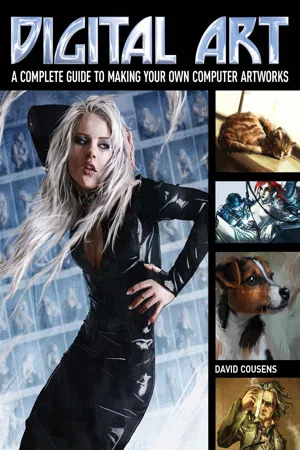
A complete guide to making computer artworks, from dynamic action scenes to fantasy landscapes.
Today, digital art appears everywhere - in print, on television, and in the movies. With the rapid advancement of digital art tools, illustration using these methods of is often faster and more effective.
This illustrated guide shows you how to create digital artworks using Photoshop and other popular software platforms. Award-winning illustrator David Cousens guides you through various creative tools and effects, suitable for both beginners and experienced artists. These include:
• RGB, CMYK and DPI
• Pen, brush and custom shape tools
• Blurs, filters, layer masks and blending modes
• Perspective, proportions and the rule of thirds
• Retouching and effects, such as retro pixel art, silkscreen and charcoal effects.
• And much more!
Including useful screengrabs to guide you through these instructions, Digital Art will have you creating brilliant artwork in no time.
- English
- ePUB (mobile friendly)
- Available on iOS & Android
eBook - ePub
About this book
Information
Topic
ArtSubtopic
Art GeneralChapter One:
Setting Up
This chapter eases you into the world of digital art. It explains some of the terminology you will encounter, looks at the most commonly used tools, and guides you through the choices you will be presented with when you first start out.
RGB, CMYK and DPI
When you create a new file you are presented with a number of choices about the options available. This can be a bit confusing for the uninitiated. Here is a beginner’s guide to the various technical terms.
What is the difference between RGB and CMYK?
RGB (red, green. blue) and CMYK (cyan, magenta, yellow and key, or black) are the two main colour options available when you create a file. For screens and monitors emitting light, RGB is the most accurate way to display colours. CMYK is the best choice for physical formats, as printed pages absorb light.

So which colour mode should you choose?
For RGB files, programs such as Photoshop have a lot more available options (including filters, layer styles and adjustment layers). It is therefore best to use this colour mode when painting. If you need to print an artwork, you can convert the file from RGB to CMYK when the image is finished.
Size matters!
DPI/PPI refers to the number of dots/pixels per inch – the density of dots in the image when it is reproduced either physically (printed on paper) or displayed on a monitor.
The native resolution of a computer screen is 72 DPI, which is the usual size for displaying an image on the internet. However, to ensure high quality you should print your artwork at a minimum of 300 DPI.
So what size resolution should you choose?
As a rule, it’s best to work on a document at 300 DPI, if you want to avoid problems when printing your work at a later date. You can always scale artwork down for the internet, but scaling digital artwork up may result in a loss of quality and increased pixelation.
Workspaces
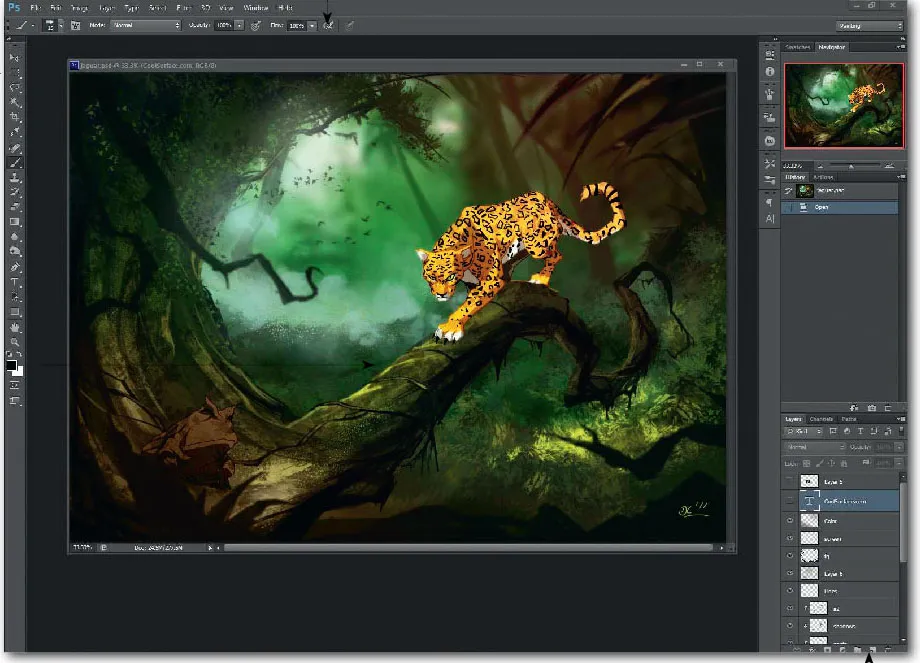
Although every new version of Photoshop looks slightly different, the overall layout of the workspace remains the same. Here’s how to find your way around it.
What’s on screen?
The Menu Bar is located at the top of the screen, giving access to the majority of Photoshop’s functions.
The Options Bar is located immediately beneath the Menu Bar. Here you will find options you can modify, depending on the tool you have selected at the time.
The Toolbox is on the far left of the workspace and contains a number of icons for tools. The tools are collected into groups that perform a similar function – for example, selection, painting and editing, path and shape and so on.
Most of the screen space is allocated to the document window (the area where you paint).
On the far right is the Panel Dock, which gives you an editable selection of panels. These include the ‘History’ palette and access to layers, channels, colours and swatches.
In Photoshop CS5 and CS6, you have the option of automatically assigning a workspace. For example, you can choose a workspace for painting or for 3D and Photoshop will offer you the relevant tools for your task.
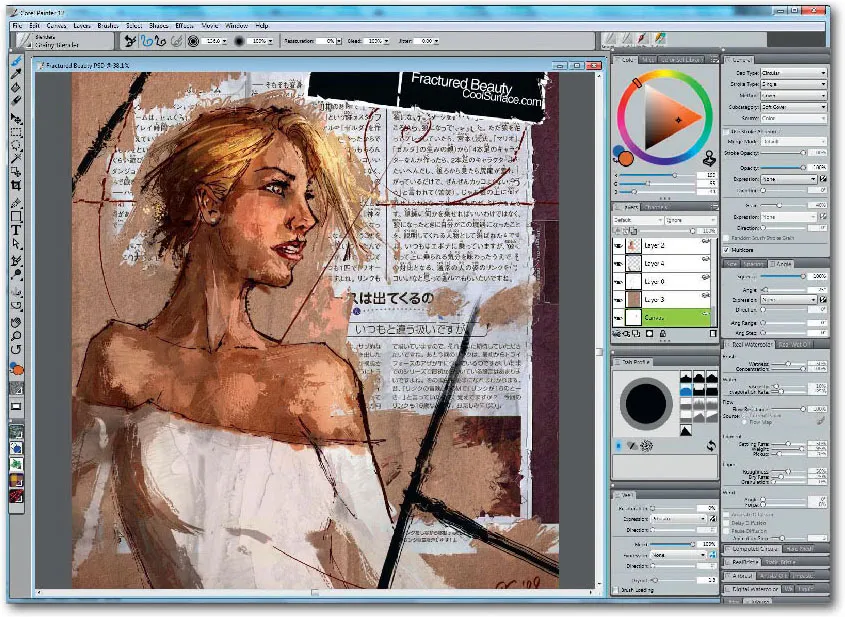
For Photoshop users,...
Table of contents
- Title
- Contents
- Chapter One: Setting up
- Chapter Two: Creative Tools
- Chapter Three: Creative Concepts
- Chapter Four: Digital Art in Action
- Downloads/Index
- Copyright
Trusted by 375,005 students
Access to over 1.5 million titles for a fair monthly price.
Study more efficiently using our study tools.
Frequently asked questions
Yes, you can cancel anytime from the Subscription tab in your account settings on the Perlego website. Your subscription will stay active until the end of your current billing period. Learn how to cancel your subscription
No, books cannot be downloaded as external files, such as PDFs, for use outside of Perlego. However, you can download books within the Perlego app for offline reading on mobile or tablet. Learn how to download books offline
Perlego offers two plans: Essential and Complete
- Essential is ideal for learners and professionals who enjoy exploring a wide range of subjects. Access the Essential Library with 800,000+ trusted titles and best-sellers across business, personal growth, and the humanities. Includes unlimited reading time and Standard Read Aloud voice.
- Complete: Perfect for advanced learners and researchers needing full, unrestricted access. Unlock 1.5M+ books across hundreds of subjects, including academic and specialized titles. The Complete Plan also includes advanced features like Premium Read Aloud and Research Assistant.
We are an online textbook subscription service, where you can get access to an entire online library for less than the price of a single book per month. With over 1.5 million books across 990+ topics, we’ve got you covered! Learn about our mission
Look out for the read-aloud symbol on your next book to see if you can listen to it. The read-aloud tool reads text aloud for you, highlighting the text as it is being read. You can pause it, speed it up and slow it down. Learn more about Read Aloud
Yes! You can use the Perlego app on both iOS and Android devices to read anytime, anywhere — even offline. Perfect for commutes or when you’re on the go.
Please note we cannot support devices running on iOS 13 and Android 7 or earlier. Learn more about using the app
Please note we cannot support devices running on iOS 13 and Android 7 or earlier. Learn more about using the app
Yes, you can access Digital Art by David Cousens in PDF and/or ePUB format, as well as other popular books in Art & Art General. We have over 1.5 million books available in our catalogue for you to explore.