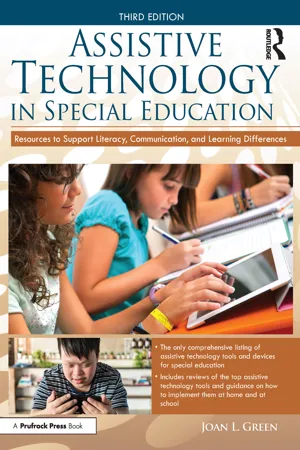
Assistive Technology in Special Education presents a wealth of practical, well-organized information to help families, teachers, and therapists find effective solutions for students with learning, literacy, and cognitive challenges. This third edition features new affordable tools to improve and compensate for challenges related to speaking, understanding, reading, writing, and thinking and remembering, as well as strategies to help students become more organized and efficient. Also highlighted are iOS devices, G Suite (Google Apps and Extensions), online collaborative sites, and features built into the computers and mobile devices readers already use. As technology changes and new operating systems make older programs obsolete, this book will empower readers to explore the most current resources as they become available.
eBook - ePub
Assistive Technology in Special Education
Resources to Support Literacy, Communication, and Learning Differences
- 254 pages
- English
- ePUB (mobile friendly)
- Available on iOS & Android
eBook - ePub
Assistive Technology in Special Education
Resources to Support Literacy, Communication, and Learning Differences
About this book
Information
CHAPTER 1
GETTING STARTED WITH ASSISTIVE TECHNOLOGY
DOI: 10.4324/9781003233138-1
IMPROVING TECHNOLOGIES OFFER HOPE
Do you own a laptop, tablet, or smartphone? If you said "yes," you are in good company Access to computers and online resources has become an integral part of our daily lives. According to the Pew Research Center (2018), 95% of American adults own a cell phone of some kind. In addition, about 80% own a desktop or laptop computer, roughly half own a tablet computer, and 20% own an e-reader. The great majority of households have high-speed Internet access, and schools are embracing technologies more than in the past. Features that used to cost many hundreds of dollars, such as touchscreens and reading and writing supports like text-to-speech and dictation, are now features included in the phones, tablets, computers, and browsers we already use.
As the affordability and availability of educational and personal technology tools increase, so does the potential for greater success and independence for people who have communication, learning, and cognitive challenges. Teachers, therapists, and families need to embrace and adapt to technology to empower individuals with special needs. Unfortunately, many of the people who could benefit the most from these recent advances remain in paper-based worlds—receiving services that do not take advantage of effective new technology tools to support literacy, communication, and learning. Many individuals with disabilities are never exposed to new affordable products that could help them succeed in life. As our society becomes increasingly dependent on technologies for communication and information access, people with disabilities are experiencing an ever-increasing digital divide. Everyone deserves to be exposed to mainstream, as well as specialized, easy-to-use resources with which he or she can accomplish everyday tasks with increased ease and efficiency The world of technology has become much more affordable—many state-of-the-art resources are now readily available and, when used properly, can have a profound positive impact on the lives of individuals with autism spectrum disorders (ASD), learning differences, communication challenges, cognitive deficits, and developmental disabilities.
WHAT IS ASSISTIVE TECHNOLOGY?
Assistive technology devices (also referred to as adaptive technology) refer to any "item, piece of equipment, or product system, whether acquired commercially, modified, or customized, that is used to increase, maintain, or improve functional capabilities of individuals with disabilities" (Assistive Technology Act of 2004, § 3.4). Assistive technologies can remove barriers to independence and success, especially when used in the individual's natural setting, such as the home, school, or workplace. These tools can reduce the burden of difficult skills and enhance independence during daily life at school, work, and home, and in the community.
In this book, I highlight a wide range of technologies, many more than what typically come to mind for most of us when we hear the words assistive technology. I truly believe that the apps, features, websites, and additional information included in this book, when used with an individual with special needs, may allow that individual to achieve results that he or she could not have gained without them. It is true that most individuals will be able to improve outcomes and maximize success with the help of many of the cutting-edge mobile features and apps I have carefully selected. However, it is also true that individuals with special needs who learn and communicate differently may require them to maximize their true potential and happiness.
HELPFUL TECHNOLOGIES ALL AROUND US
Technology has slowly crept into our lives, and it is here to stay, for better or for worse. Many families, educators, and therapists tried early on to use new devices and products, only to become frustrated and overwhelmed. Many efforts were abandoned. Thankfully, computers and mobile devices, along with their features and associated apps, have continued to improve and have become more reliable, user-friendly, and affordable. Although considerable concern remains over how to use technology safely to minimize the negative consequences for our children, the use of assistive technology is gaining increased acceptance in the delivery of services in school, therapy practices, and rehabilitation centers.
Schools, healthcare systems, and vocational settings are struggling to balance the delivery of quality services with increasing costs and regulations. With the use of the assistive technologies highlighted in this guide, readers become empowered with the ability to contain costs, adhere to stringent regulations, and effectively help people of all ages with a wide range of communication, learning, and cognitive challenges. The key is to make a good match between the individual and the technology being used.
The worlds of assistive technology, educational technology, and mainstream technology continue to merge. Change is happening so fast that it is difficult to stay on top of the many new ways technology can be used to help people of all ages who have subtle or debilitating challenges. This guide will introduce you to, or expand your knowledge of, the exciting world of assistive technology—one that includes many products and approaches that you may not know exist, as well as many you may be familiar with but have not thought to use, to help improve speaking, reading, writing, listening, thinking, memory, or learning.
TAKING THE FIRST STEPS
Whether you are a parent of a child with communication, learning, or attention challenges; a teacher or therapist trying to offer the best help you can for those to whom you provide services; or someone exploring this topic to help yourself, the keys to success in using this guide are the same:
- Start gradually.
- Focus on the sections within chapters that will meet your immediate needs first.
- Start to network with others in similar situations by joining online support and discussion groups.
- Explore the websites of products that seem relevant to your situation to make sure that you learn about the most recent specifications, features, and prices of the products.
- Try out the many free resources and online sources for support that may help.
- Be creative and try new things. There is no one correct way to proceed.
SEEKING PROFESSIONAL GUIDANCE
This hook does not replace the need for skilled professional intervention. Professionals such as speech-language pathologists are trained to help people with communication and cognitive challenges; laptops, tablets, and smartphones are merely tools to further that help. Users of the technology need to remain focused on their goals and work to achieve the desired outcomes. Once a good match with the user and product is made, the selected resource should be configured or used in the best way to maximize progress toward goals. Some activities may be enjoyable but aren't effective toward learning new skills. People learn in different ways and are helped by different strategies and types of assistance. One product can be used in many ways. Figuring out the most effective approach to use the technology is critical for success. Also, it is important to keep in mind that the most recent tools aren't always the best. Many years of research have been devoted to the field of assistive technology, and some of the dedicated communication systems and products that have been available for a long time may be better than newer products developed for mobile technologies. There are pros and cons to most products, and the key is figuring out the best fit for your situation.
HOW TO GET HELP
Once you select the device, application, browser, feature, or suggested website that is potentially helpful for you in your setting, spend some time exploring online resources to connect with others who may be in similar situations, or search online for reviews or video tutorials. Bloggers, Facebook groups, and review sites are often very helpful. Be careful, however, about giving too much credibility to one disgruntled user who leaves a bad review. It's hard to know the true reason that someone had a bad experience. YouTube (https://www.youtube.com) also often has helpful videos to watch, and I've shared some of my favorite YouTube channels and videos throughout the book. Unfortunately, with the advent of less expensive mainstream mobile solutions, as opposed to more expensive software downloads or "special" expensive equipment, it can be difficult to speak to customer support when there are problems. A visit to the Apple Store to ask about a non-Apple feature or an app on an iPad will undoubtedly end in frustration.
One goal of this book is to help you find resources so that you can connect online and learn from others in similar situations who may have already found workable solutions to the issues you face. For every resource highlighted in this book, there are many that I chose not to include. This curated list will hopefully minimize your angst and propel you forward with positive experiences. In addition, I have a selection of online video courses available for the public so that you will be able to receive even more helpful information and guidance tailored to the needs of families and professionals who want to help an individual with communication, cognitive, literacy, and learning challenges.
WHAT SOLUTION IS "BEST"?
I frequently get asked the following types of questions:
- Which device is best to use to help my son with dyslexia?
- What should I try if my daughter is 3 and hasn't started talking yet?
- Which technologies are best to support my son who is disorganized and about to start his first year of college?
- My student with ASD and who is nonverbal doesn't appear to be motivated to communicate. What app should I try?
- Which augmentative and alternative communication (AAC) app or device is most effective?
Successful solutions require careful thought as well as trial and error. I have attempted to list my top picks in a variety of categories to help you in the quest for the "best" solution for your set of circumstances. Please keep in mind that technologies are just tools that can be used to assist in the education and intervention process. Every person has a different set of strengths, weaknesses, interests, and motivations, as well as unique environments, tasks, and people helping him or her. You also will undoubtedly mix a bit of your own unique personality into the process as you try to help others. There are often several paths to success.
I have done my best to include updated suggestions and helpful resources for support and information throughout this guide so that you can benefit from all that I have learned. The final chapter of this book includes a list of the resources that I have relied on the most as I navigate the "best" cutting-edge technology tools to share with families, colleagues, and schools.
CHAPTER 2
THE BENEFITS OF ASSISTIVE TECHNOLOGY
DOI: 10.4324/9781003233138-2
CHANGING TECHNOLOGY TRENDS
Remember the days when sidewalks only had curbs, doorways weren't wide enough for wheelchairs, and you couldn't push a button to open a door? Although we still see plenty of curbs, narrow doorways, and heavy doors, which place barriers to people with physical disabilities, most new buildings are constructed with these universal accommodations in mind. People pushing strollers and carrying groceries appreciate the changes. These changes came to be because they helped everyone, not just people with disabilities. In the same way, as technology becomes more powerful, less expensive, and more portable, the browsers, devices, and apps we use are adding features that are increasingly helpful for people who have experienced barriers to reading, writing, speaking, and learning. By creating opportunities as well as removing performance barriers, technology can help people of all ages and abilities explore new possibilities.
There is now a growing emphasis on creating technologies that include features that are helpful for all learners, with and without "special needs." Ill ere is a push toward a universal design for learning (UDL), a concept created by the Center for Applied Special Technology (http://www.cast.org). In the world of educational technology, there is an emphasis on helping teachers learn to modify instruction and helping students find alternate methods to demonstrate what they know. If you are interested in learning more about UDL, take a look at these free resources that provide a wealth of information:
- CAST Professional Learning: UDL Resources (http://castprofessionallearning.org)
- Free Technology Toolkit for UDL in All Classrooms (https://udltechtoolkit.wikispaces.com): This site is managed by Karen Janowski, an assistive and educational technology consultant.
- UDL Technology: Technology for Universal Design for Learning and Special Education by John F. O'Sullivan: This book can be downloaded and read in iBooks on a Mac or iOS device for free.
REMAINING BARRIERS TO TECHNOLOGY
Despite recent advances in the more accessible features of mobile technologies, obstacles persist for individuals who have cognitive, communication, and access issues. Even when materials are converted into a digital format, thev may remain inaccessible.
It may be difficult for individuals with communication and cognitive challenges to:
- provide computer input by moving a mouse or typing on the keyboard;
- use a small mobile device;
- read and interpret information on a screen;
- sequence and analyze procedures needed to use apps;
- use e-mail, texting, or social media sites to obtain information and interact with others; and/or
- search online for information.
THE MANY BENEFITS OF ASSISTIVE TECH...
Table of contents
- Cover
- Half Title
- Title Page
- Copyright Page
- Table of Contents
- Acknowledgements
- Notes on the Third Edition
- Chapter 1 Getting Started With Assistive Technology
- Chapter 2 The Benefits of Assistive Technology
- Chapter 3 Lifting the Barriers: Technology and Access
- Chapter 4 Technology and Strategies to Improve Verbal Expression
- Chapter 5 Augmentative and Alternative Communication: Devices, Apps, and More
- Chapter 6 Technology and Strategies to Improve Auditory Comprehension and Receptive Language
- Chapter 7 Technology and Strategies to Improve Reading Comprehension
- Chapter 8 Drill-and-Practice Technology to Improve Reading Skills
- Chapter 9 Technology and Strategies to Improve Written Expression
- Chapter 10 Drill-and-Practice Technology to Improve Writing Skills
- Chapter 11 Technology and Strategies to Improve Attention, Cognition, and Executive Function
- Chapter 12 Tools and Strategies to Support Learning New Information
- Chapter 13 Online Organization and Collaboration
- Chapter 14 Interactive Programs to Practice Cognitive Skills
- Chapter 15 Final Thoughts: Keeping Students Safe and Preparing for the Future
- References
- About the Author
- Index
Trusted by 375,005 students
Access to over 1.5 million titles for a fair monthly price.
Study more efficiently using our study tools.
Frequently asked questions
Yes, you can cancel anytime from the Subscription tab in your account settings on the Perlego website. Your subscription will stay active until the end of your current billing period. Learn how to cancel your subscription
No, books cannot be downloaded as external files, such as PDFs, for use outside of Perlego. However, you can download books within the Perlego app for offline reading on mobile or tablet. Learn how to download books offline
Perlego offers two plans: Essential and Complete
- Essential is ideal for learners and professionals who enjoy exploring a wide range of subjects. Access the Essential Library with 800,000+ trusted titles and best-sellers across business, personal growth, and the humanities. Includes unlimited reading time and Standard Read Aloud voice.
- Complete: Perfect for advanced learners and researchers needing full, unrestricted access. Unlock 1.5M+ books across hundreds of subjects, including academic and specialized titles. The Complete Plan also includes advanced features like Premium Read Aloud and Research Assistant.
We are an online textbook subscription service, where you can get access to an entire online library for less than the price of a single book per month. With over 1.5 million books across 990+ topics, we’ve got you covered! Learn about our mission
Look out for the read-aloud symbol on your next book to see if you can listen to it. The read-aloud tool reads text aloud for you, highlighting the text as it is being read. You can pause it, speed it up and slow it down. Learn more about Read Aloud
Yes! You can use the Perlego app on both iOS and Android devices to read anytime, anywhere — even offline. Perfect for commutes or when you’re on the go.
Please note we cannot support devices running on iOS 13 and Android 7 or earlier. Learn more about using the app
Please note we cannot support devices running on iOS 13 and Android 7 or earlier. Learn more about using the app
Yes, you can access Assistive Technology in Special Education by Joan L. Green in PDF and/or ePUB format, as well as other popular books in Education & Computer Science General. We have over 1.5 million books available in our catalogue for you to explore.