Microsoft PowerPoint used to rule them all. It didn’t matter what computer or operating system you had—if you needed to present something, you used PowerPoint.
Times have changed! Today there are many presentation solutions out there. Some, like Google Slides, are pretty barebones; and others, like PowerPoint, feel at times feature creep—there are just so many options, it’s easy to get lost. If you use a Mac, iPad, or iPhone, then you have a third option that is growing in popularity: Keynote.
In addition to being simple yet visually stunning, Keynote comes free with Apple devices. What’s even better is it’s pretty easy to get started even with limited knowledge of the software.
If you really want to get the most out of it, then this guide will help. It will show you the ropes—including how to do all those things you are used to doing in Microsoft PowerPoint, and help you with some of the features you may not even know about.
Ready to get started? Let’s go!
[1]
The Basics
This chapter will cover:
How to get Keynote
Opening your first document
Keynote crash course
Formatting
Layouts and styles
How To Get Keynote
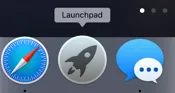
Depending on how you acquired your Mac, you may or may not have Keynote already. Getting it is easy. And even better: getting it is free! (You can see if you have it by going into the Launchpad from the dock and searching for Keynote).


There’s one catch: not all Macs are supported. But most are. MacOS 10.14 is required to run Keynote, which means you must have one of the following computers:
MacBook: Early 2015 or newer
MacBook Air: Mid 2012 or newer
MacBook Pro: Mid 2012 or newer
Mac Mini: Late 2012 or newer
iMac: Late 2012 or newer
iMac Pro
Mac Pro: Late 2013 or newer; Mid 2010 or Mid 2012 models require a Metal-capable GPU
As long as you have one of those, then you can go to the App Store (it’s in your Launchpad). Keynote is a digital download only—you cannot obtain a physical copy of it. The download is a few hundred MB.

From there...
Table of contents
iPadOS
Introduction
Um...So Where Is the Home Button (and Other Changes You Need to Know)
So Many iPads So Little Time
Hello, World
Just the Basics…and Keep It Simple
Even More of the Basics…And Keeping It Simple!
Make It Yours
Lights, Camera, Action
Animoji?
Hey, Siri
Apple Services
Maintain and Protect
Appendix A: Accessories
Appendix B: Keyboard Shortcuts
MacOS
Introduction
Why Mac
Help! I’m a Windows Person In a Mac World!
Cruising to Catalina
Give Me the Basics…And Keep It Ridiculously Simple!
So How Do I Find Things
How Do I Surf the Internet and Email Unwanted Inspirational Chain Letters to Friends
Let’s Talk Apps
Apple Services
I Know How It Works, Show Me How to Dress It Up!
Keep It running Smoothly
Appendix: Keyboard Shortcuts
iPhone
Introduction
Um...So Where Is the Home Button (and Other Changes You Need to Know)
Hello, World
Just the Basics…and Keep It Simple!
Moving Forward
Make It Yours
Lights, Camera, Action
Animoji
Hey, Siri
Apple Services
CarPlay
Maintain and Protect
Must-Have Apps
Safari
Introduction
Welcome to Safari
Safari Extensions
Privacy and Security
Safari Preferences
Appendix: Keyboard Shortcuts
iWork
Pages for Mac
Numbers for Mac
Keynote for Mac
About the Author
Trusted by 375,005 students
Access to over 1.5 million titles for a fair monthly price.
Study more efficiently using our study tools.
Frequently asked questions
Yes, you can cancel anytime from the Subscription tab in your account settings on the Perlego website. Your subscription will stay active until the end of your current billing period. Learn how to cancel your subscription
No, books cannot be downloaded as external files, such as PDFs, for use outside of Perlego. However, you can download books within the Perlego app for offline reading on mobile or tablet. Learn how to download books offline
Perlego offers two plans: Essential and Complete
Essential is ideal for learners and professionals who enjoy exploring a wide range of subjects. Access the Essential Library with 800,000+ trusted titles and best-sellers across business, personal growth, and the humanities. Includes unlimited reading time and Standard Read Aloud voice.
Complete: Perfect for advanced learners and researchers needing full, unrestricted access. Unlock 1.5M+ books across hundreds of subjects, including academic and specialized titles. The Complete Plan also includes advanced features like Premium Read Aloud and Research Assistant.
Both plans are available with monthly, semester, or annual billing cycles.
We are an online textbook subscription service, where you can get access to an entire online library for less than the price of a single book per month. With over 1.5 million books across 990+ topics, we’ve got you covered! Learn about our mission
Look out for the read-aloud symbol on your next book to see if you can listen to it. The read-aloud tool reads text aloud for you, highlighting the text as it is being read. You can pause it, speed it up and slow it down. Learn more about Read Aloud
Yes! You can use the Perlego app on both iOS and Android devices to read anytime, anywhere — even offline. Perfect for commutes or when you’re on the go. Please note we cannot support devices running on iOS 13 and Android 7 or earlier. Learn more about using the app
Yes, you can access Apple For Business by Scott La Counte in PDF and/or ePUB format, as well as other popular books in Commerce & Commerce Général. We have over 1.5 million books available in our catalogue for you to explore.