Bring your data presentations into focus with this comprehensive guide to SAP BusinessObjects Web Intelligence. Updated for Webi 4.2, this book will teach you to create, design, and share your reports, while exploring the fundamentals of Webi and its extended capabilities. This fourth edition includes information on data source options for building new documents and queries, and a new HTML5-based viewing interface. Punch up your reporting and analysis!
a. SAP BI 4.2 SP4
Dive into Web Intelligence 4.2 enhancements and platform improvements, including a new HTML5 user interface, support for geomaps, and access to additional data sources.
b. Webi from A to Z
Get the complete picture of working with Web Intelligence, from creation to publication. From the first step to the last, learn how to design reports that make an impact with this comprehensive guide.
c. Web Intelligence Interactive Viewer
Discover the HTML5-based Web Intelligence Interactive Viewer and BI launchpad, a fully integrated interface for organizing, viewing, analyzing, and sharing business intelligence content.
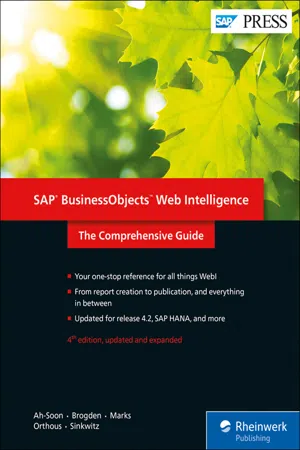
eBook - ePub
SAP BusinessObjects Web Intelligence
The Comprehensive Guide
- 814 pages
- English
- ePUB (mobile friendly)
- Available on iOS & Android
eBook - ePub
SAP BusinessObjects Web Intelligence
The Comprehensive Guide
About this book
Table of contents
- Dear Reader
- Notes on Usage
- Table of Contents
- 1 Introduction to SAP BusinessObjects Web Intelligence
- 2 Creating New Documents and Queries
- 3 Creating a Report in Web Intelligence
- 4 The Web Intelligence Report Panel
- 5 Displaying Data with Tables
- 6 Displaying Data with Charts
- 7 Making an Impact with Charts
- 8 Report Properties, Tools, and Formatting
- 9 Filtering Data in the Query Panel and Report Panel
- 10 Scope of Analysis and Drill Functionality
- 11 Using Formulas and Variables
- 12 Advanced Query Panel Functionalities
- 13 Access to SAP BW and SAP HANA
- 14 Using Multiple Queries and Data Sources
- 15 Adding Hyperlinks in Web Intelligence Documents
- 16 Working in the BI Launch Pad
- 17 Using Web Intelligence with SAP BusinessObjects BI Workspaces
- 18 Interaction from a User’s Perspective
- 19 Sharing Web Intelligence Content
- 20 Report Scheduling and Distribution with Publications
- 21 Web Intelligence Rich Client
- 22 Web Intelligence Interactive Viewer
- 23 Connecting SAP BusinessObjects Live Office to Web Intelligence and Universes
- 24 Mobile Business Intelligence
- A Converting Desktop Intelligence Reports to Web Intelligence Documents
- B Web Intelligence Security Rights
- C The Authors
- Index
- Service Pages
- Legal Notes
Trusted by 375,005 students
Access to over 1.5 million titles for a fair monthly price.
Study more efficiently using our study tools.
Frequently asked questions
Yes, you can cancel anytime from the Subscription tab in your account settings on the Perlego website. Your subscription will stay active until the end of your current billing period. Learn how to cancel your subscription
No, books cannot be downloaded as external files, such as PDFs, for use outside of Perlego. However, you can download books within the Perlego app for offline reading on mobile or tablet. Learn how to download books offline
Perlego offers two plans: Essential and Complete
- Essential is ideal for learners and professionals who enjoy exploring a wide range of subjects. Access the Essential Library with 800,000+ trusted titles and best-sellers across business, personal growth, and the humanities. Includes unlimited reading time and Standard Read Aloud voice.
- Complete: Perfect for advanced learners and researchers needing full, unrestricted access. Unlock 1.5M+ books across hundreds of subjects, including academic and specialized titles. The Complete Plan also includes advanced features like Premium Read Aloud and Research Assistant.
We are an online textbook subscription service, where you can get access to an entire online library for less than the price of a single book per month. With over 1.5 million books across 990+ topics, we’ve got you covered! Learn about our mission
Look out for the read-aloud symbol on your next book to see if you can listen to it. The read-aloud tool reads text aloud for you, highlighting the text as it is being read. You can pause it, speed it up and slow it down. Learn more about Read Aloud
Yes! You can use the Perlego app on both iOS and Android devices to read anytime, anywhere — even offline. Perfect for commutes or when you’re on the go.
Please note we cannot support devices running on iOS 13 and Android 7 or earlier. Learn more about using the app
Please note we cannot support devices running on iOS 13 and Android 7 or earlier. Learn more about using the app
Yes, you can access SAP BusinessObjects Web Intelligence by Christian Ah-Soon,Jim Brogden,Dallas Marks,Gabriel Orthous,Heather Sinkwitz in PDF and/or ePUB format, as well as other popular books in Business & Business Intelligence. We have over 1.5 million books available in our catalogue for you to explore.