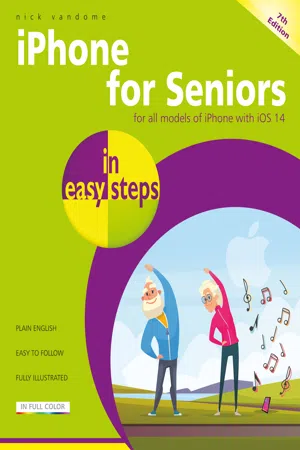
iPhone for Seniors in easy steps, 7th edition
eBook - ePub

iPhone for Seniors in easy steps, 7th edition

Covers all models with iOS 14

  1. English
  2. ePUB (mobile friendly)
  3. Available on iOS & Android
eBook - ePub

iPhone for Seniors in easy steps, 7th edition

Covers all models with iOS 14

About this book

iPhone for Seniors in easy steps, 7th edition is now updated to cover all iPhones with iOS 14. It'll show you how to:

  • Make and receive phone calls
  • Text with the Messages app, including a variety of fun features including Animojis and Memojis
  • Make video calls with FaceTime
  • Set up and use email accounts
  • Use Settings to customize your iPhone exactly to your style and requirement
  • Use Apple Pay on your iPhone to pay securely – no need to carry your wallet all the time
  • Use apps to stay healthy, shop online, plan your vacation, get instant news, and more.
  • Master the Control Center
  • Explore the entire iTunes Music library, share music, videos, apps, calendars and photos with family members – stay in the loop with children and grandchildren!

Apps are at the heart of the iPhone and iPhone for Seniors in easy steps, 7th edition gives a comprehensive introduction to using the preinstalled apps. It then shows how to find and download apps from the Apple App Store for:

  • Going on vacation
  • Online shopping
  • Social networking
  • Hobbies
  • Music and videos
  • Books
  • Photos
  • Keeping up-to-date with everyday tasks, through the use of the Notes, Calendar, Contacts and Reminders apps
  • Health and wellbeing, using the Health app that is designed to collate a range of health and fitness information

An in-depth chapter on iCloud, Apple's online storage, sharing and backup service, explains how iCloud works and shows how it can automatically store your data and share your photos so you don't have to worry about losing information should anything happen to your iPhone.

iPhone for Seniors in easy steps, 7th edition is written in larger type for easier reading and takes the mystery out of using your iPhone, showing how it can become your most useful digital companion, ready to help keep you in touch, up-to-date, and entertained.

Frequently asked questions

Yes, you can cancel anytime from the Subscription tab in your account settings on the Perlego website. Your subscription will stay active until the end of your current billing period. Learn how to cancel your subscription.
No, books cannot be downloaded as external files, such as PDFs, for use outside of Perlego. However, you can download books within the Perlego app for offline reading on mobile or tablet. Learn more here.
Perlego offers two plans: Essential and Complete
  • Essential is ideal for learners and professionals who enjoy exploring a wide range of subjects. Access the Essential Library with 800,000+ trusted titles and best-sellers across business, personal growth, and the humanities. Includes unlimited reading time and Standard Read Aloud voice.
  • Complete: Perfect for advanced learners and researchers needing full, unrestricted access. Unlock 1.4M+ books across hundreds of subjects, including academic and specialized titles. The Complete Plan also includes advanced features like Premium Read Aloud and Research Assistant.
Both plans are available with monthly, semester, or annual billing cycles.
We are an online textbook subscription service, where you can get access to an entire online library for less than the price of a single book per month. With over 1 million books across 1000+ topics, we’ve got you covered! Learn more here.
Look out for the read-aloud symbol on your next book to see if you can listen to it. The read-aloud tool reads text aloud for you, highlighting the text as it is being read. You can pause it, speed it up and slow it down. Learn more here.
Yes! You can use the Perlego app on both iOS or Android devices to read anytime, anywhere — even offline. Perfect for commutes or when you’re on the go.
Please note we cannot support devices running on iOS 13 and Android 7 or earlier. Learn more about using the app.
Yes, you can access iPhone for Seniors in easy steps, 7th edition by Nick Vandome in PDF and/or ePUB format, as well as other popular books in Computer Science & Hardware. We have over one million books available in our catalogue for you to explore.

Information

Table of contents

  1. Cover
  2. Title
  3. Copyright
  4. Contents
  5. 1 Your New iPhone
  6. 2 Starting to use your iPhone
  7. 3 Head in the iCloud
  8. 4 Calls and Contacts
  9. 5 Typing and Texts
  10. 6 Camera and Photos
  11. 7 The Online World
  12. 8 Hands on with Apps
  13. 9 Apps for Every Day
  14. 10 Relaxing with your iPhone
  15. 11 On the Go
  16. 12 Practical Matters
  17. Back Cover