Alexa for Seniors in easy steps
eBook - ePub

Alexa for Seniors in easy steps

  1. English
  2. ePUB (mobile friendly)
  3. Available on iOS & Android
eBook - ePub

Alexa for Seniors in easy steps

About this book

Smart speakers are becoming more and more common in the home. These are devices that use a voice-controlled digital personal assistant to perform a range of everyday tasks. One of the most popular of these is Alexa, which operates on the Amazon Echo smart speaker.

Alexa for Seniors in easy steps shows the Senior reader how to use Alexa to help with everyday tasks, and to give you peace of mind and keep you safe, including:

  • Setting reminders and alerts for:
    • taking medication
    • upcoming appointments
    • paying bills
    • daily/weekly/monthly household tasks
    • calling relatives and friends
    • birthdays and anniversaries – get Alexa to remind you to send cards and presents in time
    • ...and anything else you need reminding about
  • Making hands-free phone calls if you can't reach the phone
  • Setting and controlling smart home devices like smart heating and smart lighting
  • Getting the weather forecast, latest news, and sports results
  • Playing music and listening to the radio
  • Playing games
  • Doing shopping online

And much, much more!

Alexa for Seniors in easy steps guides you through setting up your Alexa-enabled device, so you don't have to ask the kids!

Presented in larger font for easy reading – in the familiar In Easy Steps style.
Frequently asked questions

Yes, you can cancel anytime from the Subscription tab in your account settings on the Perlego website. Your subscription will stay active until the end of your current billing period. Learn how to cancel your subscription.
At the moment all of our mobile-responsive ePub books are available to download via the app. Most of our PDFs are also available to download and we're working on making the final remaining ones downloadable now. Learn more here.
Perlego offers two plans: Essential and Complete
  • Essential is ideal for learners and professionals who enjoy exploring a wide range of subjects. Access the Essential Library with 800,000+ trusted titles and best-sellers across business, personal growth, and the humanities. Includes unlimited reading time and Standard Read Aloud voice.
  • Complete: Perfect for advanced learners and researchers needing full, unrestricted access. Unlock 1.4M+ books across hundreds of subjects, including academic and specialized titles. The Complete Plan also includes advanced features like Premium Read Aloud and Research Assistant.
Both plans are available with monthly, semester, or annual billing cycles.
We are an online textbook subscription service, where you can get access to an entire online library for less than the price of a single book per month. With over 1 million books across 1000+ topics, we’ve got you covered! Learn more here.
Look out for the read-aloud symbol on your next book to see if you can listen to it. The read-aloud tool reads text aloud for you, highlighting the text as it is being read. You can pause it, speed it up and slow it down. Learn more here.
Yes! You can use the Perlego app on both iOS or Android devices to read anytime, anywhere — even offline. Perfect for commutes or when you’re on the go.
Please note we cannot support devices running on iOS 13 and Android 7 or earlier. Learn more about using the app.
Yes, you can access Alexa for Seniors in easy steps by Nick Vandome in PDF and/or ePUB format. We have over one million books available in our catalogue for you to explore.

Information

1
Introducing Alexa
The digital voice assistant, Alexa, is fast becoming a fixture in many households. This chapter looks at getting started with Alexa.
About Alexa and the Echo
Models of Echo
Giving Alexa a Voice
Setting Up an Echo Device
Echo Lights
Changing the Volume
Adding More Devices
About Alexa and the Echo
Alexa has become synonymous with smart speakers in the home. These are devices that react to voice commands and can perform a variety of useful tasks: from playing music, to setting reminders, to providing weather reports.
Alexa and its smart speaker are both Amazon products, and the first thing to remember about Alexa and the smart speaker is that they are two different entities:
Alexa is the digital voice assistant that provides the information through the smart speaker.
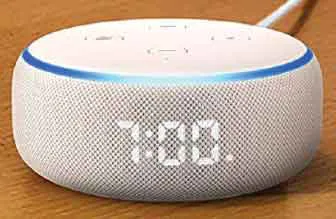
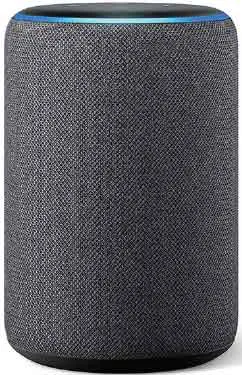
The smart speaker itself is known as the Echo, and this is the physical device that provides a home for Alexa. There are several different models of Echo, and they all operate with Alexa.
image
image
The services and information delivered through the Amazon Echo by Alexa are cloud-based, which means that all of the data is stored in an Amazon computer (server) and then delivered through the Amazon Echo when it is requested. Nothing is physically stored on the Echo – it is merely a delivery system. The Echo works through connecting to your home Wi-Fi network: without Wi-Fi it will not function properly.
image
Echo devices can be bought from the Amazon website.
Alexa can react to different people’s voices, and some of the uses for the Echo and Alexa include:
Setting reminders for important tasks such as taking regular medication, paying bills, and birthdays of family and friends. This can be done by creating daily or weekly reminders using Alexa or the Alexa app.
Performing a range of organizational tasks, such as creating appointments and making lists. Appointments will be announced by Alexa at the relevant time.
Playing music from a range of sources: from the radio to Amazon’s own music library.
Getting the latest news, weather, sport, and much more in a daily briefing. This can be activated with a single command once it has been set up.
Calling or messaging family and friends on their smartphones, or anyone wh...

Table of contents

  1. Cover
  2. Title
  3. Copyright
  4. Contents
  5. 1 Introducing Alexa
  6. 2 Uses for Alexa
  7. 3 Using the Alexa App
  8. 4 Adding Alexa Skills
  9. 5 Questioning Alexa
  10. 6 Setting Useful Reminders and Alerts
  11. 7 Listening to Music
  12. 8 Communicating
  13. 9 Online Shopping
  14. 10 Alexa and the Smart Home
  15. 11 Entertainment
  16. 12 Help and Security
  17. Backcover