![]()
1
Choosing your iPad
It’s compact, it’s stylish, it’s powerful; and it’s perfect for anyone, of any age. This chapter introduces the iPad, its different models, the iPadOS 13 operating system and its interface, and some of the basic controls, buttons and functions, so you can quickly get up and running with this exciting tablet.
The iEverything
Simplicity of the iPad
Models and Sizes
Specifications Explained
Apple Pencil
Smart Keyboard
Before you Switch On
Getting Started
About iPadOS 13
Home Screen
Home Button
Opening Items
Using the Lock Screen
Locking and Unlocking an iPad
Charging your iPad
The iEverything
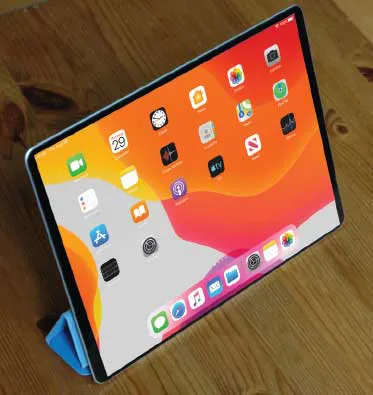
The iPad is a tablet computer that has gone a long way to change how we think of computers and how we interact with them. Instead of a large, static object it is effortlessly mobile, and even makes a laptop seem bulky by comparison.
But even with its compact size, the iPad still manages to pack a lot of power and functionality into its diminutive body. In this case small is most definitely beautiful, and the range of what you can do with the iPad is considerable:
•Communicate via email, video and text messaging.
•Surf the web wirelessly.
•Add an endless number of new “apps” from the Apple App Store.
•Use a range of entertainment tools, covering music, photos, video, books and games.
•Do all of your favorite productivity tasks such as word processing, creating spreadsheets or producing presentations.
•Organize your life with apps for calendars, address books, notes, reminders, and much more.
Add to this up to 10 hours’ battery life when you are on the move, a range of different sizes (with a Retina Display screen of outstanding clarity) and a seamless backup system, and it is clear why the iPad can stylishly fulfill all of your computing needs.
“Apps” is just a fancy name for what are more traditionally called programs in the world of computing. The iPad has several apps that come built in and ready for use. There are thousands more available to download from the online App Store (see Chapter 5, here).
The New icon pictured above indicates a new or enhanced feature introduced with iPads using iPadOS 13.
Simplicity of the iPad
Computers have become a central part of our everyday lives, but there is no reason why they need to be complex devices that have us scratching our heads as to how to best use them. The iPad is not only stylish and compact; it also makes the computing process as simple as possible, so you can concentrate on what you want to do. Some ways in which this is done are:
•Quickly on. With the iPad there is no long wait for it to turn on, or wake from a state of sleep. When you turn it on, it is ready to use; it’s as simple as that.
•Apps. iPad apps sit on the...