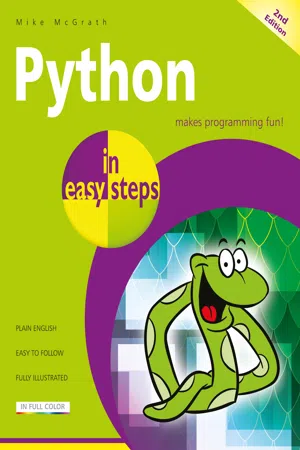
Python in easy steps, 2nd Edition
eBook - ePub

Python in easy steps, 2nd Edition

Covers Python 3.7

  1. English
  2. ePUB (mobile friendly)
  3. Available on iOS & Android
eBook - ePub

Python in easy steps, 2nd Edition

Covers Python 3.7

About this book

Python in easy steps, 2nd edition instructs you how to program in the powerful Python language, giving complete examples that illustrate each aspect with colorized source code.

Python in easy steps, 2nd edition begins by explaining how to install the free Python interpreter so you can quickly begin to create your own executable programs by copying the book's examples. It demonstrates all the Python language basics before moving on to provide examples of Object Oriented Programming (OOP) and CGI scripting to handle web form data. The book concludes by demonstrating how you can use your acquired knowledge to create and deploy graphical windowed applications.

Python in easy steps, 2nd edition makes no assumption you have previous knowledge of any programming language so it's ideal for the newcomer to computer programming. It has an easy-to-follow style that will appeal to programmers moving from another programming language, and to the student who is studying Python programming at school or college, and to those seeking a career in computing who need a fundamental understanding of computer programming.

The Python 3.x language is under active development so frequent new releases are made available as small improvements are added to the language and Python in easy steps, 2nd edition features the very latest versions of Python at the time of publication. Python development is one of evolution, rather than revolution, so the examples provided in the book can be used in subsequent releases – simply download the latest version of Python then follow the easy steps.

Python is the language used to program the Raspberry Pi - covered by Raspberry Pi in easy steps and Raspberry Pi 3 in easy steps.

This second edition is updated to cover Python 3.10.
Frequently asked questions

Yes, you can cancel anytime from the Subscription tab in your account settings on the Perlego website. Your subscription will stay active until the end of your current billing period. Learn how to cancel your subscription.
No, books cannot be downloaded as external files, such as PDFs, for use outside of Perlego. However, you can download books within the Perlego app for offline reading on mobile or tablet. Learn more here.
Perlego offers two plans: Essential and Complete
  • Essential is ideal for learners and professionals who enjoy exploring a wide range of subjects. Access the Essential Library with 800,000+ trusted titles and best-sellers across business, personal growth, and the humanities. Includes unlimited reading time and Standard Read Aloud voice.
  • Complete: Perfect for advanced learners and researchers needing full, unrestricted access. Unlock 1.4M+ books across hundreds of subjects, including academic and specialized titles. The Complete Plan also includes advanced features like Premium Read Aloud and Research Assistant.
Both plans are available with monthly, semester, or annual billing cycles.
We are an online textbook subscription service, where you can get access to an entire online library for less than the price of a single book per month. With over 1 million books across 1000+ topics, we’ve got you covered! Learn more here.
Look out for the read-aloud symbol on your next book to see if you can listen to it. The read-aloud tool reads text aloud for you, highlighting the text as it is being read. You can pause it, speed it up and slow it down. Learn more here.
Yes! You can use the Perlego app on both iOS or Android devices to read anytime, anywhere — even offline. Perfect for commutes or when you’re on the go.
Please note we cannot support devices running on iOS 13 and Android 7 or earlier. Learn more about using the app.
Yes, you can access Python in easy steps, 2nd Edition by Mike McGrath in PDF and/or ePUB format, as well as other popular books in Computer Science & Programming in Python. We have over one million books available in our catalogue for you to explore.
1
Getting started
Welcome to the exciting world of the Python programming language. This chapter demonstrates how to install Python and create your first program.
Introducing Python
Installing Python on Windows
Installing Python on Linux
Meeting the interpreter
Writing your first program
Employing variables
Obtaining user input
Correcting errors
Summary
Introducing Python
Python is a high-level (human-readable) programming language that is processed by the Python “interpreter” to produce results. Python includes a comprehensive standard library of tested code modules that can be easily incorporated into your own programs.
The Python language was developed by Guido van Rossum in the late eighties and early nineties at the National Research Institute for Mathematics and Computer Science in the Netherlands. Python is derived from many other languages, including C, C++, the Unix shell and other programming languages. Today, Python is maintained by a core development team at the Institute, although Guido van Rossum still holds a vital role in directing its progress.
image
Discover all the latest Python news online at www.python.org
The basic philosophy of the Python language is readability, which makes it particularly well-suited for beginners in computer programming, and it can be summarized by these principles:
Beautiful is better than ugly.
Explicit is better than implicit.
Simple is better than complex.
Complex is better than complicated.
Readability counts.
As Python is intended to be highly readable, it uses English keywords frequently where other languages may use punctuation. Most significantly, it uses indentation to group together statements into code “blocks”, whereas other languages may use keywords or punctuation for this purpose. For example, in the Pascal programming language, blocks start with the keyword begin and end with the keyword end, and in the C programming language, blocks are enclosed within curly brackets ({ } braces). Grouping blocks of statements by indentation is sometimes criticized by programmers familiar with languages that group by punctuation, but the use of indentation in Python certainly produces code that has an uncluttered visual layout.
image
Programming languages that group blocks by indentation are said to adhere to the “offside rule” – a pun on the offside rule in soccer.
Some of Python’s key distinguishing features that make it an attractive choice of language for the beginner include:
Python is free – is open source distributable software.
Python is easy to learn – has a simple language syntax.
Python is easy to read – is uncluttered by punctuation.
Python is easy to maintain...

Table of contents

  1. Cover
  2. Title
  3. Copyright
  4. Contents
  5. Preface
  6. 1 Getting started
  7. 2 Performing operations
  8. 3 Making statements
  9. 4 Defining functions
  10. 5 Importing modules
  11. 6 Managing strings
  12. 7 Programming objects
  13. 8 Processing requests
  14. 9 Building interfaces
  15. 10 Developing applications
  16. Backcover