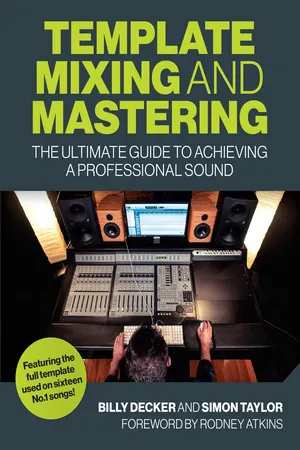
Audio production is an incredibly rewarding craft. To take the raw, basic tracks of a fledgling idea and shape them into one glorious stereophonic sound wave is an amazing feat. The transformation from analogue to digital dominance has brought many advances in sound quality and new techniques, but producing digital music with only a standard computer and DAW can be problematic, time-consuming and sometimes disappointing without the right approach and skills. In Template Mixing and Mastering, renowned mix engineer Billy Decker tackles the challenges of in-the-box production through his innovative template approach. He shares his passion and knowledge from over twenty years of industry experience, including an introduction to templates and a step-by-step guide to their set-up and a discussion of drum replacement technology. Channel and setting information for each of the drum, instrument and vocal sections of his template is discussed along with the master channel and his methodology of mixing and mastering. Finally, he gives professional advice and best practice.
eBook - ePub
Template Mixing and Mastering
The Ultimate Guide to Achieving a Professional Sound
- 128 pages
- English
- ePUB (mobile friendly)
- Available on iOS & Android
eBook - ePub
About this book
Trusted by 375,005 students
Access to over 1.5 million titles for a fair monthly price.
Study more efficiently using our study tools.
Information
Subtopic
Music1
BUILDING YOUR TEMPLATE
The template covered in the following chapters is an exact copy of my template that I have used to mix no. 1 Billboard hit records, and the very same template I use every day on every mix I do. It contains all the common elements found in popular music and can be used to mix anything from pop to metal.
When starting a template for the first time, it is essential that you create a new blank session within your DAW without any previous routing or settings that may confuse the process. We will work our template from left to right in the actual order the channels appear on my DAW, starting with the drums and then progressing through the instruments to end with the vocals.

It is important to realize that what we are about to create is designed to get you straight into the ballpark within moments. That does not mean that you won’t need to make minor alterations to certain plugin levels and settings. This will be most apparent the first time you use your template. Unless you have the exact same plugins and DAW as me some minor adjustments will be inevitable, so be prepared. From the first mix onwards though, you will quickly iron out any initial teething problems, trust me. Your current best mix will be your go-to template. Simply save it as your master template to use forevermore.
As mentioned previously, our adventure begins with the drum section before walking through the instruments, vocals and master channels one by one, so let us start our preparation for the drum section.
I am known in Nashville as ‘the vocal guy’ but would love to be known as ‘the drum guy’. My drum sound is big, open and bright with a radiofriendly vibe, which I achieve by combining real drums with samples.
Don’t underestimate the power drums have over your mix. Drums are life. Bass drums sell songs and the drum section, with its thirty-six plugins and twenty-two channels, represents nearly half of our entire template, such is its importance.
I’d like to prime you with a brief overview showing how I set up and utilize my complete drum section. This will hopefully help you prepare for the task ahead.
The process is this: I take a few carefully chosen samples and either replace or blend them with the real sounds. Without exception I always totally replace the bass-drum part I am given with three different samples. None of the real bass-drum sound remains. The original source audio is kept only to trigger the samples, thus retaining the human dynamic. For the snare drum and the tom toms the real sounds are blended with samples. No EQ is needed (except for a one-off ‘set and leave’ EQ) and very few instances of reverb exist, one of which is a snare reverb sample triggered by the snare drum. I use two channels of parallel compression – one on the snare samples and one on the bass, snare and tom-tom submix. These are then combined back with the original dry sounds via the main drum buss, which is then treated once more to a subtle layer of multiple processing. I send the overheads, room microphones and hi-hats straight to the master buss, bypassing the drum buss and any parallel compression.
If the above doesn’t make much sense to you, don’t worry, it will all be broken down and explained as we progress. At least you now have a vision of where you are going – even if it’s a bit blurred!
For the kick and snare drums we will place three different samples across three mixer channels and for the tom toms we will collate our three samples in one ‘drum replacer’ plugin. We can then quickly blend these, as if we were using them as tone controls, to find the right balance for the mix. This is the best way I have found to get maximum flexibility, speed of use and, of course, a great sound.
DRUM REPLACEMENT TECHNOLOGY
Within the final paragraphs of preparation I would like to discuss drum replacement technology, the drum samples I use and what to look out for when you select your samples.
Drum replacement technology is the act of replacing or blending real sounds with samples. I believe this is a major part of achieving a contemporary drum sound. Using samples to replace, or blend with, the drum hits a drummer plays is a fantastic way of controlling the quality and consistency of the drums in every mix you do, and consistency of a certain level equals professionalism.
I always use drum replacement technology in every mix I do and have done so for as long as I can remember. I use the same kick, snare, toms and snare reverb samples just about every time – I just blend them differently for varying textures and sounds. So to maximize the potential of your template I recommend you employ samples too.
You can do one of two things to replace real drums with samples. You can do as I do and use a plugin to handle the process or place the samples by hand along the timeline of the song.
If you are new to the concept of sample replacement, it goes like this. The captured audio of a real drummer’s performance is fed through a drum replacer plugin. Every time the real drummer hits, for example, a snare drum, the drum replacer triggers a sample loaded into the interface. Whether the sample totally replaces the real hit or blends with it is up to you and the settings you apply. Additional parameters allow control over the other features, for example the ADSR envelope and the threshold on which the sample triggers.
This is an easy and convenient way of handling the task. However, don’t feel you need a plugin at all. Many engineers still place their samples by hand. They feel it gives them ultimate control over how a sample sounds. When placing by hand there is no doubt over what the sample is doing, when it starts and ends and how long it plays for, it is all there for the eye to see and the ears to hear. Leaving the task to a piece of software can be a leap of faith and needs knowledge of how the plugin works to avoid missing beats or samples triggering when they shouldn’t! So just because you don’t have access to a drum replacer don’t feel this is something you are excluded from. Many top engineers still choose to place samples by hand and you can too.

You can place drum samples by hand if a drum replacer is not in your kitbag.
DRUM SAMPLES
Our first exercise here is to think about the sound qualities of individual samples and how they blend together. I will show you how I build my sound and then you can choose to match it or go your own way. Much will depend on your musical style and preference. You can then go and find your samples in preparation for importing them into you...
Table of contents
- Cover
- Halftitle
- Title
- Copyright
- Contents
- Foreword by Rodney Atkins
- Introduction
- 1 Building your Template
- 2 Drums
- 3 Instruments
- 4 Vocals
- 5 The Master Channel
- 6 Importing Audio and Gain Staging
- 7 Mixing
- 8 Mastering
- 9 Other Considerations
- In Closing
- About Billy Decker
- Appendix A – Mixing Desk Channels
- Appendix B – Plugin Effects and Processors
- Glossary
- Index
Frequently asked questions
Yes, you can cancel anytime from the Subscription tab in your account settings on the Perlego website. Your subscription will stay active until the end of your current billing period. Learn how to cancel your subscription
No, books cannot be downloaded as external files, such as PDFs, for use outside of Perlego. However, you can download books within the Perlego app for offline reading on mobile or tablet. Learn how to download books offline
Perlego offers two plans: Essential and Complete
- Essential is ideal for learners and professionals who enjoy exploring a wide range of subjects. Access the Essential Library with 800,000+ trusted titles and best-sellers across business, personal growth, and the humanities. Includes unlimited reading time and Standard Read Aloud voice.
- Complete: Perfect for advanced learners and researchers needing full, unrestricted access. Unlock 1.5M+ books across hundreds of subjects, including academic and specialized titles. The Complete Plan also includes advanced features like Premium Read Aloud and Research Assistant.
We are an online textbook subscription service, where you can get access to an entire online library for less than the price of a single book per month. With over 1.5 million books across 990+ topics, we’ve got you covered! Learn about our mission
Look out for the read-aloud symbol on your next book to see if you can listen to it. The read-aloud tool reads text aloud for you, highlighting the text as it is being read. You can pause it, speed it up and slow it down. Learn more about Read Aloud
Yes! You can use the Perlego app on both iOS and Android devices to read anytime, anywhere — even offline. Perfect for commutes or when you’re on the go.
Please note we cannot support devices running on iOS 13 and Android 7 or earlier. Learn more about using the app
Please note we cannot support devices running on iOS 13 and Android 7 or earlier. Learn more about using the app
Yes, you can access Template Mixing and Mastering by Billy Decker in PDF and/or ePUB format, as well as other popular books in Media & Performing Arts & Music. We have over 1.5 million books available in our catalogue for you to explore.