If you're a blogger, video marketer, internet marketer, or an information product creator you've no doubt struggled with the question of content.You can have the best ideas, but if you don't know how to use that idea to build quality content for a website, it probably won't be successful. When it comes to your website, every part is important. Sure you want the right font, color, design, etc. The most important part of your website, however, is your content. Without quality content, your website cannot survive. It is important to remember—Content is everything! When you first start your site, you give a great deal of time to picking out the perfect domain name.There's a reason you select a good domain name. It's where your site lives. If your website is your domain, then think of content as the king of that domain. In other words…content rules!Many start-up businesses, and even established business owners who've decided it's time their business had a professional web presence, don't know where to start when it comes to planning their website. There are so many things to consider, and so many choices. Just getting the design and layout of the website can be intimidating. Then you have to determine what wil be on the site. It can be mind-boggling.Sometimes, by the time you get to the content portion of the site, your brain is fried from trying to make the other decisions. When you begin to think about the content, you're probably asking yourself, "What do I write about" The Content Creation Handbook or "Where do I start?"If so, you've come to the right place. You only have one chance to make that first impression. If you take your content seriously then your audience will too. You want your audience to visit your site over and over again. If you provide quality content for them time and time again, they will keep returning to your site.Getting started is the most important step. If you know how to write, you are already 95% of the way there. You don't need to be an English major to understand any of the tips in this book either. It is written in plain English that everyone can understand.Writing for the internet requires different skills to those covered in most school writing lessons. If you've never been much of a writer, starting writing as an adult may seem difficult. The upside of that is that as an adult you have more experience, skil s, and knowledge that you can share with your readers. This knowledge, skills and experience can be valuable to you and to others. Writing an article, series of articles, or blog posts can be an excellent way to share what you know and what you've experienced with your audience.While the writing you need for your site can be outsourced to professionals, it is very possible, and definitely more personal, for you to do it yourself.That's what the tips in this book can help you do. Professional content writers are exactly that, professional. They take their jobs seriously. When a professional writer has been provided with instructions from a client, they read them careful y to get an understanding of what is required. The problem with outsourcing to a professional is they don't know what you know or haven't experienced the things that you have. They don't know 5The Content Creation Handbook how you feel. In other words, they don't have your heart. They can write in the way you instruct them, but they can't write with your heart. They can give information, but they can't give a reader a sense of who you are. They can't share your personal experiences with the same passion you feel.Writing your own content can also be a very rewarding experience. It can help you make a personal connection with your readers. It gives them a sense of who you are, because you wil be sharing your knowledge, thoughts, and feelings in everything you write. Writing content that connects to your readers is what you want to do.If you've never written anything for a website before, don't worry. You're not alone. That's why you're reading this book. The information here wil help you create that quality content. For your convenience, the book is sectioned into the four main content areas: articles, blog posts, ebooks, and videos. Together, there are 70 great tips to give your website the "WOW" factor.
- 53 pages
- English
- ePUB (mobile friendly)
- Available on iOS & Android
eBook - ePub
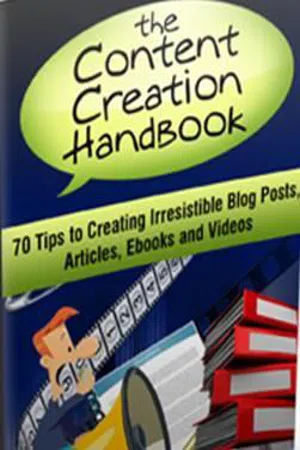
Content Creation Handbook
About this book
Information
BLOG POST TIPS
10. Know the ins and outs of your blogging platform. This helps you be sure your posts look as good as they can. Take the time to master the visual editor (or raw HTML, if you prefer) so that you know how to format a post, insert an image and embed a video or podcast. If you’re not comfortable with the more technical aspects of blogging, try to find someone who can be a resource for you to answer questions as they arise.
11. Establish categories and stay on topic. Whether your new blog post is a stand-alone post or part of a series you’re writing, it should fit into your blog categories as well as your overall content strategy. Meaning that you want to stay on topic and have your posts fit into the categories you’ve established. When selecting your categories, ask yourself, if they make sense, and fit into the objectives of your business. Having clearly defined blog categories wil help you continue generating meaningful content and topics for your blog.
12. Create a meta-description. Most search engines wil use a maximum of 160 characters for your post description on their results pages. If you don’t create a meta-description, which is a concise summary of your page’s content, a search engine will often take the first 160 characters it finds on your page instead. This will not give the reader a full sense of what they’l get from reading your post. A planned description wil give them an idea of why they should read your post, and make them want to read it.
13. Use an editorial calendar. Most bloggers find it helpful to use an editorial calendar for scheduling and organizing topics for posts.
Some people use their calendars to track more elaborate details.
This will help you produce consistently.
14. Create a good design for your site. In order for them to want to read your post, they have to stay on your site. The design is the first thing visitors see and it significantly influences bounce rate, page views, and conversions. Have a professional look, and they’ll take you more seriously and be more apt to stay online to read the quality content you produce.
15. Identify five metrics to keep an eye on how your blogging is going such as: visitors, leads, subscribers, inbound links and social media shares. This will help you keep track of your viewers, and give you a greater sense of when you get it right, and when you don’t.
16. Be sure to include your name, title, and a way readers can contact you. Readers are not only interested in the content in your blog post. They also want to know who wrote the post and their role at your organization. Sometimes you’ll come across a thoroughly researched and well-written post only to find an attribution of “admin.” Even if the blog is only written by you and you’re the administrator of the blog, let the readers know who you are.
17. Publish and promote your site. Publishing and promoting are important stages of creating a successful blog post. One thing you want to do during the publishing stage is to ensure that your post has some kind of call to action. Promoting a blog post can involve a fair amount of thought and strategy. Utilize blog commenting promotion and direct messaging partners in social media to see if they’ll help spread the word. Take the time to build a good foundation before you expect to execute a successful blog promotion.
18. Try answering questions. One effective way to get content ideas for blogging comes from reviewing web analytics for the kinds of questions people type into search engines like Google or Bing that deliver visitors. If it is a popular question, giving people the answer they’re looking for can help build your audience.
You can also ask have your readers to write questions. When they do, you can take the answers for these questions and use them for future posts.
19. Make your work stand out. When you’ve been blogging for a while, chances are good that you’l see other bloggers writing on topics similar to yours. It doesn’t mean that you have to stay away from the topic completely. Instead, you can take that opportunity to see what worked and didn’t work in their post. Then, use that knowledge to write yours in a way that will help you to stand out in the topic area.
You may find a few articles that have good “parts,” but they fail to have a good “whole.” If you use the information from the good parts of several articles to create your own article, yours will stand out. It wil be good in its entirety.
20. Write user-centered/valuable content. One big mistake a blog post can make is missing the mark of its readers, forgetting who they are and their needs and interests. ...
Table of contents
- (Sem título)
- INTRODUCTION
- STEP IN WRITING PROCESS
- WEB ARTICLE TIPS
- BLOG POST TIPS
- EBOOK TIPS
- VIDEO TIPS
- CONCLUSION
Trusted by 375,005 students
Access to over 1.5 million titles for a fair monthly price.
Study more efficiently using our study tools.
Frequently asked questions
Yes, you can cancel anytime from the Subscription tab in your account settings on the Perlego website. Your subscription will stay active until the end of your current billing period. Learn how to cancel your subscription
No, books cannot be downloaded as external files, such as PDFs, for use outside of Perlego. However, you can download books within the Perlego app for offline reading on mobile or tablet. Learn how to download books offline
Perlego offers two plans: Essential and Complete
- Essential is ideal for learners and professionals who enjoy exploring a wide range of subjects. Access the Essential Library with 800,000+ trusted titles and best-sellers across business, personal growth, and the humanities. Includes unlimited reading time and Standard Read Aloud voice.
- Complete: Perfect for advanced learners and researchers needing full, unrestricted access. Unlock 1.5M+ books across hundreds of subjects, including academic and specialized titles. The Complete Plan also includes advanced features like Premium Read Aloud and Research Assistant.
We are an online textbook subscription service, where you can get access to an entire online library for less than the price of a single book per month. With over 1.5 million books across 990+ topics, we’ve got you covered! Learn about our mission
Look out for the read-aloud symbol on your next book to see if you can listen to it. The read-aloud tool reads text aloud for you, highlighting the text as it is being read. You can pause it, speed it up and slow it down. Learn more about Read Aloud
Yes! You can use the Perlego app on both iOS and Android devices to read anytime, anywhere — even offline. Perfect for commutes or when you’re on the go.
Please note we cannot support devices running on iOS 13 and Android 7 or earlier. Learn more about using the app
Please note we cannot support devices running on iOS 13 and Android 7 or earlier. Learn more about using the app
Yes, you can access Content Creation Handbook by Aurelius Tjin in PDF and/or ePUB format, as well as other popular books in Business & Digital Marketing. We have over 1.5 million books available in our catalogue for you to explore.