- English
- ePUB (mobile friendly)
- Available on iOS & Android
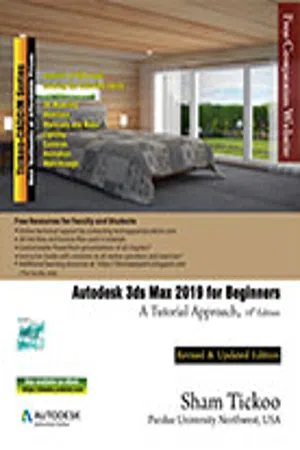
Autodesk 3ds Max 2019 for Beginners: A Tutorial Approach,19th Edition
About this book
Welcome to the world of Autodesk 3ds Max, a 3D modeling, animation, and rendering software package developed by Autodesk Inc. It is widely used by architects, game developers, design visualization specialists, and visual effects artists. A wide range of modeling and texturing tools make it an ideal platform for 3D modelers and animators. The intuitive user interface and workflow tools of Autodesk 3ds Max have made the job of design visualization specialists easier. Autodesk 3ds Max 2019 for Beginners: A Tutorial Approach is a tutorial-based textbook that introduces the readers to the basic features of 3ds Max 2019 created on real world model through tutorials. The textbook caters to the needs of both the novice and the advanced users of the software. This textbook will help you unleash your creativity and help you create simple and complete 3D models and animations. The textbook will help the learners transform their imagination into reality with ease. Some of the Salient Features of this textbook are as follows:
- Consists of 17 chapters and 5 real world based projects that are organized in a pedagogical sequence covering various aspects of modeling, texturing, lighting, rendering, and animation.
- The author has followed the tutorial approach to explain various concepts of modeling, texturing, lighting, rendering, and animation.
- The first page of every chapter summarizes the topics that are covered in it.
- Step-by-step instructions that guide the users through the learning process.
- Additional information is provided throughout the book in the form of notes and tips.
- Self-Evaluation test and Review Questions are given at the end of each chapter so that the users can assess their knowledge.
- Student project has been given at the end of this book to test and enhance the skills of students.
Free Teaching and Learning Resources:
CADCIM Technologies provides the following free teaching and learning resources with this textbook:
- Technical support by contacting [email protected]
- Max files used in tutorials
- Customizable PowerPoint Presentations of every chapter (For Faculty only)
- Instructor Guide with solution to all review questions and instructions to create the models for exercises (For Faculty only)
- Additional learning resources at https://3dsmaxexperts.blogspot.com and youtube.com/cadcimtech
Brief Table of Contents
Chapter 1: Introduction to Autodesk 3ds Max 2019
Chapter 2: Primitive Objects - I
Chapter 3: Primitive Objects - II
Chapter 4: Working with Splines - I
Chapter 5: Working with Splines - II
Chapter 6: Lofting, Twisting, and Deforming Objects
Chapter 7: Material Editor: Creating Materials
Chapter 8: Material Editor - Texture Maps - I
Chapter 9: Material Editor - Texture Maps - II
Chapter 10: Material Editor: Controlling Texture Maps
Chapter 11: Material Editor: Miscellaneous Materials
Chapter 12: Interior Lighting - I
Chapter 13: Interior Lighting - II
Chapter 14: Animation Basics
Chapter 15: Complex Animation
Chapter 16: Rendering
Chapter 17: Creating Walkthrough
Project 1: Creating a Windmill
Project 2: Creating a Diner
Project 3: Architectural Project
Project 4: Corporate Design Project
Project 5: Creating a Computer Center
Index
Trusted by 375,005 students
Access to over 1 million titles for a fair monthly price.
Study more efficiently using our study tools.
Information

Table of contents
- Front_matter_2019
- c01_3dsmax_2019
- c02_3dsmax_2019
- c03_3dsmax_2019
- c04_3dsmax_2019
- c05_3dsmax_2019
- c06_3dsmax_2019
- c07_3dsmax_2019
- c08_3dsmax_2019
- c09_3dsmax_2019
- c10_3dsmax_2019
- c11_3dsmax_2019
- c12_3dsmax_2019
- c13_3dsmax_2019
- c14_3dsmax_2019
- c15_3dsmax_2019
- c16_3dsmax_2019
- c17_3dsmax_2019
- Project01_2019
- Project 02_2019
- Project03_2019
- Project04_2019
- Project05_2019
- Student_Project_2019
- Last_Page_3ds_max 2019
Frequently asked questions
- Essential is ideal for learners and professionals who enjoy exploring a wide range of subjects. Access the Essential Library with 800,000+ trusted titles and best-sellers across business, personal growth, and the humanities. Includes unlimited reading time and Standard Read Aloud voice.
- Complete: Perfect for advanced learners and researchers needing full, unrestricted access. Unlock 1.4M+ books across hundreds of subjects, including academic and specialized titles. The Complete Plan also includes advanced features like Premium Read Aloud and Research Assistant.
Please note we cannot support devices running on iOS 13 and Android 7 or earlier. Learn more about using the app