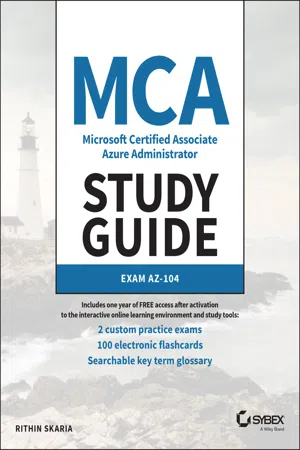
MCA Microsoft Certified Associate Azure Administrator Study Guide
eBook - ePub

MCA Microsoft Certified Associate Azure Administrator Study Guide

Exam AZ-104

  1. English
  2. ePUB (mobile friendly)
  3. Available on iOS & Android
eBook - ePub

MCA Microsoft Certified Associate Azure Administrator Study Guide

Exam AZ-104

About this book

Learn what it takes to be an Azure Administrator and efficiently prepare for Exam AZ-104 with this authoritative resource

MCA Microsoft 365 Azure Administrator Study Guide: Exam AZ-104 prepares readers to take the AZ-104 Exam and to fully understand the role of a Microsoft 365 Azure Administrator. The book takes a practical and straightforward approach to Microsoft Azure, ensuring that you understand both the realities of working as an Administrator and the techniques and skills necessary to succeed on the AZ-104 Exam.

In addition to providing you with access to the online Sybex test bank that includes hundreds of practice questions, flashcards, and a glossary of terms, the study guide comprehensively explains all the following topics:

  • How to manage Azure subscriptions and resources
  • Implementing and managing storage
  • Deploying and managing virtual machines
  • Managing and configuring virtual networks
  • How to Manage identities

Perfect for anyone considering a career as a Microsoft Azure Administrator or preparing for the AZ-104 Exam, MCA Microsoft 365 Azure Administrator Study Guide: Exam AZ-104 also belongs on the bookshelves of practicing administrators who wish to brush up on the fundamentals of their profession.

Information

Publisher
Sybex
Year
2022
Print ISBN
9781119705154
Edition
1
eBook ISBN
9781119705185

Chapter 1
Identity: Azure Active Directory

MICROSOFT EXAM OBJECTIVES COVERED IN THIS CHAPTER:

  • Manage Azure Active Directory (Azure AD) objects
    • Create users and groups
    • Manage user and group properties
    • Manage device settings
    • Perform bulk user updates
    • Manage guest users
    • Configure Azure AD Join
    • Configure self-service password reset
With the recent cloud transformation, the number of organizations migrating to the cloud has drastically increased, and security has become one of the primary concerns. In on-premises, the IT administrator and security administrators controlled the overall security of the organization. When it comes to the cloud, the traditional methods we are accustomed to should be replaced by modern identity and access management tools.
In Microsoft Azure, Azure Active Directory is a cloud-based directory and identity management service. Though the name looks like the Active Directory that we use on our on-premises Windows Servers for identity and access management, this one is completely different and takes access management to the next level. As an administrator, you will be working with Azure Active Directory day in and day out for various administrative tasks, including user management, group management, password reset, joining, registering your devices to Azure AD, and so on. Although these are basic tasks, sometimes administrative tasks include complex integrations such as single sign-on (SSO), multifactor authentication (MFA), and conditional access. From an exam standpoint, fulfilling the basic tasks is more than enough; however, having knowledge of the complex configurations will help you progress in your career.

Azure Active Directory

As mentioned in the introduction of this chapter, Azure AD is Microsoft's cloud-based identity and access management (IAM) solution. Azure AD is an especially useful solution for IT admins, developers, and subscribers of various Microsoft solutions (such as Microsoft 365, Dynamics 365, and Azure). Primarily, Azure AD deals with helping employees to sign-in to various resources such as O365, M365, Dynamics, Azure, etc. However, the integration does not stop here; you can integrate Azure AD as the IAM solution for third-party applications and your internal applications as well. Developers are constantly working on integrating Azure AD as the IAM solution because of the increased reliability it provides. Since this book is about Azure administration, we will focus on how Azure AD is intended to help IT admins.

Benefits

Let's explore the different benefits of Azure AD and why organizations should consider Azure AD as the IAM solution.
  • SSO to Cloud and On-Premises Applications Having too many credentials for different applications increases the complexity and results in a higher chance of human error because an SSO solution will help users to sign in to all cloud applications, on-premises applications, and devices using their corporate credentials. Azure AD is not only meant for Microsoft Stack, but for thousands of SaaS applications such as Dropbox, ServiceNow, DocuSign, etc.
  • Easily Extend On-Premises Active Directory to the Cloud When organizations move from on-premises to the cloud, there is a need to synchronize the users with the cloud. Otherwise, users will end up with two credentials, one for on-premises and another one for the cloud. To avoid this scenario and to provide a seamless SSO experience, Azure AD allows administrators to synchronize users, groups, passwords, and devices across both on-premises and the cloud. This is accomplished using a tool called Azure AD Connect that needs to be installed on your on-premises domain controller or any other domain-joined server with Windows Server 2012 or later, and it will help with the synchronization.
  • Cross-Platform Support Regardless of what platform the user is using, be it iOS, Android, Windows, Linux, or macOS, the sign-in experience is going to be the same, and the users can sign-in to their applications using their work credentials.
  • Increase Security of Your On-Premises Applications You can use the Azure AD Application Proxy service to access your on-premises applications via a secured remote access. The best part is you do not have to expose any additional ports on your on-premises firewalls; the access is managed by application proxy endpoints. The access can be tightened using multifactor authentication and conditional access policies.
  • Better Monitoring and Data Protection Azure AD amplifies the overall security posture of your environment by provid...

Table of contents

  1. Cover
  2. Table of Contents
  3. Title Page
  4. Copyright
  5. Acknowledgments
  6. About the Author
  7. About the Technical Editor
  8. Table of Exercises
  9. Introduction
  10. Chapter 1: Identity: Azure Active Directory
  11. Chapter 2: Compliance and Cloud Governance
  12. Chapter 3: Virtual Networking
  13. Chapter 4: Intersite Connectivity
  14. Chapter 5: NetworkTraffic Management
  15. Chapter 6: Azure Storage
  16. Chapter 7: Azure Virtual Machines
  17. Chapter 8: Automation, Deployment, and Configuration of Resources
  18. Chapter 9: PaaS Compute Options
  19. Chapter 10: Data Protection
  20. Chapter 11: Monitoring Resources
  21. Appendix: Answers to the Review Questions
  22. Index
  23. End User License Agreement

Trusted by 375,005 students

Access to over 1.5 million titles for a fair monthly price.

Study more efficiently using our study tools.

Frequently asked questions

Yes, you can cancel anytime from the Subscription tab in your account settings on the Perlego website. Your subscription will stay active until the end of your current billing period. Learn how to cancel your subscription
No, books cannot be downloaded as external files, such as PDFs, for use outside of Perlego. However, you can download books within the Perlego app for offline reading on mobile or tablet. Learn how to download books offline
Perlego offers two plans: Essential and Complete
  • Essential is ideal for learners and professionals who enjoy exploring a wide range of subjects. Access the Essential Library with 800,000+ trusted titles and best-sellers across business, personal growth, and the humanities. Includes unlimited reading time and Standard Read Aloud voice.
  • Complete: Perfect for advanced learners and researchers needing full, unrestricted access. Unlock 1.5M+ books across hundreds of subjects, including academic and specialized titles. The Complete Plan also includes advanced features like Premium Read Aloud and Research Assistant.
Both plans are available with monthly, semester, or annual billing cycles.
We are an online textbook subscription service, where you can get access to an entire online library for less than the price of a single book per month. With over 1.5 million books across 990+ topics, we’ve got you covered! Learn about our mission
Look out for the read-aloud symbol on your next book to see if you can listen to it. The read-aloud tool reads text aloud for you, highlighting the text as it is being read. You can pause it, speed it up and slow it down. Learn more about Read Aloud
Yes! You can use the Perlego app on both iOS and Android devices to read anytime, anywhere — even offline. Perfect for commutes or when you’re on the go.
Please note we cannot support devices running on iOS 13 and Android 7 or earlier. Learn more about using the app
Yes, you can access MCA Microsoft Certified Associate Azure Administrator Study Guide by Rithin Skaria in PDF and/or ePUB format, as well as other popular books in Computer Science & Computer Networking. We have over 1.5 million books available in our catalogue for you to explore.