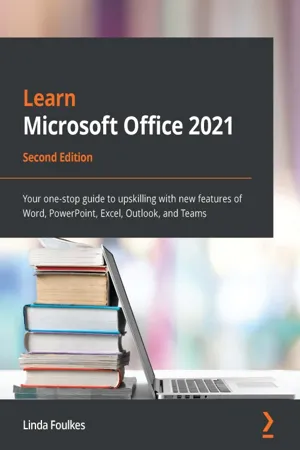
Take your Microsoft Office skills to the next level by mastering the exciting new features and enhancements in Microsoft Office 2021, including communicating, collaborating, and presenting using TeamsKey Features• Get a progressive walkthrough of the new desktop and web apps with real-world examples• Enrich your skillset by learning new productivity feature enhancements for Office web and desktop• Discover how to use Microsoft Teams to communicate, collaborate, and present during meetingsBook DescriptionThis second edition book covers the new and exciting features of Microsoft Office 2021 for desktop and web apps, helping you broaden the skills from the previous edition. Using real-world experiences, this book will guide you through practical examples that set off your thought process to boost productivity. To build new skills in each application, the book ensures that you gain a thorough understanding of new functions, such as PivotTables, Dashboards, and data manipulation methods in Excel. You'll explore PowerPoint tools such as Presenter Coach, Presenter View, the record tool, and setting reading order to mention a few. You'll also manipulate slide elements using Auto Fix, draw features, insert video captions, explore playback options, and rehearse presentations using the body language Presenter Coach feature. The book demystifies the Transform feature and shows you how to dictate directly in Word. You'll even be able to work with Styles by refining the layout and multiple tables of contents. Finally, you'll focus on making the best use of Outlook enhancements and working remotely using Teams. By the end of this book, you'll have understood the features of each app inside out and enhanced your existing skills using new techniques to make your professional life more efficient.What you will learn• Uncover OneDrive features and Word enhancements such as dictation, co-authoring, embedding, styles, referencing, and media tools• Manage Word document layouts, online forms, recording document automation, and track, compare, and combine• Create engaging PowerPoint presentations using Presenter Coach, Auto Fix, Record, and drawing tools• Explore Excel functions such as XLOOKUP, LET, XMATCH IFS, arrays and IFERROR, and VLOOKUP• Work with database and COUNTIF functions, Advanced Filter, clean data, and PivotTables and Dashboards• Explore Outlook enhancementsWho this book is forIf you work with Microsoft Office applications but are yet to discover the complete range of features, this second edition is tailored to broaden your skillset with new features and functionalities. It would be of value for those working in any industry and for students moving into the workplace or preparing for Microsoft Office certification. The book uses real-world practical workplace examples to help you get ready to apply your skills and make the most of the recent features of Microsoft Office.Although not a prerequisite, a solid understanding of the Microsoft Office applications will be beneficial.
- 654 pages
- English
- ePUB (mobile friendly)
- Available on iOS & Android
eBook - ePub
Learn Microsoft Office 2021
About this book
Information
Table of contents
- Learn Microsoft Office 2021
- Second Edition
- Preface
- Part 1: Learning Word 2021
- Chapter 1: Exploring the New Interface and Managing OneDrive
- Chapter 2: Dictation, Co-authoring, and Embedding
- Chapter 3: Styles, Referencing, and Media
- Chapter 4: Managing Professional Documents
- Part 2: Learning PowerPoint 2021
- Chapter 5: The PowerPoint Interface and Presentation Options
- Chapter 6: Formatting Slides, Charts, and Graphic Elements
- Chapter 7: Photo Albums, Sections, and Show Tools
- Chapter 8: Mastering Best Practices with Presentations
- Part 3: Learning Excel 2021
- Chapter 9: New Features, Filters, and Cleaning Data
- Chapter 10: Exploring New and Useful Workflow Functions
- Chapter 11: Date-Time Functions and Enhancing PivotTable Dashboards
- Chapter 12: Useful Statistical and Mathematical Functions
- Part 4: Outlook 2021 and Useful Communication Tools
- Chapter 13: Creating and Attaching Item Content
- Chapter 14: Managing Mail and Contacts
- Chapter 15: Calendar Objects, Tasks, Notes, and Journal Entries
- Chapter 16: Creating and Managing Online Meetings
- Chapter 17: Presenting and Collaborating Online
- Other Books You May Enjoy
Trusted by 375,005 students
Access to over 1.5 million titles for a fair monthly price.
Study more efficiently using our study tools.
Frequently asked questions
Yes, you can cancel anytime from the Subscription tab in your account settings on the Perlego website. Your subscription will stay active until the end of your current billing period. Learn how to cancel your subscription
No, books cannot be downloaded as external files, such as PDFs, for use outside of Perlego. However, you can download books within the Perlego app for offline reading on mobile or tablet. Learn how to download books offline
Perlego offers two plans: Essential and Complete
- Essential is ideal for learners and professionals who enjoy exploring a wide range of subjects. Access the Essential Library with 800,000+ trusted titles and best-sellers across business, personal growth, and the humanities. Includes unlimited reading time and Standard Read Aloud voice.
- Complete: Perfect for advanced learners and researchers needing full, unrestricted access. Unlock 1.5M+ books across hundreds of subjects, including academic and specialized titles. The Complete Plan also includes advanced features like Premium Read Aloud and Research Assistant.
We are an online textbook subscription service, where you can get access to an entire online library for less than the price of a single book per month. With over 1.5 million books across 990+ topics, we’ve got you covered! Learn about our mission
Look out for the read-aloud symbol on your next book to see if you can listen to it. The read-aloud tool reads text aloud for you, highlighting the text as it is being read. You can pause it, speed it up and slow it down. Learn more about Read Aloud
Yes! You can use the Perlego app on both iOS and Android devices to read anytime, anywhere — even offline. Perfect for commutes or when you’re on the go.
Please note we cannot support devices running on iOS 13 and Android 7 or earlier. Learn more about using the app
Please note we cannot support devices running on iOS 13 and Android 7 or earlier. Learn more about using the app
Yes, you can access Learn Microsoft Office 2021 by Linda Foulkes in PDF and/or ePUB format, as well as other popular books in Computer Science & Desktop Applications. We have over 1.5 million books available in our catalogue for you to explore.