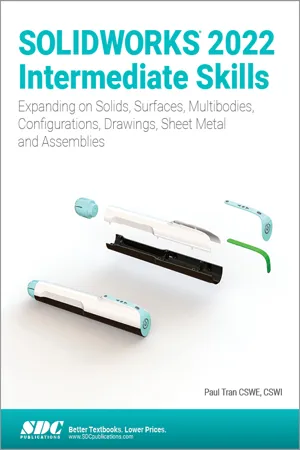
SOLIDWORKS 2022 Intermediate Skills
eBook - PDF

SOLIDWORKS 2022 Intermediate Skills

Expanding on Solids, Surfaces, Multibodies, Configurations, Drawings, Sheet Metal and Assemblies

  1. English
  2. PDF
  3. Available on iOS & Android
eBook - PDF

SOLIDWORKS 2022 Intermediate Skills

Expanding on Solids, Surfaces, Multibodies, Configurations, Drawings, Sheet Metal and Assemblies

About this book

  • Picks up where SOLIDWORKS Basic Tools leaves off
  • Uses a step by step tutorial approach with real world projects
  • Comprehensive coverage of intermediate SOLIDWORKS tools and techniques
  • Expands on Solids, Surfaces, Multibodies, Configurations, Drawings, Sheet Metal and Assemblies
  • Features a quick reference guide

SOLIDWORKS 2022 Intermediate Skills is part of a three part series which builds on the SOLIDWORKS features learned in SOLIDWORKS 2022 Basic Tools. SOLIDWORKS 2022 Intermediate Skills broadens your SOLIDWORKS knowledge base by covering such features as surveys, lofts and boundaries, the use of multibodies, generating engineering drawings and other SOLIDWORKS functions that are critical for the effective use of this powerful software.

This book helps prepare you for the advanced features of SOLIDWORKS which are covered in SOLIDWORKS Advanced Techniques. It uses a step by step tutorial approach with real world projects. This book also features a Quick-Reference-Guide to the SOLIDWORKS 2022 commands, icons, and customized hotkeys.

Who's this book for?

This book is for the mid-level user, who is already familiar with the SOLIDWORKS program. It is also a great resource for the more CAD literate individuals who want to expand their knowledge of the different features that SOLIDWORKS 2022 has to offer.

Frequently asked questions

Yes, you can cancel anytime from the Subscription tab in your account settings on the Perlego website. Your subscription will stay active until the end of your current billing period. Learn how to cancel your subscription.
No, books cannot be downloaded as external files, such as PDFs, for use outside of Perlego. However, you can download books within the Perlego app for offline reading on mobile or tablet. Learn more here.
Perlego offers two plans: Essential and Complete
  • Essential is ideal for learners and professionals who enjoy exploring a wide range of subjects. Access the Essential Library with 800,000+ trusted titles and best-sellers across business, personal growth, and the humanities. Includes unlimited reading time and Standard Read Aloud voice.
  • Complete: Perfect for advanced learners and researchers needing full, unrestricted access. Unlock 1.4M+ books across hundreds of subjects, including academic and specialized titles. The Complete Plan also includes advanced features like Premium Read Aloud and Research Assistant.
Both plans are available with monthly, semester, or annual billing cycles.
We are an online textbook subscription service, where you can get access to an entire online library for less than the price of a single book per month. With over 1 million books across 1000+ topics, we’ve got you covered! Learn more here.
Look out for the read-aloud symbol on your next book to see if you can listen to it. The read-aloud tool reads text aloud for you, highlighting the text as it is being read. You can pause it, speed it up and slow it down. Learn more here.
Yes! You can use the Perlego app on both iOS or Android devices to read anytime, anywhere — even offline. Perfect for commutes or when you’re on the go.
Please note we cannot support devices running on iOS 13 and Android 7 or earlier. Learn more about using the app.
Yes, you can access SOLIDWORKS 2022 Intermediate Skills by Paul Tran CSWE, CSWI in PDF and/or ePUB format, as well as other popular books in Computer Science & CAD-CAM. We have over one million books available in our catalogue for you to explore.

Information

Table of contents

  1. Title Page
  2. Copyright
  3. Acknowledgments
  4. Foreword
  5. Author’s Note
  6. About the Training Files
  7. Table of Contents
  8. Introduction: SOLIDWORKS 2022 User Interface
  9. Chapter 1: Document Properties
  10. Chapter 2: Sketching Skills
  11. Chapter 3: Creating Multibody Parts
  12. Chapter 4: Working with Multibody Parts
  13. Chapter 5: Revolved & Thread Features
  14. Chapter 6: Flex Bending
  15. Chapter 7: Sweep with Guide Curves
  16. Chapter 8: Lofts and Boundaries
  17. Chapter 9: Surfaces and Patches
  18. Chapter 10: Configure Features
  19. Chapter 11: Assembly Motions & Mates
  20. Chapter 12: Using Smart-Mates
  21. Chapter 13: Introduction to Top Down Assembly
  22. Chapter 14: Using the Lip & Groove Options
  23. Chapter 15: Assembly Drawings & BOM
  24. Chapter 16: Drawings & Detailing Part-1
  25. Chapter 17: SOLIDWORKS MBD
  26. Chapter 18: Sheet Metal Parts
  27. Chapter 19: Plastic Parts
  28. Chapter 20: Smart Components
  29. Chapter 21: Using Subtract & Intersect Tools
  30. Chapter 22: Using Magnetic Mates
  31. Chapter 23: Hybrid Modeling
  32. Glossary
  33. Index
  34. SOLIDWORKS Quick Guides
  35. SOLIDWORKS Keyboard Shortcuts