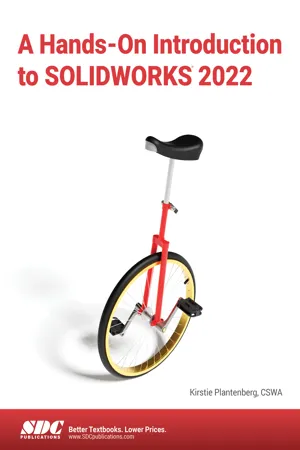
A Hands-On Introduction to SOLIDWORKS 2022
eBook - PDF

A Hands-On Introduction to SOLIDWORKS 2022

  1. English
  2. PDF
  3. Available on iOS & Android
eBook - PDF

A Hands-On Introduction to SOLIDWORKS 2022

About this book

  • Intended for users completely new to SOLIDWORKS
  • Designed to complement an engineering graphics course
  • Utilizes many real-life parts and assemblies

SOLIDWORKS is the industry standard in 3D parametric modeling software, making it an essential tool for anyone going into a wide variety of engineering and design industries.

Specifically written for those who are new to SOLIDWORKS, A Hands-On Introduction to SOLIDWORKS 2022 allows you to relax and learn as you follow an expert in SOLIDWORKS through the basics of the software to its more in-depth capabilities. Formerly called Project Based SOLIDWORKS, this revised edition includes new and expanded tutorials. This book works perfectly for a freshman design class or as a companion text to an engineering graphics textbook.

Each tutorial in the book teaches you how to use engineering graphics concepts while modeling real-world parts and assemblies. Learn how to model parts, configurations, create part prints, and assembly drawings. As you become more comfortable with SOLIDWORKS, later chapters introduce FEA, how to create more complex solid geometries with parametric modeling, apply tolerances, and use advanced and mechanical mates. Important commands and features are highlighted and defined in each chapter to help you become familiar with them.

Why this book?

Instructors and learners will appreciate the thoughtful and well-organized layout of A Hands-On Introduction to SOLIDWORKS 2022. Every chapter begins with the prerequisites needed to complete the tutorials found in the chapter and a list of what you will learn. You do not necessarily need to complete the tutorials within the book in order, but make sure that you have the pre-requisite knowledge before you begin. Practice modeling problems and/or quiz problems at the end of each chapter offer an extra challenge and let you practice your newfound skills.

Working with realistic part models and assemblies means that questions and problems might arise as they would when you are working on your real-life projects. The author anticipates these questions and how to address them. For example, if you are in the wrong standard or not on the correct layer, or an unexpected window appears on the screen, tips and notes quickly remedy the issue.

Information on new commands or steps appear at the beginning of each chapter. They include definitions of new features and concepts and images of how they look on the screen. Everything is clearly labeled for easy identification. Throughout the book, readers are referred to the appropriate section of the chapter for more information on the command when needed. A command index at the back of the book lists where each command can be found for easy reference at any time.

Topics covered

  • Part modeling
  • Part configurations
  • Assembly
  • Static FEA
  • Part Prints
  • Assembly drawings
  • Fasteners
  • Tolerancing
  • Parametric Modeling
  • 3D-sketches
  • Rendering

Frequently asked questions

Yes, you can cancel anytime from the Subscription tab in your account settings on the Perlego website. Your subscription will stay active until the end of your current billing period. Learn how to cancel your subscription.
At the moment all of our mobile-responsive ePub books are available to download via the app. Most of our PDFs are also available to download and we're working on making the final remaining ones downloadable now. Learn more here.
Perlego offers two plans: Essential and Complete
  • Essential is ideal for learners and professionals who enjoy exploring a wide range of subjects. Access the Essential Library with 800,000+ trusted titles and best-sellers across business, personal growth, and the humanities. Includes unlimited reading time and Standard Read Aloud voice.
  • Complete: Perfect for advanced learners and researchers needing full, unrestricted access. Unlock 1.4M+ books across hundreds of subjects, including academic and specialized titles. The Complete Plan also includes advanced features like Premium Read Aloud and Research Assistant.
Both plans are available with monthly, semester, or annual billing cycles.
We are an online textbook subscription service, where you can get access to an entire online library for less than the price of a single book per month. With over 1 million books across 1000+ topics, we’ve got you covered! Learn more here.
Look out for the read-aloud symbol on your next book to see if you can listen to it. The read-aloud tool reads text aloud for you, highlighting the text as it is being read. You can pause it, speed it up and slow it down. Learn more here.
Yes! You can use the Perlego app on both iOS or Android devices to read anytime, anywhere — even offline. Perfect for commutes or when you’re on the go.
Please note we cannot support devices running on iOS 13 and Android 7 or earlier. Learn more about using the app.
Yes, you can access A Hands-On Introduction to SOLIDWORKS 2022 by Kirstie Plantenberg in PDF and/or ePUB format, as well as other popular books in Ciencia de la computación & CAD/CAM. We have over one million books available in our catalogue for you to explore.

Information

Table of contents

  1. Title Page
  2. Copyright
  3. Table of Contents
  4. Chapter 1: Basic Part Modeling in SOLIDWORKS
  5. Chapter 2: Basic Drawing in SOLIDWORKS
  6. Chapter 3: Intermediate Part Modeling in SOLIDWORKS
  7. Chapter 4: Intermediate Drawings in SOLIDWORKS
  8. Chapter 5: Configurations in SOLIDWORKS
  9. Chapter 6: Static FEA in SOLIDWORKS
  10. Chapter 7: Basic Assemblies in SOLIDWORKS
  11. Chapter 8: Assembly Drawings in SOLIDWORKS
  12. Chapter 9: Advanced Part Modeling in SOLIDWORKS
  13. Chapter 10: Intermediate Assemblies in SOLIDWORKS
  14. Chapter 11: Tolerancing and Threads in SOLIDWORKS
  15. Chapter 12: Parametric Modeling in SOLIDWORKS
  16. Chapter 13: Advanced Assemblies in SOLIDWORKS
  17. Chapter 14: 3D Sketches in SOLIDWORKS
  18. Chapter 15: Rendering in SOLIDWORKS
  19. Appendix A: Useful Commands and Shortcuts
  20. Appendix B: Index