This book is designed to cover the problems that novice DBAs particularly struggle with. This handbook covers a minimal amount of theoretical information before showing you how to overcome common problems through the use of real-life examples. It covers both Oracle 11g R1 and 11g R2 in examples, with material applicable to all versions of Oracle. This book is for you if you find yourself in charge of an Oracle database. It can be easy to feel overwhelmed. Whether you are a single employee or the DBA manager of several employees, whether you are taking over an existing position or taking up a newly created one – this book is designed to be a sanity check. If you need guidance for migrating to 11g or implementing Oracle's Maximum Availability Architecture, you will find this book very helpful.
eBook - ePub
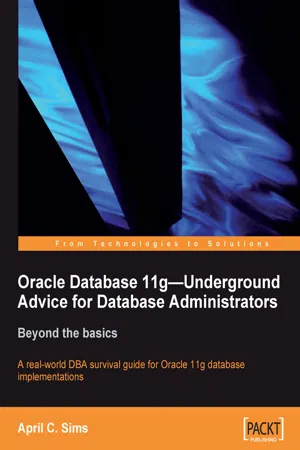
Oracle Database 11g – Underground Advice for Database Administrators
Beyond the basics
- 348 pages
- English
- ePUB (mobile friendly)
- Available on iOS & Android
eBook - ePub
About this book
Information
Topic
InformatikSubtopic
InformationstechnologieOracle Database 11g–Underground Advice for Database Administrators
Beyond the basics
Table of Contents
Oracle Database 11g—Underground Advice for Database Administrators
Credits
About the author
About the reviewers
Preface
What this book covers
What you need for this book
Who this book is for
Conventions
Reader feedback
Customer support
Errata
Piracy
Questions
1. When to Step Away from the Keyboard
Protecting and defending
Choosing your tools
Graphic-based, command-line Oracle tools and usage
Staying away from dinosaurs
Insisting on help
What does a DBA do all day?
Prioritizing tasks—daily, weekly, monthly, quarterly, or yearly
Daily
Weekly
Monthly
Quarterly
Yearly
SLAs: Why isn't the database down anymore?
Avoiding major blunders
Summary
2. Maintaining Oracle Standards
Adapting to constant change
Database concepts
Multiple ORACLE_HOME(s)
Keeping the environment clean
Oracle's Optimal Flexible Architecture (OFA)
11g differences in the OFA standard
XWINDOWS and GUI displays
Automating day-to-day tasks
DBMS_SCHEDULER
OS cron utility executing a scheduled task on a Unix server
OEM Console plus the Intelligent Agent
11g Diagnosability Framework
Advisors and checkers
Missing temp file resolution
Environmental variables and scripting
Guidelines for scripting
Separating the configuration file
Host commands relative location
Separating the variable part of the script into its own configuration file
Don't hardcode values; reference a configuration file and password file at runtime
Putting variables at the top of the script with curly braces
Moving functions to a centralized file to be reused
Validating the use of the script
Using SQL to generate code
Helpful Unix commands
Reducing operating system differences with common tools
Configuration management, release management, and change control
Configuration management
Using OCM in disconnected mode with masking
Mass deployment utility
Release management
DBA issues with patching
Applying a patch without integrating MOS with OCM
Using the new patch plan functionality with OCM installed and uploaded to MOS
Change control
Where, when, and who to call for help
My Oracle Support
Documentation library
Summary
3. Tracking the Bits and Bytes
Dump block
Demonstration of data travel path
Location of trace files
Running dump block SQL statements
Identifying files and blocks
Legend for Trace Files:
Tracking the SCN through trace files
Single Row Insert
Commit of a single row insert
Single row update and corresponding undo block
Commit of a single row update
Oracle's RDBMS Log Miner utility
Turn on archivelog mode
Add supplemental logging
Identification key logging
Table-level supplemental logging
Flash(back) Recovery Area (FRA)
Automatic Undo Management (AUM)
Identifying data in undo segments by flashing back to timestamp
When to use Log Miner
Identifying the data needed to restore
SCN, timestamp, or log sequence number
Pseudo column ORA_ROWSCN
Flashback Transaction Query and Backout
Enabling flashback logs
Flashback Table
Flashback Transaction Query with pseudo columns
Flashback Transaction Backout
Using strings to remove binary components
Summary
4. Achieving Maximum Uptime
Maximum Availability Architecture (MAA)
Downtime—planned or unplanned
MAA with commodity hardware: Case study
Optimizing Oracle Database High Availability
To archive or not to archive, you pick the mode
Multiple archive destinations
Moving the archive destination in an emergency
Using a different disk device or disk mount
Monitoring all hard drive space and Archivelog space
Database compatibility parameter with spfile, pfile management
Dealing with storage—RAID, SAME, ASM, and OMF
RAID—Redundant Arrays of Inexpensive Disks
SAME—Stripe and Mirror Everything
ASM—Automatic Storage Management
Recommendations for implementing ASM
Mirrored files—control files and online redo logs
Autoextending data files
Auditing, log files, and max dump file size
What is currently being audited?
Auditing Session Activity
Other logs to monitor
Data dictionary healthcheck
SQL*Net hardening, tuning, and troubleshooting
Troubleshooting
What can go wrong?
Grid Control High Availability and Disaster Recovery
Recommended installation for GC 10.2.0.5+
Why should I install a separate database?
Cookbook for silent install and configuring later
Migrating GC repositories
Transportable tablespace migrations
Keeping the repository highly available
Repository backups, restores, or imports
MAA—repository on a physical standby database
OMS and agents' high availability
Cloning Management agents
GC at a very large site
Summary
5. Data Guard and Flashback
Physical, snapshot, and logical standbys
Physical standby database
Snapshot standby database
Logical standby database
Commodity hardware and mixed environments
What is Data Guard broker?
What controls the Data Guard broker?
Which tool is best?
Start with the default configuration—maximum performance
Utilizing multiple standby sites
Protection modes and real-time apply
Maximum performance (default)
Maximum performance recommendations
Maximum availability
Maximum availability recommendations
Maximum protection and recommendations
Database states
Manual failover with physical standby
Manual failover with DGMGRL
Flashback and guaranteed restore points
Possible testing/recovery scenarios for Flashback and Data Guard
Lost-write detection using a physical standby database
Corruption, patch reversal, upgrades, or testing scenarios
Reinstate failed primary scenario
Troubleshooting the logical standby
Options for resolving errors that stop the SQL Apply process
How to skip a single transaction
Active Data Guard and RMAN
Other Data Guard notes and features
Summary
6. Extended RMAN
Recovery goals determine backup configuration
Backup types and the default configuration
Backup incremental levels
Full backup
Logical backup
Oracle's suggested backup: What is missing?
Controlfiles—an important part of backup and recovery
How often should backups occur?
Default configuration details
Oracle's recommended backup strategy
Issues with incremental merge backups
Restore and recovery comparison
Recommendations for Incremental Merge backup
Calculating the FRA disk space needed
Catalog versus controlfile RMAN recordkeeping and retention policies
RMAN stored script and substitution variables
Retention policies: Recovery window or redundancy?
Not needed (OBSOLETE) versus not found (EXPIRED)
What if I want to keep certain backups?
Corruption detection
Physical corruption
Logical corruption
Commands and utilities that detect corruption
DBVERIFY
RMAN VALIDATE or BACKUP VALIDATE command
CTAS
Export utility or Data Pump
Which utility should be used?
What should I do if corruption is detected?
Data Recovery Adviser
What does RMAN backup, restore, and recover?
Possible interruptions to the recovery process
What doesn't RMAN backup, restore, and recover?
Online redo: Key to consistency
User-managed backups
What do I do before starting a restore and recovery?
Find the most recent controlfile backup
Find the backup you want to restore
Restoring the controlfile
Restoring the database
Full recovery
Point-in-Time Recovery
Verifying that the recovery is complete
Simplified recovery through resetlogs
RMAN cloning and standbys—physical, snapshot, or logical
Clones, DBIDs, and incarnations
Creating a cloned database
Post-cloning tasks
Creating a standby ...
Table of contents
- Oracle Database 11g–Underground Advice for Database Administrators
Trusted by 375,005 students
Access to over 1.5 million titles for a fair monthly price.
Study more efficiently using our study tools.
Frequently asked questions
Yes, you can cancel anytime from the Subscription tab in your account settings on the Perlego website. Your subscription will stay active until the end of your current billing period. Learn how to cancel your subscription
No, books cannot be downloaded as external files, such as PDFs, for use outside of Perlego. However, you can download books within the Perlego app for offline reading on mobile or tablet. Learn how to download books offline
Perlego offers two plans: Essential and Complete
- Essential is ideal for learners and professionals who enjoy exploring a wide range of subjects. Access the Essential Library with 800,000+ trusted titles and best-sellers across business, personal growth, and the humanities. Includes unlimited reading time and Standard Read Aloud voice.
- Complete: Perfect for advanced learners and researchers needing full, unrestricted access. Unlock 1.5M+ books across hundreds of subjects, including academic and specialized titles. The Complete Plan also includes advanced features like Premium Read Aloud and Research Assistant.
We are an online textbook subscription service, where you can get access to an entire online library for less than the price of a single book per month. With over 1.5 million books across 990+ topics, we’ve got you covered! Learn about our mission
Look out for the read-aloud symbol on your next book to see if you can listen to it. The read-aloud tool reads text aloud for you, highlighting the text as it is being read. You can pause it, speed it up and slow it down. Learn more about Read Aloud
Yes! You can use the Perlego app on both iOS and Android devices to read anytime, anywhere — even offline. Perfect for commutes or when you’re on the go.
Please note we cannot support devices running on iOS 13 and Android 7 or earlier. Learn more about using the app
Please note we cannot support devices running on iOS 13 and Android 7 or earlier. Learn more about using the app
Yes, you can access Oracle Database 11g – Underground Advice for Database Administrators by April C. Sims in PDF and/or ePUB format, as well as other popular books in Informatik & Informationstechnologie. We have over 1.5 million books available in our catalogue for you to explore.