This is a practical, hands-on book based around a case study website, which you will build in this easy-to-understand workshop by using CMS Made Simple. The case study grows chapter by chapter, from CMS installation to the finished website. It provides clear instructions and detailed screenshots, so you can see exactly what to do at each step of the build. When you have completed the case study, you will have the knowledge and confidence to build a website with rich functionality and individual design that is optimized for search engines and can be handed over to the customer. This book is perfect for newcomers as well as webmasters who are looking for an introduction to building powerful and professional websites with a content management system. Basic knowledge of HTML and CSS is the only requirement. The workshop covers all aspects of web publishing and is aimed for web designers, web developers, editors, and web managers.
- 364 pages
- English
- ePUB (mobile friendly)
- Available on iOS & Android
eBook - ePub
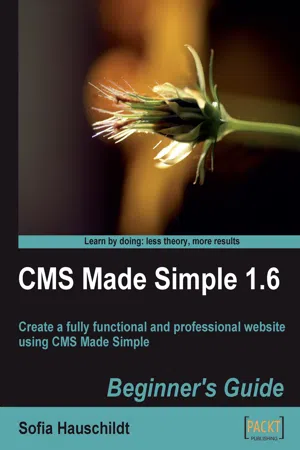
CMS Made Simple 1.6: Beginner's Guide
About this book
Information
CMS Made Simple 1.6
Beginner's Guide
Table of Contents
CMS Made Simple 1.6
Credits
About the Author
About the Reviewers
Preface
What this book covers
What you need for this book
Who this book is for
Conventions
Time for action – heading
What just happened?
Pop quiz – heading
Have a go hero – heading
Reader feedback
Customer support
Errata
Piracy
Questions
1. Building Websites with CMS Made Simple
What is a CMS?
A CMS versus a website builder
Why CMS Made Simple?
Case study website
Functional specifications
Preparing for installation
Browser
FTP browser
File archiver
Uploading CMS Made Simple's files
Summary
2. Getting Started
Installing CMS Made Simple step-by-step
Choosing a language
Step 1: Validating file integrity (optional)
Step 2: Checking requirements
Step 3: Testing file creation mask (optional)
Step 4: Admin account information
Step 5: Database information
Sample content and templates
Step 6: Creating tables
Step 7: Installation is complete
Understanding the admin console
Finishing the installation
Sending e-mails with CMS
Known issues
Summary
3. Creating Pages and Navigation
Creating pages
Time for action – adding a new page to the website
What just happened?
Editing pages
Time for action – editing existing pages
What just happened?
Previewing changes
Changing the page alias
Deleting pages
Formatting page content
Configuring TinyMCE
Time for action – activating search and replace function
What just happened?
Adding meta tags
Time for action – adding meta tags to pages
What just happened?
Adding global meta tags
Understanding page hierarchy
Time for action – adding subpages to a website
What just happened?
Breadcrumbs
Search engine friendly URLs
Time for action – creating search engine friendly URLs
What just happened?
Getting more success from hierarchy
Controlling the navigation of the website
Time for action – preventing pages from displaying in the navigation
What just happened?
What is your start page?
More navigation control with content types
Efficient work with pages
Creating a new page as a copy of existing one
Changing multiple pages at once
Pop quiz – creating pages and navigation
Have a go hero – create all pages for company website
Creating pages and navigation
Summary
4. Design and Layout
Working with existing templates
Time for action – importing a ready-made template
What just happened?
Creating a new template
Time for action – creating a new template
What just happened?
Adding dynamic parts to templates
Time for action – adding Smarty tags to a template
What just happened?
Having control over the output
Time for action – adding Smarty parameters to the template
What just happened?
Using plugins in content
Adding stylesheets to the template
Creating a new stylesheet
Time for action – creating the stylesheet
What just happened?
Media types for stylesheets
Creating navigation for the website
Time for action – adding navigation to the template
What just happened?
Designing navigation—the pure CSS way
Time for action – design navigation with pure CSS
What just happened?
Adding sidebar navigation
Porting a HTML template
Time for action – porting a HTML template to CMS Made Simple
What just happened?
Learning Smarty basics
Working with Smarty variables
Time for action – getting Smarty variables
What just happened?
Controlling output with the IF function
Time for action – displaying tags in dependence of the page
What just happened?
Creating navigation template with Smarty loop
Time for action – creating a menu template
What just happened?
Exporting templates
Time for action – displaying tags in dependence of the page
Pop quiz –testing what you have learned
Have a go hero – creating custom templates
Summary
5. Using Core Modules
Understanding global content blocks
Time for action – adding a global content block to the website
What just happened?
Managing news articles with module News
Displaying news on the website
Time for action – displaying news on the page
What just happened?
Adding news
Time for action – adding news items
What just happened?
News categories
Time for action – creating news categories
What just happened?
Customizing news templates
Time for action – creating a new summary template
What just happened?
Adding custom fields to the module News
Time for action – adding custom fields
What just happened?
Using the news title as the page title
Using the search function with the module Search
Time for action – adding a search form
What just happened?
Browsing files with File Manager
Using Image Manager
Time for action – using the image editor
What just happened?
Using images in template and content
Using Menu Manager in content
Time for action – creating a sitemap
What just happened?
Printing pages
Time for action – adding a print link
What just happened?
Adding media type to stylesheets
Generating a PDF version of the page
Adding more modules to your website
Using the Module Manager
Installing additional modules
Time...
Table of contents
- CMS Made Simple 1.6
Trusted by 375,005 students
Access to over 1.5 million titles for a fair monthly price.
Study more efficiently using our study tools.
Frequently asked questions
Yes, you can cancel anytime from the Subscription tab in your account settings on the Perlego website. Your subscription will stay active until the end of your current billing period. Learn how to cancel your subscription
No, books cannot be downloaded as external files, such as PDFs, for use outside of Perlego. However, you can download books within the Perlego app for offline reading on mobile or tablet. Learn how to download books offline
Perlego offers two plans: Essential and Complete
- Essential is ideal for learners and professionals who enjoy exploring a wide range of subjects. Access the Essential Library with 800,000+ trusted titles and best-sellers across business, personal growth, and the humanities. Includes unlimited reading time and Standard Read Aloud voice.
- Complete: Perfect for advanced learners and researchers needing full, unrestricted access. Unlock 1.5M+ books across hundreds of subjects, including academic and specialized titles. The Complete Plan also includes advanced features like Premium Read Aloud and Research Assistant.
We are an online textbook subscription service, where you can get access to an entire online library for less than the price of a single book per month. With over 1.5 million books across 990+ topics, we’ve got you covered! Learn about our mission
Look out for the read-aloud symbol on your next book to see if you can listen to it. The read-aloud tool reads text aloud for you, highlighting the text as it is being read. You can pause it, speed it up and slow it down. Learn more about Read Aloud
Yes! You can use the Perlego app on both iOS and Android devices to read anytime, anywhere — even offline. Perfect for commutes or when you’re on the go.
Please note we cannot support devices running on iOS 13 and Android 7 or earlier. Learn more about using the app
Please note we cannot support devices running on iOS 13 and Android 7 or earlier. Learn more about using the app
Yes, you can access CMS Made Simple 1.6: Beginner's Guide by Sofia Hauschildt in PDF and/or ePUB format, as well as other popular books in Computer Science & Information Technology. We have over 1.5 million books available in our catalogue for you to explore.