GNS3 Network Simulation Guide
eBook - ePub

GNS3 Network Simulation Guide

  1. 154 pages
  2. English
  3. ePUB (mobile friendly)
  4. Available on iOS & Android
eBook - ePub

GNS3 Network Simulation Guide

About this book

In Detail

GNS3 is an open-source Graphical Network Simulator used extensively by networking professionals to simulate networking devices such as Cisco, Juniper and Vyatta routers, along with Virtual PCs.

GNS3 Network Simulation Guide gives you all the information you need to run a successful GNS3 simulation. You will be guided through the tricky installation pre-requisites and procedures involved in developing a simulated topology suitable for studying for Cisco CCIE Certification. We will also cover many useful tips and tricks which will help you make the most of your GNS3 simulator application.

You will begin the GNS3 journey by ensuring that you have prepared your computer with any additional files required by GNS3, to set up the simulated environment needed for a successful installation process.

Once GNS3 is installed, you will get to work creating a successful simulation including routers, Ethernet switches, Virtual PCs, and capture packets using Wireshark. Next, you will learn how to master GNS3s Graphical User Interface as well as the Command Console. The inner workings of GNS3 are described in depth so that you gain an appreciation of how UDP tunnels are used to tie the many components of GNS3 together.

By following the clear examples and exercises in this guide, you will learn everything that you need to know about how to use GNS3 to prepare for certifications, as well as simulate real-world network scenarios.

Approach

GNS3 Network Simulation Guide is an easy-to-follow yet comprehensive guide which is written in a tutorial format helping you grasp all the things you need for accomplishing your certification or simulation goal.

Who this book is for

If you are a networking professional who wants to learn how to simulate networks using GNS3, this book is ideal for you. The introductory examples within the book only require minimal networking knowledge, but as the book progresses onto more advanced topics, users will require knowledge of TCP/IP and routing.

Trusted by 375,005 students

Access to over 1 million titles for a fair monthly price.

Study more efficiently using our study tools.

GNS3 Network Simulation Guide


Table of Contents

GNS3 Network Simulation Guide
Credits
About the Author
About the Reviewers
www.PacktPub.com
Support files, eBooks, discount offers and more
Why Subscribe?
Free Access for Packt account holders
Preface
What this book covers
What you need for this book
Who this book is for
Conventions
Reader feedback
Customer support
Errata
Piracy
Questions
1. Clearing the First Hurdle
Pre-installation tasks and prerequisites
Understanding the GNS3 family of applications
Memory and CPU
Router image files
Downloading GNS3
The installation process
Installing on Windows
Installing on OS X (Macintosh)
Installing on Linux Mint
Post-installation tasks
The setup wizard
Summary
2. Creating your First GNS3 Simulation
Jumping in the deep end – a basic two-router configuration
Conceptualizing a project
The topology.net file
The configs directory
The working directory
Opening a project
Getting to know the GUI
Tips for managing your workspace
Tips for managing your routers
Using VPCS (Virtual PC Simulator)
Capturing packets with Wireshark
Avoiding the 100 percent CPU utilization problem
Coming to grips with Idle-PC values
Introducing GNS3 generic switches
Ethernet switch
Frame-relay and ATM switches
Summary
3. Enhancing GNS3
Connecting to physical interfaces
Mini-project – connecting your GNS3 router to your LAN
Why can't my host computer ping my router?
The Microsoft Loopback adapter
The Linux NIO TAP adapter
The OS X TUN/TAP adapter
Adding VLAN support
Generic Ethernet switch
EtherSwitch router
Terminal tips
Using a different terminal application
Using the AUX port
Troubleshooting a device console
Fine-tuning the topology – adding graphics and text
Accessing GNS3 running on a remote machine
Accessing a device console remotely
Linking GNS3 topologies on different hosts
Summary
4. Unleashing Other Emulators
The Qemu emulator
Adding Qemu support
Linux
Qemu preferences
Microcore Linux using Qemu
Adding ASA firewalls
Adding Juniper routers (Junos)
The VirtualBox emulator
Adding VirtualBox support
A Windows PC on Oracle VirtualBox
A Linux PC on VirtualBox
Adding a Vyatta router using VirtualBox
Summary
5. The Cisco Connection
Cisco routers – emulated hardware
Cisco IOS
Platform
Feature set
Memory location and compression format
Train number
Maintenance release
Train identifier
RAM requirements and the feature navigator
Summary
6. Peeking under the GNS3 Hood
Understanding the topology.net file
Say hello to the hypervisor
The GNS3 orchestra
UDP tunnel concept
Conducting Qemu and VirtualBox
Debugging using the GNS3 management console
Summary
7. Tips for Teachers, Troubleshooters, and Team Leaders
Packaging your projects
Adding instructions
Managing snapshots
Using remote hypervisors
Remote hypervisor tutorial
Preparing the remote servers
Preparing the host computer
Load balancing across multiple hypervisors
Using your local GNS3 host as a hypervisor
Building the topology
Choosing the right platform
Using VPCS with remote hypervisors
Running GNS3 in a virtual machine
The GNS3 WorkBench solution
GNS3 Limitations
Ethernet interfaces are always up
Cisco router support
Host PC communication in a virtual machine environment
Getting more help
Official websites for all the GNS3 suite of programs
Other helpful online resources
Summary
Index

GNS3 Network Simulation Guide

Copyright © 2013 Packt Publishing
All rights reserved. No part of this book may be reproduced, stored in a retrieval system, or transmitted in any form or by any means, without the prior written permission of the publisher, except in the case of brief quotations embedded in critical articles or reviews.
Every effort has been made in the preparation of this book to ensure the accuracy of the information presented. However, the information contained in this book is sold without warranty, either express or implied. Neither the author nor Packt Publishing, and its dealers and distributors will be held liable for any damages caused or alleged to be caused directly or indirectly by this book.
Packt Publishing has endeavored to provide trademark information about all of the companies and products mentioned in this book by the appropriate use of capitals. However, Packt Publishing cannot guarantee the accuracy of this information.
First published: October 2013
Production Reference: 1211013
Published by Packt Publishing Ltd.
Livery Place
35 Livery Street
Birmingham B3 2PB, UK.
ISBN 978-1-78216-080-9
www.packtpub.com
Cover Image by Chris Welsh ()

Credits

Author
"RedNectar" Chris Welsh
Reviewers
Anthony Burke
John Herbert
Acquisition Editor
Wilson D'souza
Commissioning E...
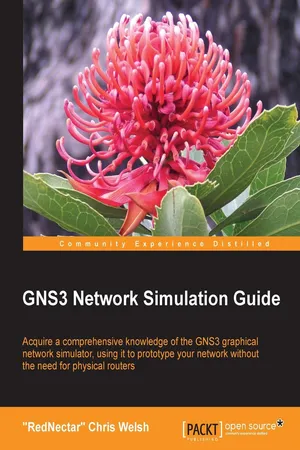
Table of contents

  1. GNS3 Network Simulation Guide

Frequently asked questions

Yes, you can cancel anytime from the Subscription tab in your account settings on the Perlego website. Your subscription will stay active until the end of your current billing period. Learn how to cancel your subscription
No, books cannot be downloaded as external files, such as PDFs, for use outside of Perlego. However, you can download books within the Perlego app for offline reading on mobile or tablet. Learn how to download books offline
Perlego offers two plans: Essential and Complete
  • Essential is ideal for learners and professionals who enjoy exploring a wide range of subjects. Access the Essential Library with 800,000+ trusted titles and best-sellers across business, personal growth, and the humanities. Includes unlimited reading time and Standard Read Aloud voice.
  • Complete: Perfect for advanced learners and researchers needing full, unrestricted access. Unlock 1.4M+ books across hundreds of subjects, including academic and specialized titles. The Complete Plan also includes advanced features like Premium Read Aloud and Research Assistant.
Both plans are available with monthly, semester, or annual billing cycles.
We are an online textbook subscription service, where you can get access to an entire online library for less than the price of a single book per month. With over 1 million books across 990+ topics, we’ve got you covered! Learn about our mission
Look out for the read-aloud symbol on your next book to see if you can listen to it. The read-aloud tool reads text aloud for you, highlighting the text as it is being read. You can pause it, speed it up and slow it down. Learn more about Read Aloud
Yes! You can use the Perlego app on both iOS and Android devices to read anytime, anywhere — even offline. Perfect for commutes or when you’re on the go.
Please note we cannot support devices running on iOS 13 and Android 7 or earlier. Learn more about using the app
Yes, you can access GNS3 Network Simulation Guide by "RedNectar" Chris Welsh in PDF and/or ePUB format, as well as other popular books in Computer Science & Certification Guides in Computer Science. We have over one million books available in our catalogue for you to explore.