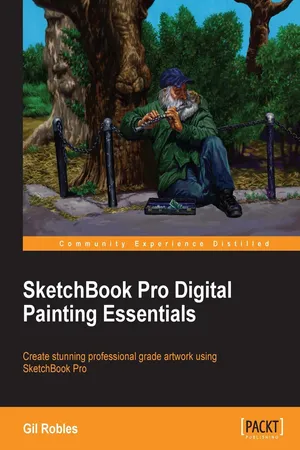
Sketchbook Pro Digital Painting Essentials
eBook - ePub

Sketchbook Pro Digital Painting Essentials

  1. 112 pages
  2. English
  3. ePUB (mobile friendly)
  4. Available on iOS & Android
eBook - ePub

Sketchbook Pro Digital Painting Essentials

About this book

In Detail

Sketchbook Pro is a professional grade painting app that is easy to use and which helps you create digital art that looks like paintings created using ink and color. Using Sketchbook Pro, you can transform your digital art into true masterpieces that resemble work done using traditional mediums.

SketchBook Pro Digital Painting Essentials will show you how to transform your digital art into true masterpieces. This book will guide you through the many tools and options available in Sketchbook Pro such as the symmetry tool, layer editor, and blend modes to create images that look as though they were done by hand using traditional tools and mediums. This unique book offers inspiration with hands-on techniques and gives you an insight into a professional artist's mind.

Starting with an overview of the program, this book will help you customize and set your preferences to help you produce the best possible images for use on the Web or for print. You will be able to look over the authors shoulder as he demonstrates the use of the tools to create artwork that looks like it was painted or inked. This book will then show you how you can draw basic illustrations and then how to create acrylic paintings. You will also learn about file saving options; which ones are best for what you intend to do with the artwork. The book will also show you how to export the images you've created to other software and will give you tips and tricks that will help you make the most out of Sketchbook Pro. SketchBook Pro Digital Painting Essentials will give you an extensive overview complete with supporting imagery of how each piece of art was made, and by the end of this book, you will have created multiple drawings using Sketchbook Pro.

Approach

This book is an example-based guide that will help you create professional grade paintings using Sketchbook Pro. As you progress from one chapter to another, you will learn how to virtually draw visually stunning paintings that are digitally drawn but look exactly like orthodox artwork.

Who this book is for

If you have had prior experience in developing digital artwork and are looking to add to your knowledge, SketchBook Pro Digital Painting Essentials is a guide that will help you seamlessly translate what you do with traditional media to digital media.

Trusted by 375,005 students

Access to over 1 million titles for a fair monthly price.

Study more efficiently using our study tools.

Information

Year
2013
eBook ISBN
9781849698207

SketchBook Pro Digital Painting Essentials


Table of Contents

SketchBook Pro Digital Painting Essentials
Credits
About the Author
About the Reviewers
www.PacktPub.com
Support files, eBooks, discount offers and more
Why Subscribe?
Free Access for Packt account holders
Preface
What this book covers
What you need for this book
Who this book is for
Conventions
Reader feedback
Customer support
Downloading the color images of this book
Errata
Piracy
Questions
1. An Arsenal of Tools
Lagoon
Toolbar
The Ellipse tool
The Symmetry tools
French Curve
Steady Stroke
The Layers editor
Blend modes
Lock Layer
Brush Palette
The Color Editor
Copic Library
Summary
2. Setting Your Preferences and Customization
Canvas
Brushes
Do-It-Yourself Brush
Custom texture
Customizing the Lagoon tab and the right-click menu
Stylus responsiveness
Summary
3. Creating an Image Using Pen, Ink, and Color
Brush choices
The Pencil tool
Do-It-Yourself Brush
Coloring a drawing inked in SketchBook Pro
Demo 1 – the Pen, Ink, and Airbrush tools
Demo 2 – the Pencil tool and Copic markers
Demo 3 – coloring a scanned drawing
Summary
4. Creating a Painting
Demo 1 – Painting Joshua
Demo 2 – Creating an environment and exploring the details
The figure
The tree
The foliage
The chain link
Summary
5. File Saving Options
Save options
Importing an image to Flash
Importing an image to Photoshop
Summary
6. Tips and Tricks
Tablets
Mirror canvas
Making corrections
Painting outside the lines
Summary
Index

SketchBook Pro Digital Painting Essentials

Copyright © 2013 Packt Publishing
All rights reserved. No part of this book may be reproduced, stored in a retrieval system, or transmitted in any form or by any means, without the prior written permission of the publisher, except in the case of brief quotations embedded in critical articles or reviews.
Every effort has been made in the preparation of this book to ensure the accuracy of the information presented. However, the information contained in this book is sold without warranty, either express or implied. Neither the author, nor Packt Publishing, and its dealers and distributors will be held liable for any damages caused or alleged to be caused directly or indirectly by this book.
Packt Publishing has endeavored to provide trademark information about all of the companies and products mentioned in this book by the appropriate use of capitals. However, Packt Publishing cannot guarantee the accuracy of this information.
First published: October 2013
Production Reference: 1181013
Published by Packt Publishing Ltd.
Livery Place
35 Livery Street
Birmingham B3 2PB, UK.
ISBN 978-1-84969-820-7
www.packtpub.com
Cover Image by Gil Robles ()

Credits

Authors
Gil Robles
Reviewers
Ricky Mujica
Angel Acevedo .Jr
Acquisition Editor
Mary Nadar
Taron Pereira
Commissioning Editor
Govindan K.
Technical Editors
Iram Malik
Arwa Manasawala
Shali Sasidharan
Copy Editors
Alisha Aranha
Tanvi Gaitonde
Dipti Kapadia
Sayanee Mukherjee
Project Coordinator
Aboli Ambardekar
Proofreader
Katherine Tarr
Indexer
Rekha Nair
Production Coordinator
Kyle Albuquerque
Cover Work
Kyle Albuquerque

About the Author

Gil Robles is an artist/illustrator living in New York City. His clients have included Bloomberg Market Magazine and the Review and Herald Publishing. His watercolors have been sold to private collectors.
Although Gil's training as an artist has been in traditional media, he has spent a great deal of time exploring digital media. Currently, he enjoys using SketchBook Pro for his paintings and illustrations and for leisure. Gil has posted many demonstration and instructional videos on his YouTube channel, grobles63.

About the Reviewers

Ricky Mujica is a New York City-born illustrator and alumni of the High School of Art and Design, Parsons School of Design, and Parsons in Paris. He specializes in book cover illustration using digital media, and fine art using traditional media.
He started his illustration career in 1983 using traditional oil paints and made his first digital illustrations in 1997. He has hundreds of illustrations to his credit and has collaborated on the beta testing and creation of several user manuals for projects involving specialized, industry-specific CG software packages, such as TopoGun retopology software.
His clients include: Harper Collins, Harlequin Books, Bantam, Dell, Little Brown Books, New York Times, Daily New, Ebony Magazine, US Tennis, 7-UP, Scholastic Books, and others.
He has been included in the Society of Illustrators' annual shows on several occasions and h...

Table of contents

  1. SketchBook Pro Digital Painting Essentials

Frequently asked questions

Yes, you can cancel anytime from the Subscription tab in your account settings on the Perlego website. Your subscription will stay active until the end of your current billing period. Learn how to cancel your subscription
No, books cannot be downloaded as external files, such as PDFs, for use outside of Perlego. However, you can download books within the Perlego app for offline reading on mobile or tablet. Learn how to download books offline
Perlego offers two plans: Essential and Complete
  • Essential is ideal for learners and professionals who enjoy exploring a wide range of subjects. Access the Essential Library with 800,000+ trusted titles and best-sellers across business, personal growth, and the humanities. Includes unlimited reading time and Standard Read Aloud voice.
  • Complete: Perfect for advanced learners and researchers needing full, unrestricted access. Unlock 1.4M+ books across hundreds of subjects, including academic and specialized titles. The Complete Plan also includes advanced features like Premium Read Aloud and Research Assistant.
Both plans are available with monthly, semester, or annual billing cycles.
We are an online textbook subscription service, where you can get access to an entire online library for less than the price of a single book per month. With over 1 million books across 990+ topics, we’ve got you covered! Learn about our mission
Look out for the read-aloud symbol on your next book to see if you can listen to it. The read-aloud tool reads text aloud for you, highlighting the text as it is being read. You can pause it, speed it up and slow it down. Learn more about Read Aloud
Yes! You can use the Perlego app on both iOS and Android devices to read anytime, anywhere — even offline. Perfect for commutes or when you’re on the go.
Please note we cannot support devices running on iOS 13 and Android 7 or earlier. Learn more about using the app
Yes, you can access Sketchbook Pro Digital Painting Essentials by Gil Robles in PDF and/or ePUB format, as well as other popular books in Computer Science & Computer Graphics. We have over one million books available in our catalogue for you to explore.