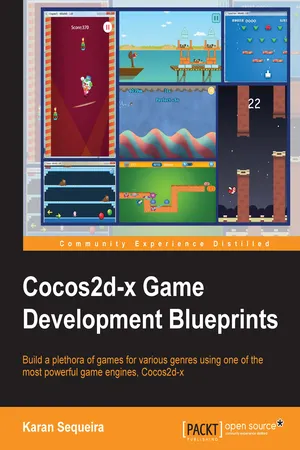
If you are a proficient Cocos2d game developer who wants to enhance his or her game development skill set using Cocos2d-x to build different types of games, this book is for you.
- 392 pages
- English
- ePUB (mobile friendly)
- Available on iOS & Android
eBook - ePub
Cocos2d-x Game Development Blueprints
About this book
Information
Cocos2d-x Game Development Blueprints
Table of Contents
Cocos2d-x Game Development Blueprints
Credits
About the Author
About the Reviewers
www.PacktPub.com
Support files, eBooks, discount offers, and more
Why subscribe?
Free access for Packt account holders
Preface
What this book covers
What you need for this book
Who this book is for
Conventions
Reader feedback
Customer support
Downloading the example code
Downloading the color images of this book
Errata
Piracy
Questions
1. A Colorful Start
An overview of ColourSmash
Setting up the environment for Cocos2d-html5
Creating a project in Cocos2d-html5
Getting acquainted with the project structure
Creating the first scene – the main menu
Moving on to the game world
Declaring and initializing the variables
Creating the background
Creating the tiles
Creating the Heads-Up Display
The countdown timer
Let's get touchy...
The core gameplay
Finding the tiles
Removing the tiles
Finding and shifting tiles from above
Adding new tiles
Adding score and bonus
Updating the timer
Summary
2. How to Fly a Dragon!
Getting to know sprite sheets
Creating a lively menu screen
Creating a fairy tale
Building an infinitely long castle in 20 lines of code
Adding the stars
Setting things into motion
On to the game world
The core gameplay
Creating the dragon
Creating the towers
The update loop
Updating the dragon
Updating the towers
Collision detection
Flying the dragon
Farewell dear dragon
Saving a high score using LocalStorage
Let's make some HTML5 noise
Summary
3. Not Just a Space Game
An overview of SpaceCraze
Creating a project
Defining the global variables of the game
Creating your own Sprite
On to the game world...
The Player class
The Enemy class
The Brick class
Parsing the level file
Creating enemies
Creating bricks
Creating the player
Creating HUD elements
The start and stop functions
Moving the enemies
Fire the bullets!
The update function
Checking for collisions
Touch controls
Level complete and game over
Summary
4. Back to the Drawing Board
An introduction to Inverse Universe
The CCDrawNode class
Figuring out the geometry
Defining the elements of Inverse Universe
The Player class
The Enemy class
The PowerUp class
The Bomb class
The Blast class
The MissileLauncher class
The Missile class
The Shield class
Creating the game
The update loop
Adding tilt controls
Moving the player
Adding progression and difficulty levels
Summary
5. Let's Get Physical!
An overview of Jumpy Clown
The basics of Box2D
Creating the world
Using debug draw
Stepping into the world
Creating the GameObject class
Creating the walls
Creating the base
Creating the clown
Defining the clown's state machine
Creating the platform
Adding and removing platforms
Adding the controls
Listening for collisions
The Collectible class
Creating and reusing collectibles
The update loop
Summary
6. Creativity with Textures
An introduction to Penguins Can Fly
The Terrain class
Generating the striped texture
Drawing the stripes
Adding a gradient
Adding some highlight
Drawing the border
Adding some noise
Generating the hills
Generating the hill key points
Generating the curve of the hill
Creating the Box2D body for the hill
Rendering the hills
Updating the hill
The Penguin class
Updating the penguin
On to the game world
Summary
7. Old is Gold!
An introduction to Iceman
What is a tile-based game?
What is the Tiled Map Editor?
Creating a new tile map
Adding a tileset
Adding a tile layer
Adding an objects layer
Tile-based collision detection
The GameObject class
The Hero class
The Enemy class
Collisions with moving platforms and enemies
Summary
8. Box2D Meets RUBE
An introduction to Angry Fish
A brief introduction to RUBE
Creating bodies
Running the scene
Importing images
Creating a level with RUBE
Creating the catapult
Adding custom properties
Generating a world using data exported from RUBE
Defining the fish
The Fish class
The ShootingFish class
The SplittingFish class
The ExplodingFish class
Using Box2D's RayCast
The Cat class
The PostSolve function
Creating and spawning the fish
Creating a mouse joint
Summary
9. The Two Towers
Introduction to Pumpkin Defense
Defining the properties of the tower
Defining the properties of the enemy
Defining the XML file for a level
Designing the level in Tiled
The Tower class
The Lightning class
The Enemy class
Spawning waves of enemies
The GestureLayer class
Spawning the towers
Fast forwarding the gameplay
Summary
10. Cross-platform Building
Setting up the environment for Android
Java Development Kit 7+
The Android SDK
Eclipse or the ADT bundle
ADT plugin for Eclipse
Installing Cygwin for Windows
The Android NDK
Building Pumpkin Defense on Android
Creating an Android Virtual Device
Running Pumpkin Defense on Android
Setting up the environment for Windows Phone 8
Building Pumpkin Defense on Windows Phone 8
What to do next?
Summary
Index
Cocos2d-x Game Development Blueprints
Copyright © 2015 Packt Publishing
All rights reserved. No part of this book may be reproduced, stored in a retrieval system, or transmitted in any form or by any means, without the prior written permission of the publisher, except in the case of brief quotations embedded in critical articles or reviews.
Every effort has been made in the preparation of this book to ensure the accuracy of the information presented. However, the information contained in this book is sold without warranty, either express or implied. Neither the author, nor Packt Publishing, and its dealers and distributors will be held liable for any damages caused or alleged to be caused directly or indirectly by this book.
Packt Publishing has endeavored to provide trademark information about all of the companies and products mentioned in this book by the appropriate use of capitals. However, Packt Publishing cannot guarantee the accuracy of this information.
First published: July 2015
Production reference: 1220715
Published by Packt Publishing Ltd.
Livery Place
35 Livery Street
Birmingham B3 2PB, UK.
ISBN 978-1-78398-526-5
www.packtpub.com
Credits
Author
Karan Sequeira
Reviewers
Harrison
Carlos Piñan
Germán González Rodríguez
Commissioning Editor
Ashwin Nair
Acquisition Editor
Kevin Colaco
Content Development Editor
Shweta Pant
Technical Editor
Madhunikita Sunil Chindarkar
Copy Editor
Roshni Banerjee
Project Coordinator
Shipra Chawhan
Proofreader
Safis Editing
Indexer
Priya Sane
Production Coordinator
Komal Ramchandani
Cover Work
Komal Ramchandani
About the Author
Karan Sequeira is a budding game developer with 4 years of experience in the mobile game development industry. He started out as a JavaScript programmer, developing HTML5 games, and fell in love with C++ when he moved to Cocos2d-x. He has a handful of games on the iOS and Android app stores and is currently working for an organization in the in-flight entertainment industry. He is extremely passionate about learning new technologies and dreams about building an artificially intelligent super computer that can fall in love.
About the Reviewers
Harrison is one of the core developers of Cocos2d-x. As a maintainer of this broadly used game engine, he has been working on the v2.x and v3.x versions since 2013, focusing on rendering modules. In addition to...
Table of contents
- Cocos2d-x Game Development Blueprints
Trusted by 375,005 students
Access to over 1.5 million titles for a fair monthly price.
Study more efficiently using our study tools.
Frequently asked questions
Yes, you can cancel anytime from the Subscription tab in your account settings on the Perlego website. Your subscription will stay active until the end of your current billing period. Learn how to cancel your subscription
No, books cannot be downloaded as external files, such as PDFs, for use outside of Perlego. However, you can download books within the Perlego app for offline reading on mobile or tablet. Learn how to download books offline
Perlego offers two plans: Essential and Complete
- Essential is ideal for learners and professionals who enjoy exploring a wide range of subjects. Access the Essential Library with 800,000+ trusted titles and best-sellers across business, personal growth, and the humanities. Includes unlimited reading time and Standard Read Aloud voice.
- Complete: Perfect for advanced learners and researchers needing full, unrestricted access. Unlock 1.5M+ books across hundreds of subjects, including academic and specialized titles. The Complete Plan also includes advanced features like Premium Read Aloud and Research Assistant.
We are an online textbook subscription service, where you can get access to an entire online library for less than the price of a single book per month. With over 1.5 million books across 990+ topics, we’ve got you covered! Learn about our mission
Look out for the read-aloud symbol on your next book to see if you can listen to it. The read-aloud tool reads text aloud for you, highlighting the text as it is being read. You can pause it, speed it up and slow it down. Learn more about Read Aloud
Yes! You can use the Perlego app on both iOS and Android devices to read anytime, anywhere — even offline. Perfect for commutes or when you’re on the go.
Please note we cannot support devices running on iOS 13 and Android 7 or earlier. Learn more about using the app
Please note we cannot support devices running on iOS 13 and Android 7 or earlier. Learn more about using the app
Yes, you can access Cocos2d-x Game Development Blueprints by Karan Sequeira in PDF and/or ePUB format, as well as other popular books in Computer Science & Programming Games. We have over 1.5 million books available in our catalogue for you to explore.