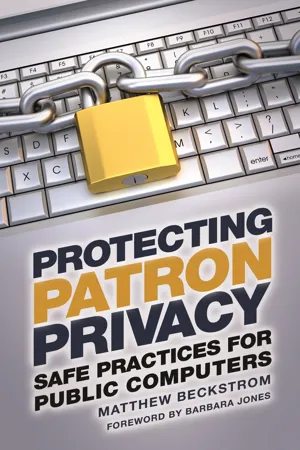
Protect patron privacy and safeguard Internet usage using this how-to manual for creating a secure environment in your library. You'll learn how simple changes to your policies, procedures, and computer settings can ensure a private and safe research space for users. In a world where almost anyone with computer savvy can hack, track, and record the online activities of others, your library can serve as a protected haven for your visitors who rely on the Internet to conduct research—if you take the necessary steps to safeguard their privacy. This book shows you how to protect patrons' privacy while using the technology that your library provides, including public computers, Internet access, wireless networks, and other devices. Logically organized into two major sections, the first part of the book discusses why the privacy of your users is of paramount importance, explains the applicable laws and regulations related to patron privacy, and delves into the mechanics of security breaches on public computers. The second half outlines the practical steps you can take to preserve the rights of library visitors by working with computer and mobile device configurations, network security settings, and special applications.
- 118 pages
- English
- ePUB (mobile friendly)
- Available on iOS & Android
eBook - ePub
About this book
Information
Table of contents
- Cover
- Half Title
- Title Page
- Copyright
- Dedication
- Contents
- Foreword
- 1. Privacy and How It Is Lost
- 2. Staff Procedures and Policy
- 3. Patron Education
- 4. Network Security and Devices
- 5. Windows Settings and Applications
- 6. Browser Settings and Plug-Ins
- Index
- About the Author
Trusted by 375,005 students
Access to over 1.5 million titles for a fair monthly price.
Study more efficiently using our study tools.
Frequently asked questions
Yes, you can cancel anytime from the Subscription tab in your account settings on the Perlego website. Your subscription will stay active until the end of your current billing period. Learn how to cancel your subscription
No, books cannot be downloaded as external files, such as PDFs, for use outside of Perlego. However, you can download books within the Perlego app for offline reading on mobile or tablet. Learn how to download books offline
Perlego offers two plans: Essential and Complete
- Essential is ideal for learners and professionals who enjoy exploring a wide range of subjects. Access the Essential Library with 800,000+ trusted titles and best-sellers across business, personal growth, and the humanities. Includes unlimited reading time and Standard Read Aloud voice.
- Complete: Perfect for advanced learners and researchers needing full, unrestricted access. Unlock 1.5M+ books across hundreds of subjects, including academic and specialized titles. The Complete Plan also includes advanced features like Premium Read Aloud and Research Assistant.
We are an online textbook subscription service, where you can get access to an entire online library for less than the price of a single book per month. With over 1.5 million books across 990+ topics, we’ve got you covered! Learn about our mission
Look out for the read-aloud symbol on your next book to see if you can listen to it. The read-aloud tool reads text aloud for you, highlighting the text as it is being read. You can pause it, speed it up and slow it down. Learn more about Read Aloud
Yes! You can use the Perlego app on both iOS and Android devices to read anytime, anywhere — even offline. Perfect for commutes or when you’re on the go.
Please note we cannot support devices running on iOS 13 and Android 7 or earlier. Learn more about using the app
Please note we cannot support devices running on iOS 13 and Android 7 or earlier. Learn more about using the app
Yes, you can access Protecting Patron Privacy by Matthew A. Beckstrom in PDF and/or ePUB format, as well as other popular books in Languages & Linguistics & Library & Information Science. We have over 1.5 million books available in our catalogue for you to explore.