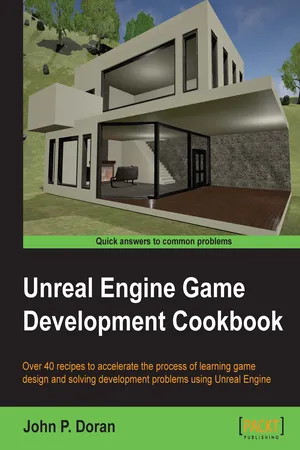
Unreal Engine Game Development Cookbook
eBook - ePub

Unreal Engine Game Development Cookbook

  1. 326 pages
  2. English
  3. ePUB (mobile friendly)
  4. Available on iOS & Android
eBook - ePub

Unreal Engine Game Development Cookbook

About this book

Over 40 recipes to accelerate the process of learning game design and solving development problems using Unreal Engine

About This Book

  • Explore the quickest way to tackle common challenges faced in Unreal Engine
  • Create your own content, levels, light scenes, and materials, and work with Blueprints and C++ scripting
  • An intermediate, fast-paced Unreal Engine guide with targeted recipes to design games within its framework

Who This Book Is For

This book is for those who are relatively experienced with Unreal Engine 4 and have knowledge of its fundamentals. Working knowledge of C++ is required.

What You Will Learn

  • Discover editor functionalities for an in-depth insight into game design
  • Develop environments using terrain for outdoor areas and a workflow for interiors as well using brushes
  • Design various kinds of materials with unique features, such as mirrors and glows
  • Explore the various ways that lighting can be used in the engine
  • Build various level effects using Blueprints, Unreal's visual scripting system
  • Set up a development environment and develop custom functionality with C++ for your games
  • Create healthbars and main menus with animations using Slate, Unreal's UI solution, through the UMG Editor
  • Package and create an installer to get your project out into the world

In Detail

Unreal Engine is powerful tool with rich functionalities to create games. It equips you with the skills to easily build mobile and desktop games from scratch without worrying about which platform they will run on. You can focus on the individual complexities of game development such as animation and rendering.

This book takes you on a journey to jumpstart your game design efforts. You will learn various aspects of the Unreal engine commonly encountered with practical examples of how it can be used, with numerous references for further study. You will start by getting acquainted with Unreal Engine 4 and building out levels for your game. This will be followed by recipes to help you create environments, place meshes, and implement your characters. You will then learn to work with lights, camera, and shadows to include special effects in your game. Moving on, you'll learn Blueprint scripting and C++ programming to enable you to achieve trigger effects and add simple functionalities. By the end of the book, you will see how to create a healthbar and main menu, and then get your game ready to be deployed and published.

Style and approach

This book offers detailed, easy-to-follow recipes that will help you master a wide range of Unreal Engine 4's features. Every recipe provides step-by-step instructions, with explanations of how these features work, and alternative approaches and research materials so you can learn even more.

Tools to learn more effectively

Saving Books

Saving Books

Keyword Search

Keyword Search

Annotating Text

Annotating Text

Listen to it instead

Listen to it instead

Information

Unreal Engine Game Development Cookbook


Table of Contents

Unreal Engine Game Development Cookbook
Credits
About the Author
About the Reviewers
www.PacktPub.com
Support files, eBooks, discount offers, and more
Why subscribe?
Free access for Packt account holders
Preface
What this book covers
What you need for this book
Who this book is for
Sections
Getting ready
How to do it…
How it works…
There's more…
See also
Conventions
Reader feedback
Customer support
Downloading the example code
Downloading the color images of this book
Errata
Piracy
Questions
1. Getting Acquainted with the UE4 Interface
Introduction
Installing UE4 and folder structure
How to do it…
There's more…
UI overview
Getting ready
How to do it…
Navigating the viewport
How to do it…
The Content Browser overview
Getting ready
How to do it…
Importing your own content
Getting ready
How to do it…
2. Level Design – Building Out Levels or Greyboxing
Introduction
Building a room
Getting ready
How to do it…
Building out a level
Getting ready
Some keyboard tips
Seeing double – duplicating elements
How to do it…
Applying materials to geometry brushes
Getting ready
How to do it…
Converting brushes to static meshes or volumes
Getting ready
How to do it…
3. Creating Quality Interior Environments
Introduction
Placing static meshes
Getting ready
How to do it…
Placing a particle system
Getting ready
How to do it…
Using Groups
Getting ready
How to do it…
Meshing an example map
Getting ready
How to do it…
Adding life to static meshes
Getting ready
How to do it…
4. Building the Great Outdoors – Exterior Environments
Introduction
Creating a landscape
Getting ready
How to do it…
Building an exterior level using the Sculpt mode
Getting ready
How to do it…
Creating rivers with the Flatten tool
Getting ready
How to do it…
Placing trees and rocks using the Foliage tool
Getting ready
How to do it…
Streaming levels
Getting ready
How to do it…
5. Lights, Camera, Action – Cinematics
Introduction
An introduction to Matinee
Getting ready
How to do it…
Creating an opening cutscene
Getting ready
How to do it…
Playing a Matinee via Blueprints
Getting ready
How to do it…
Preventing a player from moving via cinematic mode
Getting ready
How to do it…
See also
6. Lighting and Shadows
Introduction
Lighting overview – learning the types of lights
Getting ready
How to do it…
Adding moveable lights – flashlight, part 1
Getting ready
How to do it…
Creating a Day/Night cycle
Getting ready
How to do it…
See also
7. Art Pipeline – Working with Materials
Introduction
Creating a custom material
Getting ready
How to do it…
Creating a mirror material
Getting ready
How to do it…
Using Textures and normal maps with Materials
Getting ready
How to do it…
Creating glowing materials with static emissive lighting
Getting ready
How to do it…
Seeing through walls
Getting ready
How to do it…
See also
8. Blueprint Scripting – Level Effects
Introduction
Building a flickering light
Getting ready
How to do it…
Converting from Level to Class Blueprints
Getting ready
How to do it…
Using Trigger Volumes – opening a door using Matinee
Getting ready
How to do it…
Adding to an existing Blueprint – flashlight, part 2
Getting ready
How to do it…
Creating a Health/Damage system, part 1 – taking damage
Getting ready
How to do it…
See also
9. C++ Programming – Gameplay
Introduction
When to use C++/Blueprints
Setting up your development environment
Getting ready
How to do it…
Displaying text during runtime
Getting ready
How to do it…
Networking 101 – creating collectables with networking
Getting ready
How to do it…
Saving or loading games and keyboard input with C++
Getting ready
How to do it…
Creating custom blueprint nodes
Getting ready
How to do it…
See also
10. User Interface
Introduction
Creating a Health/Damage system, part 2 – creating a healthbar
Getting ready
How to do it…
Dyna...

Table of contents

  1. Unreal Engine Game Development Cookbook

Frequently asked questions

Yes, you can cancel anytime from the Subscription tab in your account settings on the Perlego website. Your subscription will stay active until the end of your current billing period. Learn how to cancel your subscription
No, books cannot be downloaded as external files, such as PDFs, for use outside of Perlego. However, you can download books within the Perlego app for offline reading on mobile or tablet. Learn how to download books offline
Perlego offers two plans: Essential and Complete
  • Essential is ideal for learners and professionals who enjoy exploring a wide range of subjects. Access the Essential Library with 800,000+ trusted titles and best-sellers across business, personal growth, and the humanities. Includes unlimited reading time and Standard Read Aloud voice.
  • Complete: Perfect for advanced learners and researchers needing full, unrestricted access. Unlock 1.4M+ books across hundreds of subjects, including academic and specialized titles. The Complete Plan also includes advanced features like Premium Read Aloud and Research Assistant.
Both plans are available with monthly, semester, or annual billing cycles.
We are an online textbook subscription service, where you can get access to an entire online library for less than the price of a single book per month. With over 1 million books across 990+ topics, we’ve got you covered! Learn about our mission
Look out for the read-aloud symbol on your next book to see if you can listen to it. The read-aloud tool reads text aloud for you, highlighting the text as it is being read. You can pause it, speed it up and slow it down. Learn more about Read Aloud
Yes! You can use the Perlego app on both iOS and Android devices to read anytime, anywhere — even offline. Perfect for commutes or when you’re on the go.
Please note we cannot support devices running on iOS 13 and Android 7 or earlier. Learn more about using the app
Yes, you can access Unreal Engine Game Development Cookbook by John P. Doran in PDF and/or ePUB format, as well as other popular books in Computer Science & Programming Games. We have over one million books available in our catalogue for you to explore.