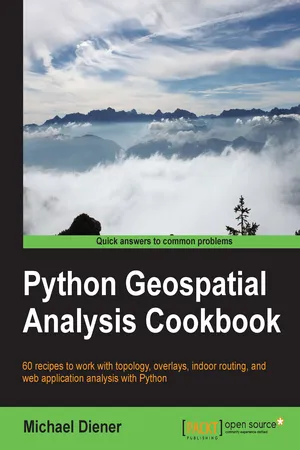
Python Geospatial Analysis Cookbook
eBook - ePub

Python Geospatial Analysis Cookbook

  1. 310 pages
  2. English
  3. ePUB (mobile friendly)
  4. Available on iOS & Android
eBook - ePub

Python Geospatial Analysis Cookbook

About this book

Over 60 recipes to work with topology, overlays, indoor routing, and web application analysis with Python

About This Book

  • Explore the practical process of using geospatial analysis to solve simple to complex problems with reusable recipes
  • Concise step-by-step instructions to teach you about projections, vector, raster, overlay, indoor routing and topology analysis
  • Create a basic indoor routing application with geodjango

Who This Book Is For

If you are a student, teacher, programmer, geospatial or IT administrator, GIS analyst, researcher, or scientist looking to do spatial analysis, then this book is for you. Anyone trying to answer simple to complex spatial analysis questions will get a working demonstration of the power of Python with real-world data. Some of you may be beginners with GIS, but most of you will probably have a basic understanding of geospatial analysis and programming.

What You Will Learn

  • Discover the projection and coordinate system information of your data and learn how to transform that data into different projections
  • Import or export your data into different data formats to prepare it for your application or spatial analysis
  • Use the power of PostGIS with Python to take advantage of the powerful analysis functions
  • Execute spatial analysis functions on vector data including clipping, spatial joins, measuring distances, areas, and combining data to new results
  • Create your own set of topology rules to perform and ensure quality assurance rules in Python
  • Find the shortest indoor path with network analysis functions in easy, extensible recipes revolving around all kinds of network analysis problems
  • Visualize your data on a map using the visualization tools and methods available to create visually stunning results
  • Build an indoor routing web application with GeoDjango to include your spatial analysis tools built from the previous recipes

In Detail

Geospatial development links your data to places on the Earth's surface. Its analysis is used in almost every industry to answer location type questions. Combined with the power of the Python programming language, which is becoming the de facto spatial scripting choice for developers and analysts worldwide, this technology will help you to solve real-world spatial problems.

This book begins by tackling the installation of the necessary software dependencies and libraries needed to perform spatial analysis with Python. From there, the next logical step is to prepare our data for analysis; we will do this by building up our tool box to deal with data preparation, transformations, and projections. Now that our data is ready for analysis, we will tackle the most common analysis methods for vector and raster data. To check or validate our results, we will explore how to use topology checks to ensure top-quality results. This is followed with network routing analysis focused on constructing indoor routes within buildings, over different levels.

Finally, we put several recipes together in a GeoDjango web application that demonstrates a working indoor routing spatial analysis application. The round trip will provide you all the pieces you need to accomplish your own spatial analysis application to suit your requirements.

Style and approach

Easy-to-follow, step-by-step recipes, explaining from start to finish how to accomplish real-world tasks.

Tools to learn more effectively

Saving Books

Saving Books

Keyword Search

Keyword Search

Annotating Text

Annotating Text

Listen to it instead

Listen to it instead

Information

Python Geospatial Analysis Cookbook


Table of Contents

Python Geospatial Analysis Cookbook
Credits
About the Author
About the Reviewers
www.PacktPub.com
Support files, eBooks, discount offers, and more
Why Subscribe?
Free Access for Packt account holders
Preface
What this book covers
What you need for this book
Who this book is for
Sections
Getting ready
How to do it…
How it works…
There's more…
See also
Conventions
Reader feedback
Customer support
Downloading the example code
Downloading the color images of this book
Errata
Piracy
Questions
1. Setting Up Your Geospatial Python Environment
Introduction
Installing virtualenv and virtualenvwrapper
Getting ready
How to do it...
How it works...
There's more…
Installing pyproj and NumPy
Getting ready
How to do it...
How it works...
Installing shapely, matplotlib, and descartes
Getting ready
How to do it...
How it works...
Installing pyshp, geojson, and pandas
Getting ready
How to do it...
How it works...
Installing SciPy, PySAL, and IPython
Getting ready
How to do it...
How it works...
Installing GDAL and OGR
Getting ready
How to do it...
How it works...
See also
Installing GeoDjango and PostgreSQL with PostGIS
Getting ready
How to do it...
How it works...
There's more...
2. Working with Projections
Introduction
Discovering projection(s) of a Shapefile or GeoJSON dataset
Getting ready
How to do it...
How it works...
There's more...
See also
Listing projection(s) from a WMS server
Getting ready
How to do it...
How it works...
Creating a projection definition for a Shapefile if it does not exist
Getting ready
How to do it...
How it works...
Batch setting the projection definition of a folder full of Shapefiles
How to do it...
How it works...
Reprojecting a Shapefile from one projection to another
How to do it...
How it works...
See also
3. Moving Spatial Data from One Format to Another
Introduction
Converting a Shapefile to a PostGIS table using ogr2ogr
Getting ready
How to do it...
How it works...
See also
Batch importing a folder of Shapefiles into PostGIS using ogr2ogr
How to do it...
How it works...
There's more…
Batch exporting a list of tables from PostGIS to Shapefiles
How to do it...
How it works...
There's more...
Converting an OpenStreetMap (OSM) XML to a Shapefile
Getting ready
How to do it...
How it works...
Converting a Shapefile (vector) to a GeoTiff (raster)
Getting ready
How to do it...
How it works...
See also
Converting a raster (GeoTiff) to a vector (Shapefile) using GDAL
Getting ready
How to do it...
How it works...
Creating a Shapefile from point data stored in Microsoft Excel
Getting ready
How to do it...
How it works...
Converting an ESRI ASCII DEM to an image height map
Getting ready
How to do it...
How it works...
4. Working with PostGIS
Introduction
Executing a PostGIS ST_Buffer analysis query and exporting it to GeoJSON
Getting ready
How to do it...
How it works...
Finding out whether a point is inside a polygon
Getting ready
How to do it...
How it works...
There's more...
Splitting LineStrings at intersections using ST_Node
Getting ready
How to do it...
How it works...
Checking the validity of LineStrings
How to do it...
Executing a spatial join and assigning point attributes to a polygon
Getting ready
How to do it...
How it works...
Conducting a complex spatial analysis query using ST_Distance()
Getting ready
How to do it...
How it works...
5. Vector Analysis
Introduction
Clipping LineStrings to an area of interest
Getting ready
How to do it...
How it works...
Splitting polygons with lines
Getting ready
How to do it...
How it works...
Finding the location of a point on a line using linear referencing
How to do it...
How it works...
See also
Snapping a point to the nearest line
How to do it...
How it works...
Calculating 3D ground distance and total elevation gain
Getting ready
How to do it...
How it works...
There's more...
6. Overlay Analysis
Introduction
Punching holes in polygons with a symmetric difference operation
Getting ready
How to do it...
How it works...
Union polygons without merging
Getting ready
How to do it...
How it works...
Union polygons with merging (dissolving)
Getting ready
How to do it...
How it works...
Performing an identity function (difference + intersection)
How to do it...
How it works...
7. Raster Analysis
Introduction
Loading a DEM USGS ACSII CDED into PostGIS
Getting ready
How to do it...
How it works...
Creating an elevation profile
Getting ready
How to do it...
How it works...
Creating a hillshade raster from your DEM with ogr
Getting ready
How to do it...
How it works...
Generating slope and aspect images from your DEM
Getting ready
How to do it...
How it works...
Merging rasters to generate a color relief map
Getting ready
How to do it...
How it works...
8. Network Routing Analysis
Introduction
Finding the Dijkstra shortest path with pgRouting
Getting ready
How to do it...
How it works...
Finding the Dijkstra shortest path with NetworkX in pure Python
Getting ready
How to do it...
How it works...
Generating evacuation polygons based on an indoor shortest path
Getting ready
How to do it...
How it works...
Creating centerlines from polygons
Getting ready
How to do it...
How it works...
Building an indoor routing system in 3D
Getting ready
How to do it...
How it works...
Calculating indoor route walk time
How to do it...
How it works...
9. Topology Checking and Data Validation
Introduction
Creating a rule – only one point inside a polygon
Getting ready
How to do it...
How it works...
A point must be on the starting and ending nodes of a line only
How to do it...
How it works...
LineStrings must not overlap
How to do it...
How it works...
A LineString must not have dangles
How to do it...
How it works...
A polygon centroid must be within a specific distance of a line
How to do it...
How it works...
10. Visualizing Your Analysis
Introduction
Generating a leaflet web map with Folium
Getting ready
How to do it...
How it works...
Setting up TileStache to serve tiles
Getting ready
How to do it...
Visualizing DEM data with Three.js
Getting ready
How to do it...
How it works...
Draping an orthophoto over a DEM
Getting ready
How to do it...
How it works...
11. Web Analysis with GeoDjango
Introduc...

Table of contents

  1. Python Geospatial Analysis Cookbook

Frequently asked questions

Yes, you can cancel anytime from the Subscription tab in your account settings on the Perlego website. Your subscription will stay active until the end of your current billing period. Learn how to cancel your subscription
No, books cannot be downloaded as external files, such as PDFs, for use outside of Perlego. However, you can download books within the Perlego app for offline reading on mobile or tablet. Learn how to download books offline
Perlego offers two plans: Essential and Complete
  • Essential is ideal for learners and professionals who enjoy exploring a wide range of subjects. Access the Essential Library with 800,000+ trusted titles and best-sellers across business, personal growth, and the humanities. Includes unlimited reading time and Standard Read Aloud voice.
  • Complete: Perfect for advanced learners and researchers needing full, unrestricted access. Unlock 1.4M+ books across hundreds of subjects, including academic and specialized titles. The Complete Plan also includes advanced features like Premium Read Aloud and Research Assistant.
Both plans are available with monthly, semester, or annual billing cycles.
We are an online textbook subscription service, where you can get access to an entire online library for less than the price of a single book per month. With over 1 million books across 990+ topics, we’ve got you covered! Learn about our mission
Look out for the read-aloud symbol on your next book to see if you can listen to it. The read-aloud tool reads text aloud for you, highlighting the text as it is being read. You can pause it, speed it up and slow it down. Learn more about Read Aloud
Yes! You can use the Perlego app on both iOS and Android devices to read anytime, anywhere — even offline. Perfect for commutes or when you’re on the go.
Please note we cannot support devices running on iOS 13 and Android 7 or earlier. Learn more about using the app
Yes, you can access Python Geospatial Analysis Cookbook by Michael Diener in PDF and/or ePUB format, as well as other popular books in Computer Science & Programming in Python. We have over one million books available in our catalogue for you to explore.