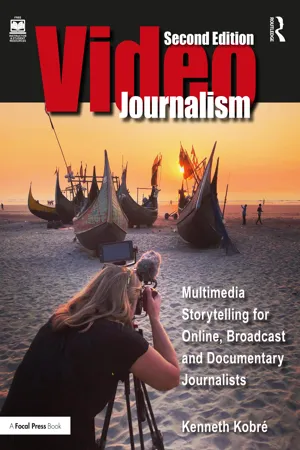
Videojournalism
eBook - ePub

Videojournalism

Multimedia Storytelling for Online, Broadcast and Documentary Journalists

  1. 392 pages
  2. English
  3. ePUB (mobile friendly)
  4. Available on iOS & Android
eBook - ePub

Videojournalism

Multimedia Storytelling for Online, Broadcast and Documentary Journalists

About this book

Videojournalism: Multimedia Storytelling for Online, Broadcast and Documentary Journalists is an essential guide for solo video storytellers—from "backpack" videojournalists to short-form documentary makers to do-it-all broadcast reporters.

Based on interviews with award-winning professionals sharing their unique experiences and knowledge, Videojournalism covers topics such as crafting and editing eye-catching short stories, recording high-quality sound, and understanding the laws and ethics of filming in public and private places. Other topics include:

• understanding the difference between a story and a report

• finding a theme and telling a story in a compact time frame

• learning to use different cameras and lenses—from smart phones to mirrorless and digital cinema cameras

• using light, both natural and artificial

• understanding color and exposure

The second edition of this best-selling text has been completely revised and updated. Heavily illustrated with more than 550 photographs, the book also includes more than 200 links to outstanding examples of short-form video stories. Anatomy of a News Story, a short documentary made for the book, follows a day in the life of a solo TV videojournalist on an assignment (with a surprise ending), and helps readers translate theory to practice.

This book is for anyone learning how to master the art and craft of telling real, short-form stories with words, sound, and pictures for the Web or television.

A supporting companion website links to documentaries and videos, and includes additional recommendations from the field's most prominent educators.

Frequently asked questions

Yes, you can cancel anytime from the Subscription tab in your account settings on the Perlego website. Your subscription will stay active until the end of your current billing period. Learn how to cancel your subscription.
No, books cannot be downloaded as external files, such as PDFs, for use outside of Perlego. However, you can download books within the Perlego app for offline reading on mobile or tablet. Learn more here.
Perlego offers two plans: Essential and Complete
  • Essential is ideal for learners and professionals who enjoy exploring a wide range of subjects. Access the Essential Library with 800,000+ trusted titles and best-sellers across business, personal growth, and the humanities. Includes unlimited reading time and Standard Read Aloud voice.
  • Complete: Perfect for advanced learners and researchers needing full, unrestricted access. Unlock 1.4M+ books across hundreds of subjects, including academic and specialized titles. The Complete Plan also includes advanced features like Premium Read Aloud and Research Assistant.
Both plans are available with monthly, semester, or annual billing cycles.
We are an online textbook subscription service, where you can get access to an entire online library for less than the price of a single book per month. With over 1 million books across 1000+ topics, we’ve got you covered! Learn more here.
Look out for the read-aloud symbol on your next book to see if you can listen to it. The read-aloud tool reads text aloud for you, highlighting the text as it is being read. You can pause it, speed it up and slow it down. Learn more here.
Yes! You can use the Perlego app on both iOS or Android devices to read anytime, anywhere — even offline. Perfect for commutes or when you’re on the go.
Please note we cannot support devices running on iOS 13 and Android 7 or earlier. Learn more about using the app.
Yes, you can access Videojournalism by Kenneth Kobre in PDF and/or ePUB format, as well as other popular books in Languages & Linguistics & Film & Video. We have over one million books available in our catalogue for you to explore.

Information

Table of contents

  1. Cover
  2. Half Title
  3. Title
  4. Copyright
  5. Dedication
  6. Contents
  7. List of Contributors
  8. Preface
  9. Acknowledgments
  10. 1 Telling Stories
  11. 2 Teasing Out a Theme
  12. 3 Successful Story Topics
  13. 4 Finding a Story
  14. 5 Producing a Story
  15. 6 Selecting a Video Camera
  16. 7 Controlling Focus and Exposure
  17. 8 Selecting the Right Lens Length
  18. 9 Looking for Light and Color
  19. 10 Recording Sound
  20. 11 Shooting a Sequence
  21. 12 Moving the Camera/Lens for Visual Variety
  22. 13 Conducting an Interview
  23. 14 Writing a Script
  24. 15 Editing the Video
  25. 16 Editing Workflow
  26. 17 Facing Ethical Dilemmas
  27. 18 Staying within the Law
  28. Index