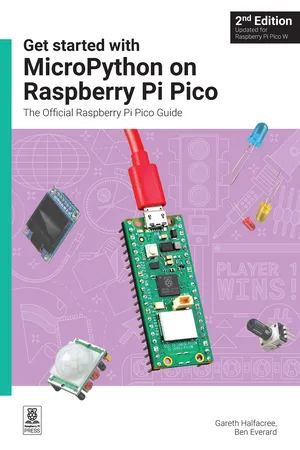
Get started with MicroPython on Raspberry Pi Pico
eBook - ePub

Get started with MicroPython on Raspberry Pi Pico

The Official Raspberry Pi Pico Guide

  1. 208 pages
  2. English
  3. ePUB (mobile friendly)
  4. Available on iOS & Android
eBook - ePub

Get started with MicroPython on Raspberry Pi Pico

The Official Raspberry Pi Pico Guide

About this book

Microcontrollers, like the RP2350 chip at the heart of Raspberry Pi Pico 2, are computers stripped back to their bare essentials. You don't use monitors or keyboards with them — instead, you program them over USB to take their input from (and send their output to) on-board input/output pins.

Using these programmable connections, you can light LEDs, make noises, send text to screens, and much more. In Get started with MicroPython on Raspberry Pi Pico 2nd Edition, you will learn how to use the beginner-friendly MicroPython language to write programs, and you’ll connect up hardware to make your Raspberry Pi Pico interact with the world around it. Using these skills, you can create your own electromechanical projects.

Fully updated for Raspberry Pi Pico 2 and 2 W, as well as the latest version of MicroPython, this book shows you how to:

  • Get started with Raspberry Pi Pico 2 and Pico 2 W, as well as the original Pico and Pico W
  • Work with various electronic components
  • Create your own programmable electronic contraptions
  • Turn Pico 2 W into a network-connected node for the Internet of Things
  • Link your Pico 2 W to your smartphone, tablet, or another Pico 2 W with Bluetooth Low Energy (BLE)

Whether you’re using Raspberry Pi Pico for a home project, industrial automation, or learning (or teaching!) electronics and programming, this book will show you how.


  • Chapter 1: Get to know your Raspberry Pi Pico
  • Chapter 2: Programming with MicroPython
  • Chapter 3: Physical computing
  • Chapter 4: Physical computing with Raspberry Pi Pico
  • Chapter 5: Traffic light controller
  • Chapter 6: Reaction game
  • Chapter 7: Burglar alarm
  • Chapter 8: Temperature gauge
  • Chapter 9: Data logger
  • Chapter 10: Digital communication protocols: I2C and SPI
  • Chapter 11: Wi-Fi connectivity with Pico W
  • Chapter 12: Bluetooth connectivity with Pico W
  • Appendix A: Raspberry Pi Pico specifications
  • Appendix B: Pinout guide
  • Appendix C: Programmable I/O

Frequently asked questions

Yes, you can cancel anytime from the Subscription tab in your account settings on the Perlego website. Your subscription will stay active until the end of your current billing period. Learn how to cancel your subscription.
No, books cannot be downloaded as external files, such as PDFs, for use outside of Perlego. However, you can download books within the Perlego app for offline reading on mobile or tablet. Learn more here.
Perlego offers two plans: Essential and Complete
  • Essential is ideal for learners and professionals who enjoy exploring a wide range of subjects. Access the Essential Library with 800,000+ trusted titles and best-sellers across business, personal growth, and the humanities. Includes unlimited reading time and Standard Read Aloud voice.
  • Complete: Perfect for advanced learners and researchers needing full, unrestricted access. Unlock 1.4M+ books across hundreds of subjects, including academic and specialized titles. The Complete Plan also includes advanced features like Premium Read Aloud and Research Assistant.
Both plans are available with monthly, semester, or annual billing cycles.
We are an online textbook subscription service, where you can get access to an entire online library for less than the price of a single book per month. With over 1 million books across 1000+ topics, we’ve got you covered! Learn more here.
Look out for the read-aloud symbol on your next book to see if you can listen to it. The read-aloud tool reads text aloud for you, highlighting the text as it is being read. You can pause it, speed it up and slow it down. Learn more here.
Yes! You can use the Perlego app on both iOS or Android devices to read anytime, anywhere — even offline. Perfect for commutes or when you’re on the go.
Please note we cannot support devices running on iOS 13 and Android 7 or earlier. Learn more about using the app.
Yes, you can access Get started with MicroPython on Raspberry Pi Pico by Gareth Halfacree,Ben Everard in PDF and/or ePUB format, as well as other popular books in Computer Science & Programming in Python. We have over one million books available in our catalogue for you to explore.

Information

Table of contents

  1. Get started with MicroPython on Raspberry Pi Pico, 2nd Edition
  2. Copyright Page
  3. Welcome
  4. About the authors
  5. Colophon
  6. Chapter 1: Get to know your Raspberry Pi Pico
  7. Chapter 2: Programming with MicroPython
  8. Chapter 3: Physical computing
  9. Chapter 4: Physical computing with Raspberry Pi Pico
  10. Chapter 5: Traffic light controller
  11. Chapter 6: Reaction game
  12. Chapter 7: Burglar alarm
  13. Chapter 8: Temperature gauge
  14. Chapter 9: Data logger
  15. Chapter 10: Digital communication protocols: I2C and SPI
  16. Chapter 11: Wi-Fi connectivity with Pico W
  17. Chapter 12: Bluetooth connectivity with Pico W
  18. Appendix A: Raspberry Pi Pico specifications
  19. Appendix B: Pinout guide
  20. Appendix C: Programmable I/O