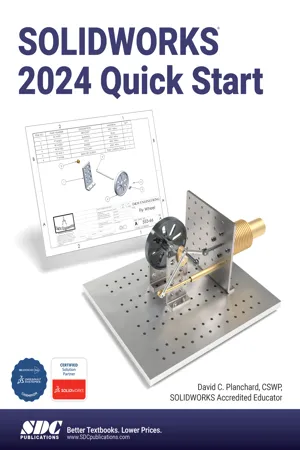
- Introduces you to the basics of SOLIDWORKS in five easy lessons
- Concentrates on areas where new users can improve efficiency in the design modeling process
- Develops a Stirling Engine throughout the book
- Perfectly suited for schools including CAD as part of a broader course
- Includes bonus chapters on the CSWA exam and 3D printing
- This edition includes a bonus eBook on SOLIDWORKS and the 3DEXPERIENCE platform
The perfect companion for anyone who wants to learn SOLIDWORKS quickly and effectively, SOLIDWORKS 2024 Quick Start acquaints you with the basics of SOLIDWORKS 3D CAD software in five easy lessons. This book is ideal for students, designers and engineers who want to jump into SOLIDWORKS, unleash their creativity and take their design skills to the next level today.
Written by an experienced SOLIDWORKS instructor, SOLIDWORKS 2024 Quick Start is packed with tips and tricks that help new users streamline their design modeling process to make it efficient and organized. You'll gain the most knowledge in the shortest period of time by learning proper SOLIDWORKS skills and file management techniques right from the start.
Get up to speed with an overview of the software's user interface, menus, toolbars, and commands. At a brisk pace, from there you will learn 2D sketching, part and assembly creation, motion study, detailed part and assembly drawings, and BOMS using basic and advanced features. You will also develop a mini Stirling Engine and investigate the proper design intent and constraints, putting your newfound skills to the test.
Two bonus chapters round out your newfound SOLIDWORKS knowledge. Chapter six reviews the Certified SOLIDWORKS Associate (CSWA) exam curriculum and model knowledge requirements. Chapter seven introduces you to additive manufacturing (3D printing), covering the difference between additive and subtractive manufacturing, 3D printer terminology, and how to prepare, save, and print a model on a Fused Filament Fabrication 3D printer.
Whether you're an engineer preparing for your company's next project or a student who needs to learn SOLIDWORKS quickly without taking a comprehensive CAD course, with SOLIDWORKS 2024 Quick Start you will unlock your potential as a designer and master the software in no time.
Includes a Bonus eBook Covering SOLIDWORKS and 3D EXPERIENCE® Platform
Included with your purchase of this book is a bonus eBook titled SOLIDWORKS and the 3D EXPERIENCE® Platform. This eBook is an insightful guide that introduces you to the 3D EXPERIENCE Platform and its integration with SOLIDWORKS. This resource simplifies complex concepts, allowing users to collaborate efficiently in a single modeling environment accessible through the SOLIDWORKS Task Pane. The book features nine detailed, step-by-step tutorials, complete with models to practice and understand the tools and advantages of using SOLIDWORKS with the 3D EXPERIENCE platform.
This guide will help you understand the 3D EXPERIENCE Platform's capabilities demonstrating practical, real-world applications in educational and professional settings. It's an essential resource for anyone looking to leverage the full potential of SOLIDWORKS in conjunction with the 3D EXPERIENCE platform.