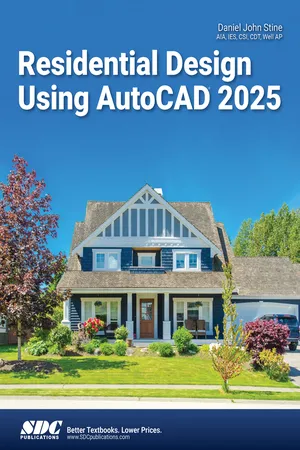
Residential Design Using AutoCAD 2025
eBook - PDF

Residential Design Using AutoCAD 2025

  1. English
  2. PDF
  3. Available on iOS & Android
eBook - PDF

Residential Design Using AutoCAD 2025

About this book

  • Designed for new users of AutoCAD 2025
  • Project based tutorials design a house from start to finish using AutoCAD 2025

Residential Design Using AutoCAD 2025 is an introductory level tutorial which uses residential design exercises as the means to teach you AutoCAD 2025. Each book comes with access to extensive video instruction in which the author explains the most common tools and techniques used when designing residential buildings using AutoCAD 2025. After completing this book you will have a well-rounded knowledge of Computer Aided Drafting that can be used in the industry and the satisfaction of having completed a set of residential drawings.

This textbook starts with a basic introduction to AutoCAD 2025. The first three chapters are intended to get you familiar with the user interface and the most common menus and tools. Throughout the rest of the book you will design a residence through to its completion.

Using step-by-step tutorial lessons, the residential project is followed through to create elevations, sections, details, etc. Throughout the project, new AutoCAD commands are covered at the appropriate time. Focus is placed on the most essential parts of a command rather than an exhaustive review of every sub-feature of a particular command. The Appendix contains a bonus section covering the fundamental principles of engineering graphics that relate to architecture.

Frequently asked questions

Yes, you can cancel anytime from the Subscription tab in your account settings on the Perlego website. Your subscription will stay active until the end of your current billing period. Learn how to cancel your subscription.
At the moment all of our mobile-responsive ePub books are available to download via the app. Most of our PDFs are also available to download and we're working on making the final remaining ones downloadable now. Learn more here.
Perlego offers two plans: Essential and Complete
  • Essential is ideal for learners and professionals who enjoy exploring a wide range of subjects. Access the Essential Library with 800,000+ trusted titles and best-sellers across business, personal growth, and the humanities. Includes unlimited reading time and Standard Read Aloud voice.
  • Complete: Perfect for advanced learners and researchers needing full, unrestricted access. Unlock 1.4M+ books across hundreds of subjects, including academic and specialized titles. The Complete Plan also includes advanced features like Premium Read Aloud and Research Assistant.
Both plans are available with monthly, semester, or annual billing cycles.
We are an online textbook subscription service, where you can get access to an entire online library for less than the price of a single book per month. With over 1 million books across 1000+ topics, we’ve got you covered! Learn more here.
Look out for the read-aloud symbol on your next book to see if you can listen to it. The read-aloud tool reads text aloud for you, highlighting the text as it is being read. You can pause it, speed it up and slow it down. Learn more here.
Yes! You can use the Perlego app on both iOS or Android devices to read anytime, anywhere — even offline. Perfect for commutes or when you’re on the go.
Please note we cannot support devices running on iOS 13 and Android 7 or earlier. Learn more about using the app.
Yes, you can access Residential Design Using AutoCAD 2025 by Daniel John Stine AIA, IES, CSI, CDT, Well AP in PDF and/or ePUB format, as well as other popular books in Computer Science & CAD-CAM. We have over one million books available in our catalogue for you to explore.

Information

Table of contents

  1. Foreword
  2. About the Author
  3. Table of Contents
  4. Lesson 1: Getting Started with AutoCAD 2025
  5. Lesson 2: Crash Course Introduction (the Basics)
  6. Lesson 3: Drawing Architectural Objects (Draw & Modify)
  7. Lesson 4: FLOOR PLANS
  8. Lesson 5: EXTERIOR ELEVATIONS
  9. Lesson 6: SECTIONS
  10. Lesson 7: PLAN LAYOUT & ELEVATIONS
  11. Lesson 8: SITE PLAN
  12. Lesson 9: SCHEDULES & SHEET SET UP
  13. Lesson 10: LINEWEIGHTS & PLOTTING
  14. Index