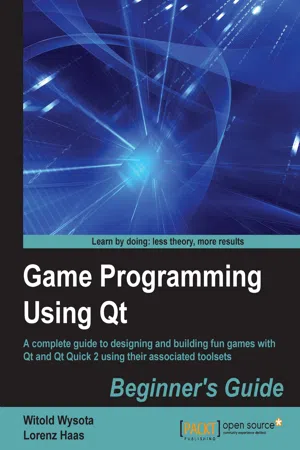
A complete guide to designing and building fun games with Qt and Qt Quick 2 using associated toolsetsAbout This Book• Learn to create simple 2D to complex 3D graphics and games using all possible tools and widgets available for game development in Qt• Understand technologies such as QML, Qt Quick, OpenGL, and Qt Creator, and learn the best practices to use them to design games• Learn Qt with the help of many sample games introduced step-by-step in each chapterWho This Book Is ForIf you want to create great graphical user interfaces and astonishing games with Qt, this book is ideal for you. Any previous knowledge of Qt is not required, however knowledge of C++ is mandatory.What You Will Learn• Install Qt on your system• Understand the basic concepts of every Qt game and application• Develop 2D object-oriented graphics using Qt Graphics View• Build multiplayer games or add a chat function to your games with Qt's Network module• Script your game with Qt Script• Program resolution-independent and fluid UI using QML and Qt Quick• Control your game flow as per the sensors of a mobile device• See how to test and debug your game easily with Qt Creator and Qt TestIn DetailQt is the leading cross-platform toolkit for all significant desktop, mobile, and embedded platforms and is becoming more popular by the day, especially on mobile and embedded devices. Despite its simplicity, it's a powerful tool that perfectly fits game developers' needs. Using Qt and Qt Quick, it is easy to build fun games or shiny user interfaces. You only need to create your game once and deploy it on all major platforms like iOS, Android, and WinRT without changing a single source file.The book begins with a brief introduction to creating an application and preparing a working environment for both desktop and mobile platforms. It then dives deeper into the basics of creating graphical interfaces and Qt core concepts of data processing and display before you try creating a game. As you progress through the chapters, you'll learn to enrich your games by implementing network connectivity and employing scripting. We then delve into Qt Quick, OpenGL, and various other tools to add game logic, design animation, add game physics, and build astonishing UI for the games. Towards the final chapters, you'll learn to exploit mobile device features such as accelerators and sensors to build engaging user experiences. If you are planning to learn about Qt and its associated toolsets to build apps and games, this book is a must have.Style and approachThis is an easy-to-follow, example-based, comprehensive introduction to all the major features in Qt. The content of each chapter is explained and organized around one or multiple simple game examples to learn Qt in a fun way.
- 512 pages
- English
- ePUB (mobile friendly)
- Available on iOS & Android
eBook - ePub
Game Programming Using Qt: Beginner's Guide
About this book
Information
Game Programming Using Qt
Table of Contents
Game Programming Using Qt
Credits
About the Authors
About the Reviewers
www.PacktPub.com
Support files, eBooks, discount offers, and more
Why subscribe?
Free access for Packt account holders
Preface
What this book covers
What you need for this book
Who this book is for
Sections
Time for action – heading
What just happened?
Pop quiz – heading
Have a go hero – heading
Conventions
Reader feedback
Customer support
Downloading the example code
Downloading the color images of this book
Errata
Piracy
Questions
1. Introduction to Qt
The cross-platform programming
What just happened?
Qt Platform Abstraction
Supported platforms
A journey through time
New in Qt 5
Restructured codebase
Qt Essentials
Qt Add-ons
Qt Quick 2.0
Meta-objects
C++11 support
Choosing the right license
An open source license
A commercial license
Summary
2. Installation
Installing the Qt SDK
Time for action – installing Qt using an online installer
What just happened?
Setting up Qt Creator
Time for action – loading an example project
What just happened?
Time for action – running the Affine Transformations project
What just happened?
Building Qt from sources
Time for action – setting up Qt sources using Git
What just happened?
Time for action – configuring and building Qt
What just happened?
Summary
3. Qt GUI Programming
Windows and dialogs
Creating a Qt project
Time for action – creating a Qt Desktop project
What just happened?
Adding child widgets to a window
Managing widget content
Time for action – implementing a tic-tac-toe game board
What just happened?
Qt meta-objects
Signals and slots
Pop quiz – making signal-slot connections
Time for action – functionality of a tic-tac-toe board
Properties
Declaring a property
Using a property
Time for action – adding properties to the board class
What just happened?
Designing GUIs
Time for action – designing the game configuration dialog
What just happened?
Time for action – polishing the dialog
Accelerators and label buddies
The tab order
Signals and slots
What just happened?
Using designer forms
Direct approach
The multiple-inheritance approach
The single inheritance approach
Time for action – the logic of the dialog
An application's main window
The Qt resource system
Time for action – the main window of the application
What just happened?
Time for action – adding a pull-down menu
What just happened?
Time for action – creating a toolbar
What just happened?
Time for action – filling in the central widget
What just happened?
Time for action – putting it all together
What just happened?
Have a go hero – extending the game
Pop quiz – using widgets
Summary
4. Qt Core Essentials
Text handling
Manipulating strings
Encoding and decoding text
Basic string operations
The string search and lookup
Dissecting strings
Converting between numbers and strings
Using arguments in strings
Regular expressions
Time for action – a simple quiz game
What just happened?
Extracting information out of a string
Finding all pattern occurrences
Data storage
Files and devices
Traversing directories
Getting access to the basic file
Devices
Time for action – implementing a device to encrypt data
What just happened?
Have a go hero – a GUI for the Caesar cipher
Text streams
Data serialization
Binary streams
Time for action – serialization of a custom structure
What just happened?
XML streams
Time for action – implementing an XML parser for player data
What just happened?
Have a go hero – an XML serializer for player data
JSON files
Time for action – the player data JSON serializer
Time for action – implementing a JSON parser
What just happened?
QSettings
Pop quiz – Qt core essentials
Summary
5. Graphics with Qt
Raster painting
Painter attributes
Widget painting
Time for action – custom-painted widgets
What just happened?
Time for action – transforming the viewport
What just happened?
Time for action – drawing an oscillogram
Input events
Time for action – making oscillograms selectable
Have a go hero – reacting only to the left mouse button
Working with images
Loading
Modifying
Painting
Painting text
Static text
Rich text
Optimized drawing
Time for action – optimizing oscillogram drawing
What just happened?
Have a go hero – implementing a double-buffered oscillogram
Time for action – developing the game architecture
What just happened?
Time for action – implementing the game board class
What just happened?
Time for action – understanding the ChessView class
What just happened?
Time for action – rendering the pieces
What just happened?
Time for action – making the chess game interactive
What just happened?
Time for action – connecting the game algorithm
What just happened?
Have a go hero – implementing the UI around the chess board
Have a go hero – connecting a UCI-compliant chess engine
OpenGL
Introduction to OpenGL with Qt
Time for action – drawing a triangle using Qt and OpenGL
Time for action – scene-based rendering
What just happened?
Time for action – drawing a textured cube
Have a go hero – animating a cube
Modern OpenGL with Qt
Shaders
Time for action – shaded objects
GL buffers
Off-screen rendering
Summary
6. Graphics View
Graphics View architecture
Items
Parent child relationship
Appearance
Time for action – creating a black, rectangular item
What just happened?
Time for action – reacting to an item's selection state
What just happened?
Time for action – making the item's size definable
What just happened?
Have a go hero – customizing the item
Standard items
Coordinate system of the items
Time for action – creating items with different origins
What just happened?
Time for action – rotating an item
What just happened?
Have a go hero – applying multiple transformations
Scenes
Adding items to the scene
Time for action – adding an item to a scene
What just happened?
Interacting with items on the scene
Rendering
Time for action – rendering the scene's content to an image
What just happened?
Have a go hero – rendering only specific parts of a scene
Coordinate system of the scene
Time for action – transforming parent items and child items
What just happened?
Have a go hero – playing with the z value
View
Time for action – putting it all together!
What just happened?
Showing specific areas of the scene
Transforming the scene
Time for action – creating an item where transformations can easily be seen
What just happened?
Time for action – implementing the ability to scale the scene
What just happened?
Time for action – implementing the ability to move the scene
What just happened?
Time for action – taking the zoom level into account
What just happened?
Questions you should keep in mind
The jumping elephant or how to animate the scene
The game play
The player item
Time for action – creating an item for Benjamin
What just happened?
The playing field
The scene
Time for action – making Be...
Table of contents
- Game Programming Using Qt
Trusted by 375,005 students
Access to over 1.5 million titles for a fair monthly price.
Study more efficiently using our study tools.
Frequently asked questions
Yes, you can cancel anytime from the Subscription tab in your account settings on the Perlego website. Your subscription will stay active until the end of your current billing period. Learn how to cancel your subscription
No, books cannot be downloaded as external files, such as PDFs, for use outside of Perlego. However, you can download books within the Perlego app for offline reading on mobile or tablet. Learn how to download books offline
Perlego offers two plans: Essential and Complete
- Essential is ideal for learners and professionals who enjoy exploring a wide range of subjects. Access the Essential Library with 800,000+ trusted titles and best-sellers across business, personal growth, and the humanities. Includes unlimited reading time and Standard Read Aloud voice.
- Complete: Perfect for advanced learners and researchers needing full, unrestricted access. Unlock 1.5M+ books across hundreds of subjects, including academic and specialized titles. The Complete Plan also includes advanced features like Premium Read Aloud and Research Assistant.
We are an online textbook subscription service, where you can get access to an entire online library for less than the price of a single book per month. With over 1.5 million books across 990+ topics, we’ve got you covered! Learn about our mission
Look out for the read-aloud symbol on your next book to see if you can listen to it. The read-aloud tool reads text aloud for you, highlighting the text as it is being read. You can pause it, speed it up and slow it down. Learn more about Read Aloud
Yes! You can use the Perlego app on both iOS and Android devices to read anytime, anywhere — even offline. Perfect for commutes or when you’re on the go.
Please note we cannot support devices running on iOS 13 and Android 7 or earlier. Learn more about using the app
Please note we cannot support devices running on iOS 13 and Android 7 or earlier. Learn more about using the app
Yes, you can access Game Programming Using Qt: Beginner's Guide by Witold Wysota, Lorenz Haas, Lorenz Haas in PDF and/or ePUB format, as well as other popular books in Computer Science & Programming Languages. We have over 1.5 million books available in our catalogue for you to explore.