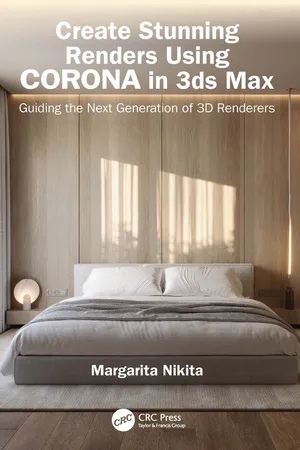
Create Stunning Renders Using Corona in 3ds Max
eBook - ePub

Create Stunning Renders Using Corona in 3ds Max

Guiding the Next Generation of 3D Renderers

  1. 220 pages
  2. English
  3. ePUB (mobile friendly)
  4. Available on iOS & Android
eBook - ePub

Create Stunning Renders Using Corona in 3ds Max

Guiding the Next Generation of 3D Renderers

About this book

This book is a comprehensive step?by?step guide tailored for designers seeking to elevate their visualization skills using the powerful combination of Corona 11 in 3ds Max 2024.

It begins by acquainting readers with the 3ds Max interface and fundamental commands, ensuring a solid foundation for navigating the software. Readers will be guided through the process of assigning Corona and fine?tuning rendering settings, setting up cameras, and mastering both natural and artificial lighting techniques within their scenes.

It then progresses to the creation of materials, their application to the scene, and the utilization of Corona's libraries and presets for efficiency. The potentials of Corona are detailed using a bedroom scene as an example. This practical guide demystifies the complexities of 3D rendering without delving into modeling techniques.

With design studios increasingly incorporating 3D renderings into their proposals, Create Stunning Renders Using Corona in 3ds Max: Guiding the Next Generation of 3D Renderers serves as an invaluable resource for professionals and aspiring renderers alike. It aspires to contribute significantly to the evolution of the next generation of 3D rendering artists, making it an essential companion for those eager to master the art of photorealistic renderings in the dynamic landscape of 3ds Max and Corona 11.

Frequently asked questions

Yes, you can cancel anytime from the Subscription tab in your account settings on the Perlego website. Your subscription will stay active until the end of your current billing period. Learn how to cancel your subscription.
No, books cannot be downloaded as external files, such as PDFs, for use outside of Perlego. However, you can download books within the Perlego app for offline reading on mobile or tablet. Learn more here.
Perlego offers two plans: Essential and Complete
  • Essential is ideal for learners and professionals who enjoy exploring a wide range of subjects. Access the Essential Library with 800,000+ trusted titles and best-sellers across business, personal growth, and the humanities. Includes unlimited reading time and Standard Read Aloud voice.
  • Complete: Perfect for advanced learners and researchers needing full, unrestricted access. Unlock 1.4M+ books across hundreds of subjects, including academic and specialized titles. The Complete Plan also includes advanced features like Premium Read Aloud and Research Assistant.
Both plans are available with monthly, semester, or annual billing cycles.
We are an online textbook subscription service, where you can get access to an entire online library for less than the price of a single book per month. With over 1 million books across 1000+ topics, we’ve got you covered! Learn more here.
Look out for the read-aloud symbol on your next book to see if you can listen to it. The read-aloud tool reads text aloud for you, highlighting the text as it is being read. You can pause it, speed it up and slow it down. Learn more here.
Yes! You can use the Perlego app on both iOS or Android devices to read anytime, anywhere — even offline. Perfect for commutes or when you’re on the go.
Please note we cannot support devices running on iOS 13 and Android 7 or earlier. Learn more about using the app.
Yes, you can access Create Stunning Renders Using Corona in 3ds Max by Margarita Nikita in PDF and/or ePUB format, as well as other popular books in Computer Science & Interior Design. We have over one million books available in our catalogue for you to explore.

Information

Table of contents

  1. Cover
  2. Half Title
  3. Title Page
  4. Copyright Page
  5. Dedication
  6. Table of Contents
  7. Preface
  8. Acknowledgments
  9. 1 Getting Started
  10. 2 Rendering Settings
  11. 3 Cameras
  12. 4 Natural Lighting
  13. 5 Artificial Lighting
  14. 6 Material Editor
  15. 7 Materials
  16. 8 Libraries
  17. Index