Create engaging apps with fragments to provide a rich user interface that dynamically adapts to the individual characteristics of your customers' tablets and smartphonesAbout This Book• From an eminent author comes a book that will help you create engaging apps that dynamically adapt to individual device characteristics• The only book that includes the latest fragment-oriented features and their role in Material design• This book provides code-intensive discussions and detailed examples that help you understand better and learn faster.Who This Book Is ForThis book is for developers with a basic understanding of Android programming who would like to improve the appearance and usability of their applications by creating a more interactive user experience and dynamically adaptive UIs; providing better support for tablets and smartphones in a single app; and reducing the complexity of managing app UIs.What You Will Learn• Learn the role and capabilities of fragments• Use Android Studio's fragment-oriented features• Create an app UI that works effectively on smartphones and tablets• Manage the creation and life cycle of fragments• Dynamically manage fragments using the FragmentTransaction class• Learn the application design for communicating between fragments• Leverage fragments when implementing applications that take advantage of the latest features of Material DesignIn DetailToday's users expect mobile apps to be dynamic and highly interactive, with rich navigation features. These same apps must look fantastic whether running on a medium-resolution smartphone or high-resolution tablet. Fragments provide the toolset we need to meet these user expectations by enabling us to build our applications out of adaptable components that take advantage of the rich capabilities of each individual device and automatically adapt to their differences.This book looks at the impact fragments have on Android UI design and their role in both simplifying many common UI challenges and in providing best practices for incorporating rich UI behaviors. We look closely at the roll of fragment transactions and how to work with the Android back stack. Leveraging this understanding, we explore several specialized fragment-related classes such as ListFragment and DialogFragment. We then go on to discuss how to implement rich navigation features such as swipe-based screen browsing, and the role of fragments when developing applications that take advantage of the latest aspects of Material Design.You will learn everything you need to provide dynamic, multi-screen UIs within a single activity, and the rich UI features demanded by today's mobile users.Style and approachA fast-paced learning guide that gives a hands-on, code-intensive approach with a focus on real-world applications.
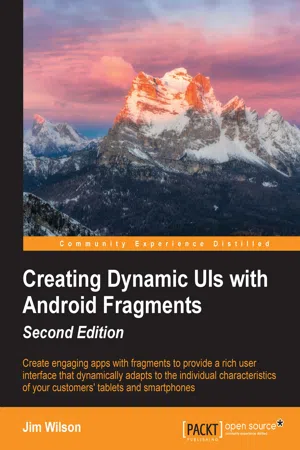
- 154 pages
- English
- ePUB (mobile friendly)
- Available on iOS & Android
eBook - ePub
Creating Dynamic UIs with Android Fragments - Second Edition
About this book
Information
Topic
InformaticaSubtopic
Ingegneria informaticaCreating Dynamic UIs with Android Fragments Second Edition
Table of Contents
Creating Dynamic UIs with Android Fragments Second Edition
Credits
About the Author
About the Reviewers
www.PacktPub.com
eBooks, discount offers, and more
Why subscribe?
Preface
What this book covers
What you need for this book
Who this book is for
Conventions
Reader feedback
Customer support
Downloading the example code
Downloading the color images of this book
Errata
Piracy
Questions
1. Fragments and UI Modularization
The need for a new approach to UI creation
The broad platform support of fragments
How fragments simplify common Android tasks
The relationship between fragments and activities
Making the shift to fragments
The old thinking – activity-oriented
Defining the activity appearance
Displaying the activity UI
The new thinking: fragment-oriented
Creating the fragment layout resources
Defining the layout as a reusable list
Minimizing assumptions
Encapsulating the display layout
Creating the Fragment class
Wrapping the list in a fragment
Providing the description fragment
Converting an activity to use fragments
Summary
2. Fragments and UI Flexibility
Creating UI flexibility
Dynamic fragment layout selection
Adding an alternate layout resource
Managing fragment layout by screen size
Eliminating redundant layout descriptions
Layout aliasing
Designing fragments for flexibility
Avoiding tight coupling
Abstracting fragment relationships
Defining the callback interface
Making the fragment self-contained
Fragment notification
Encapsulating fragment operations
Creating a loosely connected relationship between fragments
Fragments protect against the unexpected
Creating the book description activity
Adding functionality to the book description activity
Making the MainActivity class adaptive
Summary
3. Fragment Life Cycle and Specialization
Understanding the fragment life cycle
Understanding fragment setup and display
Avoiding method name confusion
Understanding fragment hide and teardown
Maximizing the available resources
Managing a fragment state
Special-purpose fragment classes
ListFragment
Associating data with the list
Separating data from the display
Creating the ListFragment derived class with Android Studio
Handling the ListFragment item selection
Updating the layout resources
DialogFragment
Styles
Layout
Displaying DialogFragment
Event handling in DialogFragment
The Dialog identity
Accessing behavior related to Dialog
Wrapping an existing dialog in a fragment
Summary
4. Working with Fragment Transactions
Intentional screen management
Dynamically managing fragments
Deferred execution of transaction changes
Adding and removing fragments
Supporting the back button
Creating an adaptive application layout
Updating the layout to support dynamic fragments
Adapting to device differences
Dynamically loading a fragment at startup
Transitioning between fragments
Eliminating redundant handling
Creating the fragment on the fly
Managing asynchronous creation
Putting it all together
Summary
5. Creating Rich Navigation
A brave new world
Making navigation fun with swipe
Implementing swipe navigation
Adding swipe navigation with Android Studio
Managing the swipe UI behavior
Putting the swipe UI into place
Providing direct navigation to screens
Don't get trapped in the past
Direct navigation for a small number of screens
Direct navigation for four or more screens
Creating a navigation drawer activity with Android Studio
The activity and application screen fragment
The navigation drawer fragment
Navigation drawer fragment standard responsibilities
The additional responsibilities of the NavigationDrawerFragment class
The navigation drawer fragment responsibilities big picture
Summary
6. Fragments and Material Design
Creating a rich user experience
Material design
Principles of material design
The role of motion
Converting our application to use material design
Dealing with different Android versions
Setting up the theme
Updating the fragments appearance
Incorporating motion in fragment transitions
Transitioning fragments on and off the screen
Transitioning the book card off and on the screen
Transitioning the book details on and off the screen
Creating continuity with shared element transitions
Maintaining continuity across multiple cards
Summary
Index
Creating Dynamic UIs with Android Fragments Second Edition
Copyright © 2016 Packt Publishing
All rights reserved. No part of this book may be reproduced, stored in a retrieval system, or transmitted in any form or by any means, without the prior written permission of the publisher, except in the case of brief quotations embedded in critical articles or reviews.
Every effort has been made in the preparation of this book to ensure the accuracy of the information presented. However, the information contained in this book is sold without warranty, either express or implied. Neither the author, nor Packt Publishing, and its dealers and distributors will be held liable for any damages caused or alleged to be caused directly or indirectly by this book.
Packt Publishing has endeavored to provide trademark information about all of the companies and products mentioned in this book by the appropriate use of capitals. However, Packt Publishing cannot guarantee the accuracy of this information.
First published: September 2013
Second edition: March 2016
Production reference: 1170316
Published by Packt Publishing Ltd.
Livery Place
35 Livery Street
Birmingham B3 2PB, UK.
ISBN 978-1-78588-959-2
www.packtpub.com
Credits
Author
Jim Wilson
Reviewers
Nayanesh Ramchandra Gupte
Robert Dale Johnson III
Commissioning Editor
Edward Gordon
Acquisition Editor
Kirk D'costa
Content Development Editor
Mehvash Fatima
Technical Editor
Dhiraj Chandanshive
Copy Editor
Shruti Iyer
Project Coordinator
Kinjal Bari
Proofreader
Safis Editing
Indexer
Rekha Nair
Production Coordinator
Aparna Bhagat
Cover Work
Aparna Bhagat
About the Author
Jim Wilson is the President of JW Hedgehog, Inc., a consulting firm specializing in solutions for the Android, iOS, and Microsoft platforms. He has over 30 years of software engineering experience, with the past 15 years heavily focused on creating mobile device and location-based solutions. Jim cofounded multiple software-related startups and has served in a consulting role at several more. After nearly a decade as a Microsoft Device Application Development MVP, he now focuses on developing Android and iOS device applications.
Jim's passion is mentoring software developers. He is a regular contributor of Android, iOS, and Xamarin training material at Pluralsight (http://training.jwhh.com), a leading provider of online developer training. Jim has authored more than 30 articles on device application development and has served as a contributing expert on mobile software development issues for a variety of media outlets.
Jim and his wife, along with several cats, split their time between Celebration, Florida (just three miles from Walt Disney World) and Weirs Beach, New Hampshire. You can take a look at his blog (http://blog.jwhh.com) where he talks about a variety of mobile software development issues as well as the adventures of a life split between the busy region of the "House of Mouse" and the quietness of...
Table of contents
- Creating Dynamic UIs with Android Fragments Second Edition
Trusted by 375,005 students
Access to over 1.5 million titles for a fair monthly price.
Study more efficiently using our study tools.
Frequently asked questions
Yes, you can cancel anytime from the Subscription tab in your account settings on the Perlego website. Your subscription will stay active until the end of your current billing period. Learn how to cancel your subscription
No, books cannot be downloaded as external files, such as PDFs, for use outside of Perlego. However, you can download books within the Perlego app for offline reading on mobile or tablet. Learn how to download books offline
Perlego offers two plans: Essential and Complete
- Essential is ideal for learners and professionals who enjoy exploring a wide range of subjects. Access the Essential Library with 800,000+ trusted titles and best-sellers across business, personal growth, and the humanities. Includes unlimited reading time and Standard Read Aloud voice.
- Complete: Perfect for advanced learners and researchers needing full, unrestricted access. Unlock 1.5M+ books across hundreds of subjects, including academic and specialized titles. The Complete Plan also includes advanced features like Premium Read Aloud and Research Assistant.
We are an online textbook subscription service, where you can get access to an entire online library for less than the price of a single book per month. With over 1.5 million books across 990+ topics, we’ve got you covered! Learn about our mission
Look out for the read-aloud symbol on your next book to see if you can listen to it. The read-aloud tool reads text aloud for you, highlighting the text as it is being read. You can pause it, speed it up and slow it down. Learn more about Read Aloud
Yes! You can use the Perlego app on both iOS and Android devices to read anytime, anywhere — even offline. Perfect for commutes or when you’re on the go.
Please note we cannot support devices running on iOS 13 and Android 7 or earlier. Learn more about using the app
Please note we cannot support devices running on iOS 13 and Android 7 or earlier. Learn more about using the app
Yes, you can access Creating Dynamic UIs with Android Fragments - Second Edition by Jim Wilson in PDF and/or ePUB format, as well as other popular books in Informatica & Ingegneria informatica. We have over 1.5 million books available in our catalogue for you to explore.