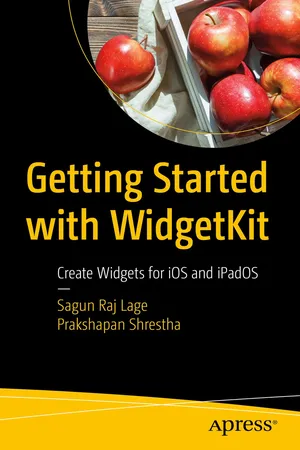
Getting Started with WidgetKit
eBook - ePub

Getting Started with WidgetKit

Create Widgets for iOS and iPadOS

  1. English
  2. ePUB (mobile friendly)
  3. Available on iOS & Android
eBook - ePub

Getting Started with WidgetKit

Create Widgets for iOS and iPadOS

About this book

Develop handy, UI/UX friendly and eye-pleasing widgetsusing the brand new WidgetKit. Apple's brand new widgets allow iOS users to work with their favorite apps in the home screen of their iPhone or iPad without even opening the app!

Join us in this exciting journey as we explore the APIs introduced in Apple's WidgetKit framework. You'll dive into the human interface guidelines (HIG) for creating widgets and review the recommendations Apple gives to developers for developing widgets with intuitive, easy-to-learn, and consistent user interfaces. In addition, you'll take a look at some SwiftUI views that are useful not only in creating widgets for iOS apps, but also for creating iOS apps themselves.

You'll put everything you learn into practical application by actually writing code and creating widgets. Get a clear view of how everything works so that you're able to incorporate widgets into your real-world projects authentically and successfully.

What You'll Learn

  • Configure widgets and make them talk to APIs using URLSession
  • Work with timelines and event handling in widgets
  • Fetch content from aremote server and display the data in a widget
  • Make content dynamic both remotelyand locally

Who This Book Is For iOS developersworking in the Apple ecosystem with a basic understanding of SwiftUI.

Frequently asked questions

Yes, you can cancel anytime from the Subscription tab in your account settings on the Perlego website. Your subscription will stay active until the end of your current billing period. Learn how to cancel your subscription.
At the moment all of our mobile-responsive ePub books are available to download via the app. Most of our PDFs are also available to download and we're working on making the final remaining ones downloadable now. Learn more here.
Perlego offers two plans: Essential and Complete
  • Essential is ideal for learners and professionals who enjoy exploring a wide range of subjects. Access the Essential Library with 800,000+ trusted titles and best-sellers across business, personal growth, and the humanities. Includes unlimited reading time and Standard Read Aloud voice.
  • Complete: Perfect for advanced learners and researchers needing full, unrestricted access. Unlock 1.4M+ books across hundreds of subjects, including academic and specialized titles. The Complete Plan also includes advanced features like Premium Read Aloud and Research Assistant.
Both plans are available with monthly, semester, or annual billing cycles.
We are an online textbook subscription service, where you can get access to an entire online library for less than the price of a single book per month. With over 1 million books across 1000+ topics, we’ve got you covered! Learn more here.
Look out for the read-aloud symbol on your next book to see if you can listen to it. The read-aloud tool reads text aloud for you, highlighting the text as it is being read. You can pause it, speed it up and slow it down. Learn more here.
Yes! You can use the Perlego app on both iOS or Android devices to read anytime, anywhere — even offline. Perfect for commutes or when you’re on the go.
Please note we cannot support devices running on iOS 13 and Android 7 or earlier. Learn more about using the app.
Yes, you can access Getting Started with WidgetKit by Sagun Raj Lage,Prakshapan Shrestha in PDF and/or ePUB format, as well as other popular books in Computer Science & Operating Systems. We have over one million books available in our catalogue for you to explore.

Information

Table of contents

  1. Cover
  2. Front Matter
  3. 1. Getting Familiar with WidgetKit in a Flash
  4. 2. SwiftUI, Human Interface Guidelines, and Widget Family
  5. 3. Writing Your First Widget
  6. 4. Making Widgets Configurable and Interactive
  7. 5. Fetching Remote Configuration Options for Widgets
  8. Back Matter