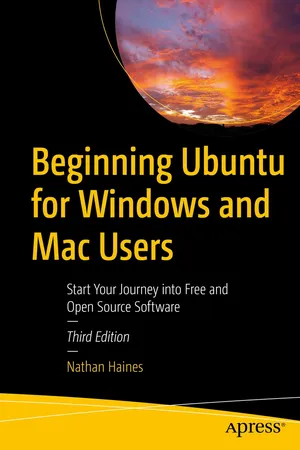
Beginning Ubuntu for Windows and Mac Users
eBook - ePub

Beginning Ubuntu for Windows and Mac Users

Start Your Journey into Free and Open Source Software

  1. English
  2. ePUB (mobile friendly)
  3. Available on iOS & Android
eBook - ePub

Beginning Ubuntu for Windows and Mac Users

Start Your Journey into Free and Open Source Software

About this book

Completely updated for this exciting third edition, Beginning Ubuntu for Windows and Mac Users will help you start your journey into Free and Open Source Software with Ubuntu 22.04.1 LTS with GNOME 42.

This book is a friendly guide to installing and running Ubuntu for people who are already efficient and happy with Windows or macOS computers.  It teachers new Ubuntu users how to navigate their new operating system, perform basic tasks and suggests specific applications to handle routine tasks.

You'll start by installing Ubuntu and its related "flavors" (Kubuntu, Ubuntu MATE, etc.) and how they differ from each other. The rest of the book breaks down application suggestions by broad categories to fill in gaps in the default installed system, or suggest fun things that the reader might not have even thought of. The command line is handled after you are comfortable with the system and ready for something interesting but different.It's presented as a powerful interface that can either be approached casually as a unique method of interacting with the computer, as an occasional tool to use, or as a fun way to get in touch with an early way of using a computer.

A brief look at "power user" topics gives advice on managing running processes, installing alternate desktop software, using virtual desktops and creating virtual machines.  It's a great way to round off the book with starting points for advanced topics that are more specialty topics.  An appendix describes the Ubuntu release schedule, naming, and timing.

The book is designed to function as a "travel guide" to Ubuntu, offering both a scenic tour through some of the great software in Ubuntu in a practical "here's what you can do with this" style as well as a comprehensive reference guide that the reader can return to over and over to learn how to accomplish specific tasks.  

What You'll Learn
  • Understand the advantages of Ubuntu and its variants—Kubuntu and Xubuntu
  • Install Ubuntu on its own or alongside your computer's existing operating system
  • Search Ubuntu's catalog of thousands of applications
  • Work with files and disks that were created with Windows and OS X
  • Run simple, interesting tasks and games using the command line
  • Customize Ubuntu in powerful ways and get work done with virtual machines
Who This Book Is For

Beginning to intermediate computer users with Windows 7 or OS X or later experience

Frequently asked questions

Yes, you can cancel anytime from the Subscription tab in your account settings on the Perlego website. Your subscription will stay active until the end of your current billing period. Learn how to cancel your subscription.
No, books cannot be downloaded as external files, such as PDFs, for use outside of Perlego. However, you can download books within the Perlego app for offline reading on mobile or tablet. Learn more here.
Perlego offers two plans: Essential and Complete
  • Essential is ideal for learners and professionals who enjoy exploring a wide range of subjects. Access the Essential Library with 800,000+ trusted titles and best-sellers across business, personal growth, and the humanities. Includes unlimited reading time and Standard Read Aloud voice.
  • Complete: Perfect for advanced learners and researchers needing full, unrestricted access. Unlock 1.4M+ books across hundreds of subjects, including academic and specialized titles. The Complete Plan also includes advanced features like Premium Read Aloud and Research Assistant.
Both plans are available with monthly, semester, or annual billing cycles.
We are an online textbook subscription service, where you can get access to an entire online library for less than the price of a single book per month. With over 1 million books across 1000+ topics, we’ve got you covered! Learn more here.
Look out for the read-aloud symbol on your next book to see if you can listen to it. The read-aloud tool reads text aloud for you, highlighting the text as it is being read. You can pause it, speed it up and slow it down. Learn more here.
Yes! You can use the Perlego app on both iOS or Android devices to read anytime, anywhere — even offline. Perfect for commutes or when you’re on the go.
Please note we cannot support devices running on iOS 13 and Android 7 or earlier. Learn more about using the app.
Yes, you can access Beginning Ubuntu for Windows and Mac Users by Nathan Haines in PDF and/or ePUB format, as well as other popular books in Computer Science & Open Source Programming. We have over one million books available in our catalogue for you to explore.

Information

Table of contents

  1. Cover
  2. Front Matter
  3. 1. Installing Ubuntu
  4. 2. Getting Started with Ubuntu
  5. 3. Productivity at Home and Work
  6. 4. Enjoying Media and Other Entertainment
  7. 5. Command-Line Tricks and Applications
  8. 6. Power User Tools
  9. Back Matter