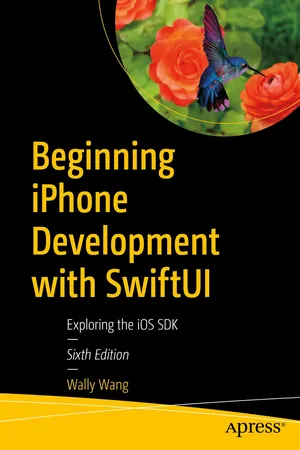
Beginning iPhone Development with SwiftUI
eBook - ePub

Beginning iPhone Development with SwiftUI

Exploring the iOS SDK

  1. English
  2. ePUB (mobile friendly)
  3. Available on iOS & Android
eBook - ePub

Beginning iPhone Development with SwiftUI

Exploring the iOS SDK

About this book

Tame the power of Apple's new user interface toolkit, SwiftUI. Integrate all the interface elements iOS users have come to know and love, such as buttons, switches, pickers, toolbars, and sliders with less effort and more efficiency. You'll also learn about touch gestures, lists, and grids for displaying data on a user interface. And you'll even go beyond those simple controls to liven up any user interface with simple animation techniques. Spice your designs up with movement, scaling, and resizing, including spring and bounce effects!

You'll start with basic designs and then explore more sophisticated ones. Assuming little or no working knowledge of the Swift programming language, and written in a friendly, easy-to-follow style, this book offers a comprehensive course in iPhone and iPad programming. The book starts with a gentle introduction to using Xcode and then guides you though the creation of your first simple application. You'll create user interfaces for that application using multiple screens in two different ways—using Navigation View and Tab Bars.

Beginning iPhone Development with Swift UI covers the basic information you need to get up and running quickly to turn your great ideas into working iOS apps with stunningly interactive interfaces using SwiftUI. Once you're ready, move on to Pro iPhone Development with Swift UI to learn more of the unique aspects of iOS programming and the Swift language.

What You Will Learn

  • Discover the basics of designing a user interface using SwiftUI
  • Build cool, crisp user interfaces that use animation
  • Display data in lists and outlines
  • Organize user interfaces in forms and groups

 Who This Book is For 

Aspiring iOS app developers new to the Apple Swift programming language and/or the iOS SDK. 

Frequently asked questions

Yes, you can cancel anytime from the Subscription tab in your account settings on the Perlego website. Your subscription will stay active until the end of your current billing period. Learn how to cancel your subscription.
No, books cannot be downloaded as external files, such as PDFs, for use outside of Perlego. However, you can download books within the Perlego app for offline reading on mobile or tablet. Learn more here.
Perlego offers two plans: Essential and Complete
  • Essential is ideal for learners and professionals who enjoy exploring a wide range of subjects. Access the Essential Library with 800,000+ trusted titles and best-sellers across business, personal growth, and the humanities. Includes unlimited reading time and Standard Read Aloud voice.
  • Complete: Perfect for advanced learners and researchers needing full, unrestricted access. Unlock 1.4M+ books across hundreds of subjects, including academic and specialized titles. The Complete Plan also includes advanced features like Premium Read Aloud and Research Assistant.
Both plans are available with monthly, semester, or annual billing cycles.
We are an online textbook subscription service, where you can get access to an entire online library for less than the price of a single book per month. With over 1 million books across 1000+ topics, we’ve got you covered! Learn more here.
Look out for the read-aloud symbol on your next book to see if you can listen to it. The read-aloud tool reads text aloud for you, highlighting the text as it is being read. You can pause it, speed it up and slow it down. Learn more here.
Yes! You can use the Perlego app on both iOS or Android devices to read anytime, anywhere — even offline. Perfect for commutes or when you’re on the go.
Please note we cannot support devices running on iOS 13 and Android 7 or earlier. Learn more about using the app.
Yes, you can access Beginning iPhone Development with SwiftUI by Wally Wang in PDF and/or ePUB format, as well as other popular books in Computer Science & Operating Systems. We have over one million books available in our catalogue for you to explore.

Information

Publisher
Apress
Year
2022
Print ISBN
9781484278178
eBook ISBN
9781484278185

Table of contents

  1. Cover
  2. Front Matter
  3. 1. Understanding iOS Programming
  4. 2. Designing User Interfaces with SwiftUI
  5. 3. Placing Views on the User Interface
  6. 4. Working with Text
  7. 5. Working with Images
  8. 6. Responding to the User with Buttons and Segmented Controls
  9. 7. Retrieving Text from Text Fields and Text Editors
  10. 8. Limiting Choices with Pickers
  11. 9. Limiting Choices with Toggles, Steppers, and Sliders
  12. 10. Providing Options with Links and Menus
  13. 11. Touch Gestures
  14. 12. Using Alerts, Action Sheets, and Contextual Menus
  15. 13. Displaying Lists
  16. 14. Using Forms and Group Boxes
  17. 15. Using Disclosure Groups, Scroll Views, and Outline Groups
  18. 16. Using the Navigation View
  19. 17. Using the Tab View
  20. 18. Using Grids
  21. 19. Using Animation
  22. 20. Using GeometryReader
  23. Back Matter