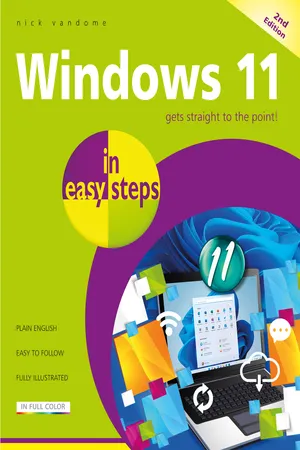
Windows 11 in easy steps, 2nd edition
eBook - ePub

Windows 11 in easy steps, 2nd edition

Covers the Windows 11 2024 Update

  1. 232 pages
  2. English
  3. ePUB (mobile friendly)
  4. Available on iOS & Android
eBook - ePub

Windows 11 in easy steps, 2nd edition

Covers the Windows 11 2024 Update

About this book

Windows 11 was first released in 2021 and was a major evolution of the Windows operating system. This has continued with regular updates, with the latest one being the Windows 11 24H2 update. Windows 11 in easy steps, 2nd edition will guide you through this latest version of Windows 11, covering the key features and functions for becoming confident with the operating system. In concise language, this best-selling guide takes you through the essentials a step at a time. Areas covered include:

  • The Desktop, Start button, and Start menu.
  • Customizable widgets that display real-time information such as news feeds and weather.
  • Keeping your files organized with the streamlined File Explorer.
  • Customizing Windows 11 to give it a unique feel, with the options in the Settings app.
  • Using and managing the extensive range of Windows apps.
  • Snap layouts for displaying and managing multiple apps within a single screen.
  • Windows 11 in easy steps, 2nd edition also covers some of the very latest features of the operating system in the Windows 11 2024 Update (24H2), including:

  • Copilot, the Artificial Intelligence (AI) digital assistant, for smart searching over your Windows 11 computer and the internet.
  • Using the Teams app with the Chat function for text and video communication.
  • Accessing the Quick Settings panel, with its redesigned interface.
  • Windows 11 in easy steps, 2nd edition is ideal for anyone who wants to grasp the essentials quickly and easily. Covering Windows 11 on desktop and laptop computers the book is ideal for new users and also those upgrading from an earlier version of Windows.

    Covers all PCs and laptops with the Windows 11 2024 Update (24H2).

    Trusted by 375,005 students

    Access to over 1.5 million titles for a fair monthly price.

    Study more efficiently using our study tools.

    Information

    Year
    2024
    eBook ISBN
    9781787910270

    Table of contents

    1. Cover
    2. Title
    3. Copyright
    4. Contents
    5. 1 Introducing Windows 11
    6. 2 Getting Started
    7. 3 Working with Apps
    8. 4 Standard Controls
    9. 5 Customizing Windows
    10. 6 File Explorer
    11. 7 Managing Files and Folders
    12. 8 Digital Lifestyle
    13. 9 Microsoft Edge Browser
    14. 10 Keeping in Touch
    15. 11 Networking and Sharing
    16. 12 System and Security
    17. Back Cover

    Frequently asked questions

    Yes, you can cancel anytime from the Subscription tab in your account settings on the Perlego website. Your subscription will stay active until the end of your current billing period. Learn how to cancel your subscription
    No, books cannot be downloaded as external files, such as PDFs, for use outside of Perlego. However, you can download books within the Perlego app for offline reading on mobile or tablet. Learn how to download books offline
    Perlego offers two plans: Essential and Complete
    • Essential is ideal for learners and professionals who enjoy exploring a wide range of subjects. Access the Essential Library with 800,000+ trusted titles and best-sellers across business, personal growth, and the humanities. Includes unlimited reading time and Standard Read Aloud voice.
    • Complete: Perfect for advanced learners and researchers needing full, unrestricted access. Unlock 1.5M+ books across hundreds of subjects, including academic and specialized titles. The Complete Plan also includes advanced features like Premium Read Aloud and Research Assistant.
    Both plans are available with monthly, semester, or annual billing cycles.
    We are an online textbook subscription service, where you can get access to an entire online library for less than the price of a single book per month. With over 1.5 million books across 990+ topics, we’ve got you covered! Learn about our mission
    Look out for the read-aloud symbol on your next book to see if you can listen to it. The read-aloud tool reads text aloud for you, highlighting the text as it is being read. You can pause it, speed it up and slow it down. Learn more about Read Aloud
    Yes! You can use the Perlego app on both iOS and Android devices to read anytime, anywhere — even offline. Perfect for commutes or when you’re on the go.
    Please note we cannot support devices running on iOS 13 and Android 7 or earlier. Learn more about using the app
    Yes, you can access Windows 11 in easy steps, 2nd edition by Nick Vandome in PDF and/or ePUB format, as well as other popular books in Computer Science & Operating Systems. We have over 1.5 million books available in our catalogue for you to explore.