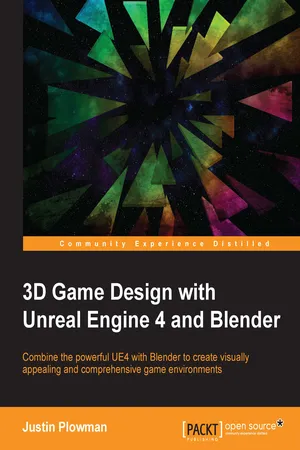
3D Game Design with Unreal Engine 4 and Blender
eBook - ePub

3D Game Design with Unreal Engine 4 and Blender

  1. 252 pages
  2. English
  3. ePUB (mobile friendly)
  4. Available on iOS & Android
eBook - ePub

3D Game Design with Unreal Engine 4 and Blender

About this book

Combine the powerful UE4 with Blender to create visually appealing and comprehensive game environments

About This Book

  • The only resource that shows how you can incorporate Blender into your Unreal Engine 4 Game environment
  • Create amazing 3D game environments by leveraging the power of Blender and Unreal Engine 4
  • Practical step-by-step approach with plenty of illustrative examples to get you started immediately

Who This Book Is For

This book would be ideal for 3D artists and game designers who want to create amazing 3D game environments and leverage the power of Blender with Unreal Engine 4. 3D design basics would be necessary to get the most out of this book. Some previous experience with Blender would be helpful but not essential

What You Will Learn

  • Create a fully functioning game level of your own design using Blender and Unreal Engine 4
  • Customize your level with detailed 3D assets created with Blender
  • Import assets into Unreal Engine 4 to create an amazing finished product
  • Build a detailed dynamic environment with goals and an ending
  • Explore Blender's incredible animation tools to animate elements of your game
  • Create great environments using sound effects, particle effects, and class blueprints

In Detail

Unreal Engine 4 now has support for Blender, which was not available in earlier versions. This has opened up new possibilities and that is where this book comes in. This is the first book in the market combining these two powerful game and graphic engines. Readers will build an amazing high-level game environment with UE4 and will show them how to use the power of Blender 3D to create stunning animations and 3D effects for their game. This book will start with creating levels, 3D assets for the game, game progression, light and environment control, animation, and so on. Then it will teach readers to add amazing visual effects to their game by applying rendering, lighting, rigging, and compositing techniques in Blender. Finally, readers will learn how to smoothly transfer blender files to UE4 and animate the game assets. Each chapter will add complexities to the game environment.

Style and approach

This will have a clear, step-by-step approach to creating game assets in Blender and then importing them to UE4 to create stunning game environments. All asset creation techniques are explained in detail along with tips on how to use them to create your own game environments. The book offers end-to-end coverage of how to design a game level from scratch.

Trusted by 375,005 students

Access to over 1.5 million titles for a fair monthly price.

Study more efficiently using our study tools.

Information

Year
2016
Edition
1
eBook ISBN
9781785881466

3D Game Design with Unreal Engine 4 and Blender


Table of Contents

3D Game Design with Unreal Engine 4 and Blender
Credits
About the Author
About the Reviewer
www.PacktPub.com
eBooks, discount offers, and more
Why subscribe?
Preface
What this book covers
What you need for this book
Who this book is for
Conventions
Reader feedback
Customer support
Downloading the color images of this book
Errata
Piracy
Questions
1. Unreal, My Friend, I'd Like You to Meet Blender
Installing Blender
Exploring the interface
Customizing your settings
Working with modes
Jumping into our first project
Getting things started in Unreal Engine 4
Summary
2. Starting Our First Project
Using the Content Browser to start building the level
Using different types of light
Adding interactive elements using Triggers and Blueprints
Playtesting our level
Summary
3. It's Time to Customize!
Getting started making game assets
Using the basic tools of polygon modeling
How to use UV mapping and why it's important
UV unwrapping our game asset
Basic texturing techniques
Summary
4. Getting the Assets to the Level
Exporting our object from Blender
What is FBX?
Importing our object into Unreal
Setting up and using our new 3D asset
Summary
5. Taking This Level Up a Notch
Planning a more complex level
Whiteboxing a level for better asset creation
Level design principles
Advanced scripting techniques
Win conditions
Summary
6. Monster Assets – The Level Totally Needs One of These
Designing our asset – inspiration and concept art
Advanced tools: Subdivide, Knife, Bridge Edge Loops, and more
Subdivide tool
Knife tool
Bridge Edge Loops tool
Triangulate modifier tool
Using multiple shapes within Blender
Summary
7. Let's Dress to Impress!
Unwrapping complex objects
Marking seams
Unwrap tool
Stitch
Average Island Scale
Pack Islands
Using Smart UV Project
Custom Marking Seams
Unwrapping Cubes
Unwrapping Cylinders
Using different maps to create a more realistic look
Summary
8. Lights, Camera, Animation!
How does Blender handle animation?
Rigging and using keyframes
Using Blender's suite of animation tools
Summary
9. Bang Bang – Let's Make It Explode
Creating a class blueprint to tie it all together
Using sound effects
Using particle effects
Index

3D Game Design with Unreal Engine 4 and Blender

Copyright © 2016 Packt Publishing
All rights reserved. No part of this book may be reproduced, stored in a retrieval system, or transmitted in any form or by any means, without the prior written permission of the publisher, except in the case of brief quotations embedded in critical articles or reviews.
Every effort has been made in the preparation of this book to ensure the accuracy of the information presented. However, the information contained in this book is sold without warranty, either express or implied. Neither the author nor Packt Publishing, and its dealers and distributors will be held liable for any damages caused or alleged to be caused directly or indirectly by this book.
Packt Publishing has endeavored to provide trademark information about all of the companies and products mentioned in this book by the appropriate use of capitals. However, Packt Publishing cannot guarantee the accuracy of this information.
First published: June 2016
Production reference: 1240616
Published by Packt Publishing Ltd.
Livery Place
35 Livery Street
Birmingham B3 2PB, UK.
ISBN 978-1-78588-146-6
www.packtpub.com

Credits

Author
Justin Plowman
Reviewer
Scott Hafner
Commissioning Editor
Amarabha Banerjee
Acquisition Editor
Rahul Nair
Content Development Editor
Parshva Sheth
Technical Editor
Gebin George
Copy Editor
Safis Editing
Project Coordinator
Ritika Manoj
Proofreader
Safis Editing
Indexer
Monica Ajmera Mehta
Graphics
Disha Haria
Production Coordinator
Arvindkumar Gupta
Cover Work
Arvindkumar Gupta

About the Author

Justin Plowman is a game designer and educator, who resides in the United States. At a young age, he discovered his love for video games and the joy they bring to others. He began teaching high school students about game development in 2005 and enjoys supporting the dreams of the next generation developers. He currently teaches at risk youth about game design and development through the West Michigan Center for Arts and Technology (www.wmcat.org); and also teaches Unreal Engine development as part of the Digital Animation and Game Design program at Ferris State University (www.ferris.edu). Justin has worked with Unreal Technology in the education arena for more than 10 years. When not teaching, he writes learning tutorials on different topics related to Unreal Technology, and continues to further his education by keeping up on recent industry news and learning about best practices related to both teaching and game development. He can be found on the Web at https://gamingbootcamp.wordpress.com/.

Table of contents

  1. 3D Game Design with Unreal Engine 4 and Blender

Frequently asked questions

Yes, you can cancel anytime from the Subscription tab in your account settings on the Perlego website. Your subscription will stay active until the end of your current billing period. Learn how to cancel your subscription
No, books cannot be downloaded as external files, such as PDFs, for use outside of Perlego. However, you can download books within the Perlego app for offline reading on mobile or tablet. Learn how to download books offline
Perlego offers two plans: Essential and Complete
  • Essential is ideal for learners and professionals who enjoy exploring a wide range of subjects. Access the Essential Library with 800,000+ trusted titles and best-sellers across business, personal growth, and the humanities. Includes unlimited reading time and Standard Read Aloud voice.
  • Complete: Perfect for advanced learners and researchers needing full, unrestricted access. Unlock 1.5M+ books across hundreds of subjects, including academic and specialized titles. The Complete Plan also includes advanced features like Premium Read Aloud and Research Assistant.
Both plans are available with monthly, semester, or annual billing cycles.
We are an online textbook subscription service, where you can get access to an entire online library for less than the price of a single book per month. With over 1.5 million books across 990+ topics, we’ve got you covered! Learn about our mission
Look out for the read-aloud symbol on your next book to see if you can listen to it. The read-aloud tool reads text aloud for you, highlighting the text as it is being read. You can pause it, speed it up and slow it down. Learn more about Read Aloud
Yes! You can use the Perlego app on both iOS and Android devices to read anytime, anywhere — even offline. Perfect for commutes or when you’re on the go.
Please note we cannot support devices running on iOS 13 and Android 7 or earlier. Learn more about using the app
Yes, you can access 3D Game Design with Unreal Engine 4 and Blender by Justin Plowman in PDF and/or ePUB format, as well as other popular books in Computer Science & Programming Games. We have over 1.5 million books available in our catalogue for you to explore.