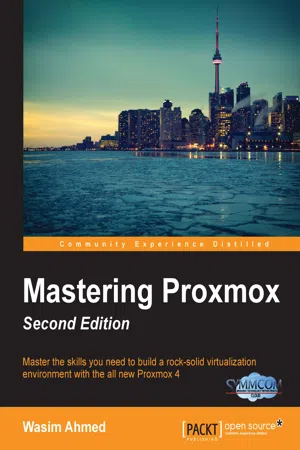
Master the skills you need to build a rock-solid virtualization environment with the all new Proxmox 4About This Book• Formulate Proxmox-based solutions and set up virtual machines of any size while gaining expertise even on the most complex multi-cluster setups• Master the skills needed to analyze, monitor, and troubleshoot real-world virtual environments• This is the most up-to-date title on mastering Proxmox, with examples based on the new Linux Kernel 4.2 and Debian Jessie (8.x)Who This Book Is ForThe book targets Linux and system administrators and professionals working in IT teams who would like to design and implement an enterprise-quality virtualized environment using Proxmox.Knowledge of networking and virtualization concepts is assumed.What You Will Learn• Install the basic Proxmox VE nodes• Get to know the Proxmox Graphical User Interface (GUI)• See and understand Proxmox's internal structure and mechanics• Create and manage KVM- or LXC-based virtual machines• Understand advanced virtual networks• Leverage the power of the built-in Proxmox firewall to provide protection at any level• Configure high availability Proxmox nodes• Learn different backup strategies and to restore a VM in the event of a disaster to ensure data safety• Monitor a Proxmox cluster and all of its components using Zabbix• Plan large virtual environments for mission critical virtual environments• Work through real-world scenarios to troubleshoot ProxmoxIn DetailProxmox is an open source server virtualization solution that has enterprise-class features to manage virtual machines, to be used for storage, and to virtualize both Linux and Windows application workloads.You begin with refresher on the advanced installation features and the Proxmox GUI to familiarize yourself with the Proxmox VE hypervisor. You then move on to explore Proxmox under the hood, focusing on the storage systems used with Proxmox. Moving on, you will learn to manage KVM Virtual Machines and Linux Containers and see how networking is handled in Proxmox. You will then learn how to protect a cluster or a VM with a firewall and explore the new HA features introduced in Proxmox VE 4 along with the brand new HA simulator.Next, you will dive deeper into the backup/restore strategy followed by learning how to properly update and upgrade a Proxmox node. Later, you will learn how to monitor a Proxmox cluster and all of its components using Zabbix. By the end of the book, you will become an expert at making Proxmox environments work in production environments with minimum downtime.Style and approachThis book walks you through every aspect of virtualization using Proxmox using a practical, scenario-based approach that features best practices and all the weaponry you need to succeed when building virtual environments with Proxmox 4.
- 418 pages
- English
- ePUB (mobile friendly)
- Available on iOS & Android
eBook - ePub
Mastering Proxmox - Second Edition
About this book
Information
Mastering Proxmox - Second Edition
Table of Contents
Mastering Proxmox - Second Edition
Credits
About the Author
About the Reviewer
www.PacktPub.com
eBooks, discount offers, and more
Why subscribe?
Preface
What this book covers
What you need for this book
Who this book is for
Conventions
Reader feedback
Customer support
Downloading the color images of this book
Errata
Piracy
Questions
1. Understanding Proxmox VE and Advanced Installation
Understanding Proxmox features
It is free!
Built-in firewall
Open vSwitch
The graphical user interface
KVM
Linux containers or LXC
Storage plugins
Vibrant culture
The basic installation of Proxmox
The advanced installation option
Debugging the Proxmox installation
Customizing the Proxmox splash screen
Summary
2. Exploring the Proxmox GUI
The GUI menu system
The Datacenter menu
Datacenter | Search
Datacenter | Summary
Datacenter | Options
Datacenter | Storage
Datacenter | Backup
Datacenter | Users
Datacenter | Groups
Datacenter | Pools
Datacenter | Permissions
Datacenter | Roles
Datacenter | Authentication
Datacenter | HA
Datacenter | Firewall
Datacenter | Support
Node menu
Node | Search
Node | Summary
Node | Services
Node | Network
Node | DNS
Node | Time
Node | Syslog
Node | Task History
Node | Firewall
Node | Updates
Node | Console
Node | Ceph
Node | Subscription
The KVM VM menu
KVM VM | Summary
KVM VM | Hardware
KVM VM | Options
KVM VM | Task History
KVM VM | Monitor
KVM VM | Backup
KVM VM | Snapshot
KVM VM | Console
KVM VM | Firewall
KVM VM | Permissions
The LXC Container menu
The LXC Container | Summary
LXC Container | Resources
LXC Container | Network
LXC Container | DNS
LXC Container | Options
LXC Container | Task History
LXC Container | Backup
LXC Container | Console
LXC Container | Snapshots
LXC Container | Firewall
LXC Container | Permissions
Pool menu
Pool | Summary
Pool | Members
Pool | Permissions
Cluster view mode
The Server View
The Folder View
Storage view
The Pool View
Summary
3. Proxmox under the Hood
The Proxmox cluster filesystem
Proxmox directory structure
Dissecting the configuration files
The cluster configuration file
logging { }
nodelist { }
nodeid
quorum_votes
ring0_addr
quorum { }
totem { }
interface { }
Storage configuration file
User configuration files
The password configuration file
KVM virtual machine configuration file
Arguments in the KVM configuration file
LXC container configuration file
Version configuration file
Member nodes
Virtual machine list file
The cluster log file
Ceph configuration files
Firewall configuration file
Summary
4. Storage Systems
Local storage versus shared storage
Live migration of a virtual machine
Seamless expansion of multinode storage space
Centralized backup
Multilevel data tiering
Central storage management
Local and shared storage comparison
A virtual disk image
Supported image formats
The .qcow2 image type
The .raw image type
The .vmdk image type
Managing disk images
Resizing a virtual disk image
Moving a virtual disk image
Throttling a virtual disk image
Caching a virtual disk image
Storage types in Proxmox
Directory
iSCSI
LVM
NFS
ZFS
Ceph RBD
The Ceph components
A physical node
Maps
A cluster map
A CRUSH Map
Monitor
OSD
OSD Journal
MDS
Placement Group
Pools
The Ceph components summary
Virtual Ceph for training
Ceph cluster
Ceph on Proxmox
Preparing the Proxmox node for Ceph
Installing Ceph
Creating MONs from Proxmox GUI
Creating OSD from Proxmox GUI
Creating a new Ceph Pool using Proxmox GUI
Connecting RBD to Proxmox
Ceph command list
GlusterFS
Noncommercial and commercial storage options
Summary
5. KVM Virtual Machines
Exploring a KVM
Creating a KVM
Creating a VM from scratch
General tab
OS tab
CD/DVD tab
Hard Disk tab
Bus/Device
Storage
Disk size
Format
Cache
No backup
Discard
Iothread
CPU tab
Sockets
Cores
Enabling NUMA
Type
Memory tab
Network
Bridged mode
Firewall
NAT mode
No network device
Model
MAC address
Rate limit
Multiqueues
Disconnect
Creating a VM by cloning
Mode
Creating VMs from templates
Advanced configuration options for VM
Configuring a sound device
Configuring PCI passthrough
Configuring GPU Passthrough
Configuring Hotplug
Migrating a KVM
Nested virtual cluster
Summary
6. LXC Virtual Machines
Exploring an LXC virtual machine
Understanding container templates
Creating an LXC container
General tab
Node
VM ID
Hostname
Resource Pool
The Template tab
The Root Disk tab
The CPU tab
CPU limits
CPU units
The Memory tab
The Network tab
ID
Name
MAC address
Bridge
The VLAN Tag
Firewall
IPv4/IPv6
The DNS tab
The Confirm tab
Managing an LXC container
Adjusting resources using the GUI
Adjusting resources using the CLI
Adjusting resources using direct modification
Migrating an LXC container
Accessing an LXC container
Unprivileged versus privileged containers
Creating an unprivileged container as root
Checking container proces...
Table of contents
- Mastering Proxmox - Second Edition
Trusted by 375,005 students
Access to over 1.5 million titles for a fair monthly price.
Study more efficiently using our study tools.
Frequently asked questions
Yes, you can cancel anytime from the Subscription tab in your account settings on the Perlego website. Your subscription will stay active until the end of your current billing period. Learn how to cancel your subscription
No, books cannot be downloaded as external files, such as PDFs, for use outside of Perlego. However, you can download books within the Perlego app for offline reading on mobile or tablet. Learn how to download books offline
Perlego offers two plans: Essential and Complete
- Essential is ideal for learners and professionals who enjoy exploring a wide range of subjects. Access the Essential Library with 800,000+ trusted titles and best-sellers across business, personal growth, and the humanities. Includes unlimited reading time and Standard Read Aloud voice.
- Complete: Perfect for advanced learners and researchers needing full, unrestricted access. Unlock 1.5M+ books across hundreds of subjects, including academic and specialized titles. The Complete Plan also includes advanced features like Premium Read Aloud and Research Assistant.
We are an online textbook subscription service, where you can get access to an entire online library for less than the price of a single book per month. With over 1.5 million books across 990+ topics, we’ve got you covered! Learn about our mission
Look out for the read-aloud symbol on your next book to see if you can listen to it. The read-aloud tool reads text aloud for you, highlighting the text as it is being read. You can pause it, speed it up and slow it down. Learn more about Read Aloud
Yes! You can use the Perlego app on both iOS and Android devices to read anytime, anywhere — even offline. Perfect for commutes or when you’re on the go.
Please note we cannot support devices running on iOS 13 and Android 7 or earlier. Learn more about using the app
Please note we cannot support devices running on iOS 13 and Android 7 or earlier. Learn more about using the app
Yes, you can access Mastering Proxmox - Second Edition by Wasim Ahmed in PDF and/or ePUB format, as well as other popular books in Computer Science & System Administration. We have over 1.5 million books available in our catalogue for you to explore.