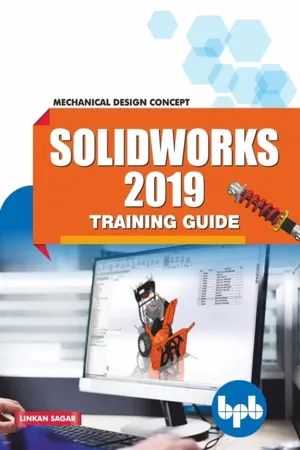
Designed to provide an insight into the Mechanical Design concept Key features Each command is explained in a simple and understandable manner Step-by-step explanation Practical knowledge rather than theoretical knowledge Covers all the modules of SolidWorks 2019DescriptionThe book promises to make you understand and practice the SolidWorks framework. The aim of this book is to take you on a journey to all the phases of SolidWorks. SolidWorks is an innovative, next-generation industry software that allows you to solve and understand the designing and mechanical problems. SolidWorks uses a technical implementation approach for sketching, surfacing, and sheet metal drafting in an incremental and easy way. The main objective of this book is to make the reader understand the concepts of design based on practical knowledge rather than theoretical knowledge.What will you learn SolidWorks and its GUI Sketches (Line, Rectangle, Slot, Circle, ARC, Polygon, and Spline) Extrude, Revolved, Swept, Loft, Boundary, Filt, and Chamfer) Surface (Extruded, Revolved, Swept, Lofted, Boundary, Filled, and Planner) Sheet metal (Base flange/tab, Edge flange, Miter flange, and Hem) Weldments (Structural member, Trim/Extend, End cap, and Gusset) Curves Mold design Drafting AssemblyWho this book is forMechanical engineers and designers, automobile engineers, product designers, heavy vehicle designers. Table of contents1. Introduction and Overview2. Sketch3. Features4. Surface5. Sheet Metal6. Weldments7. Curves8. Mold Design9. Assembly10. DraftingAbout the authorLinkan Sagar has done B.tech from UPTU, Lucknow. He has extensively worked on various software like solidworks, catia, staad-pro, and revit. He is having wide industry experience and worked on more than 18 major live projects. He has delivered approximately 280 presentation in sector of engineering and designing. His Linkedin: linkedin.com/in/linkan-sagar-4b16a7a7
- 208 pages
- English
- ePUB (mobile friendly)
- Available on iOS & Android
eBook - ePub
About this book
Information
Topic
Computer ScienceIndex
Computer ScienceTable of contents
- Cover Page
- Title Page
- Copyright Page
- Preface
- Acknowledgement
- About the Author
- Table of Contents
- 1. Introduction and Overview
- 2. Sketch
- 3. Features
- 4. Surface
- 5. Sheet Metal
- 6. Weldments
- 7. Curves
- 8. Mold Design
- 9. Assembly
- 10. Drafting
Trusted by 375,005 students
Access to over 1.5 million titles for a fair monthly price.
Study more efficiently using our study tools.
Frequently asked questions
Yes, you can cancel anytime from the Subscription tab in your account settings on the Perlego website. Your subscription will stay active until the end of your current billing period. Learn how to cancel your subscription
No, books cannot be downloaded as external files, such as PDFs, for use outside of Perlego. However, you can download books within the Perlego app for offline reading on mobile or tablet. Learn how to download books offline
Perlego offers two plans: Essential and Complete
- Essential is ideal for learners and professionals who enjoy exploring a wide range of subjects. Access the Essential Library with 800,000+ trusted titles and best-sellers across business, personal growth, and the humanities. Includes unlimited reading time and Standard Read Aloud voice.
- Complete: Perfect for advanced learners and researchers needing full, unrestricted access. Unlock 1.5M+ books across hundreds of subjects, including academic and specialized titles. The Complete Plan also includes advanced features like Premium Read Aloud and Research Assistant.
We are an online textbook subscription service, where you can get access to an entire online library for less than the price of a single book per month. With over 1.5 million books across 990+ topics, we’ve got you covered! Learn about our mission
Look out for the read-aloud symbol on your next book to see if you can listen to it. The read-aloud tool reads text aloud for you, highlighting the text as it is being read. You can pause it, speed it up and slow it down. Learn more about Read Aloud
Yes! You can use the Perlego app on both iOS and Android devices to read anytime, anywhere — even offline. Perfect for commutes or when you’re on the go.
Please note we cannot support devices running on iOS 13 and Android 7 or earlier. Learn more about using the app
Please note we cannot support devices running on iOS 13 and Android 7 or earlier. Learn more about using the app
Yes, you can access SolidWorks 2019 Training Guide by in PDF and/or ePUB format. We have over 1.5 million books available in our catalogue for you to explore.